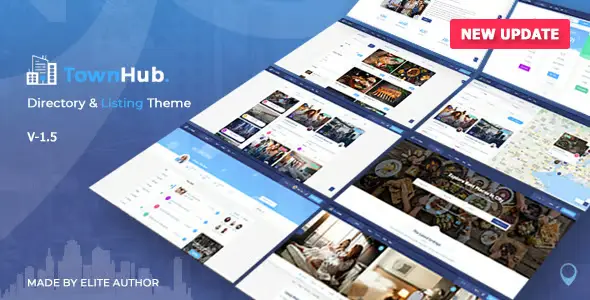
Listing Directory and Listings Theme


$79.00 Original price was: $79.00.$4.99Current price is: $4.99.
WordPress theme for directories and listings that structures listings, bookings and monetization, reducing operational friction and facilitating advanced searches, data control and flows consistent with WooCommerce in scalable projects.
Listeo Directory and Listings Theme is a specialized theme for building directories, business listings, ads, and local marketplaces on WordPress, designed for projects that need bookings, monetization, and maps without custom development, ideal for agencies, entrepreneurs, and technicians looking for stable and scalable workflows focused on UX.
Introduction to Listeo Directory and Listings Theme
This plugin is a WordPress theme geared towards directories and listings that integrates bookings, maps, and ad-based business models, improving data management, user experience, and the daily operation of projects that monetize listings, bookings, and local visibility in WordPress environments with a focus on stability.
The tool provides predefined layouts, ready-to-use components for listings, advanced filters, structured forms, and flows designed for geolocated searches, avoiding fragmented development with multiple isolated plugins. This reduces friction in content management, data organization, and user interaction within complex directories.
In a real-world scenario, a technician managing a vacation rental portal on WordPress can implement this theme to unify listings, map searches, bookings, and payments into a single flow, simplifying the back office, seller support, and booking monitoring compared to a generic template-based structure.
Product overview
This extension operates in the functional area of directories, classifieds, and service marketplaces, impacting how listings are displayed, bookings are managed, filters are organized, and data is structured, with a focus on a clear UX and stable flows for businesses that live off search and conversion within listings.
On a small website, static pages and manual forms were previously used, generating disorganized emails; by installing the theme, a system of lists with standardized fields and filtered search is used; after adoption, operations become more traceable and the administrator has better visibility of what is published and what is reserved.
- Step 1: Initial situation without the add-on, with listings scattered across pages, little data structure, inconsistent records, and forms disconnected from the business flow.
- Step 2: Key action using a specific function of custom fields for ads, geolocation, listing templates, and unified advanced search on the front end.
- Step 3: Observable results in daily operations with less friction in ad uploads, greater control over required fields, fewer posting errors, and a more consistent search experience for visitors.
Requirements and dependencies (without versions)
This extension requires a functional WordPress environment with adequate hosting, a stable database, and, if paid bookings or memberships are desired, integration with a payment system and, usually, an ecommerce plugin, checking beforehand the compatibility of templates, shortcodes, and builders used in the project to avoid overlaps.
- Main dependency: requires a properly configured WordPress core, and for payments and monetization it is common to link it to WooCommerce or another compatible gateway that manages products, commissions or publishing fees.
- General compatibility: It can be integrated with WooCommerce checkout flows when using paid bookings, and it's advisable to review tax, currency, and payment method settings to ensure that paid bookings and listings follow the same tax logic as the rest of the site.
- Typical limitations: In projects with many layout plugins or highly customized child themes, it is recommended to validate in a test environment for possible conflicts of styles, file templates and database queries before moving the project to production.
Key benefits for your project
- Centralization of listings and bookings: This tool consolidates listings, registration forms, and booking systems into a single workflow, reducing the need to combine multiple directory, form, and calendar plugins, resulting in fewer points of failure and a clearer operational view from the WordPress dashboard.
- Improved search and filtering experience: The module facilitates filtering by location, category, custom attributes, and price or availability ranges, allowing users to find relevant results faster, which is key in large directories where speed of access to information directly impacts conversions.
- Monetization-ready flows: With features for featured ads, promoted listings, and paid bookings, the plugin offers structures designed to implement profitable business models without developing logic from scratch, with greater control over what is charged, how it is presented, and how these services are renewed.
- Structured scalability: By working with defined content types and fields, it helps keep the database organized as the directory portal grows, reducing typical problems of sites that scale with unstructured content, and facilitating audits and subsequent optimization.
- Reduced operational friction: This extension unifies listing design, search, and booking instead of relying on multiple scattered shortcodes, simplifying the work of administrators and content teams when creating, reviewing, or updating hundreds of listings in parallel.
- Mobile-focused UX: The theme has been designed with responsive layouts that prioritize clear forms, usable maps, and mobile booking flows, improving the experience of users searching for businesses or accommodations from smartphones, a common context in tourism, leisure, and local services projects.
Key features of Listeo Directory and Listings Theme
- Structured listing system: allows you to define listings with specific fields for businesses, accommodations, services or other categories, ensuring that all ads follow a homogeneous structure that facilitates searches, filtering and future integrations with analytics tools.
- Advanced search engine with filters and maps: integrates search forms with filters by taxonomies, attributes and geolocation, showing results on maps and listings, something especially useful for local directories that need distance or geographic point to be a key decision criterion.
- Booking flows and availability: This module offers components geared towards hourly, daily or interval bookings, connectable to payment gateways via WooCommerce, with calendars and statuses that allow owners and administrators to control occupancy without depending on fragmented external solutions.
- User panel for advertisers: provides private areas where listing owners can manage their listings, update information, answer queries or review bookings, relieving the administrator of repetitive tasks and improving the autonomy of users who publish listings on the platform.
- Customizable conversion-oriented templates: the tool includes ready-made designs to display calls to action, reviews, galleries, and maps in strategic positions, reducing design work and making it easier for listings to contribute to desired conversions, whether bookings, leads, or contacts.
- Integration with payment methods through WooCommerce: In projects that monetize bookings, premium ads, or subscriptions, the theme relies on WooCommerce as a payment layer, leveraging its ecosystem of gateways, coupons, and tax rules to manage transactions consistently with the rest of the site.
Who is this product ideal for?
This extension is especially suitable for projects that need a directory of businesses, accommodations, services or classifieds with configurable bookings and monetization models, both for technical teams looking for a solid foundation and for business profiles that require agile launches without complex custom developments.
- Administrators who need order and traceability: site-responsible profiles that require clear workflows for listing creation, booking control, payment management, and tracking of featured listings within the WordPress ecosystem.
- Teams with multiple projects and operational consistency: agencies or internal departments that maintain several directories or marketplaces and need a structured, reusable, and scalable foundation to replicate patterns across different sites without redesigning flows each time.
- Implementers, designers, and marketing managers: professionals who prioritize UX, speed of implementation, and A/B testing capabilities in business sheets, CTAs, and listing structures, without losing compatibility with tracking tools, analytics, and campaigns.
Practical use cases
- Directory of rural accommodations: context of a local tourism project with dispersed properties; problem of inconsistent listings and bookings by email; use of the extension to structure listings, calendars and payments via WooCommerce; observable result in centralized bookings and reduction of double booking errors.
- Wellness services marketplace: context with therapists and trainers who need visibility and bookings; problem of manual scheduling and lack of filters by specialty; use of the theme for listings with schedules, categories and geolocation; result in more relevant searches and schedule organized by professional.
- Vehicle classifieds portal: context with dealerships and individuals; problem of incomplete ads and poor filters; use of the module for specific vehicle fields, galleries and filters by make, model and price; result in more organized navigation and better qualified contacts.
- Sponsored local business directory: municipal context that wants to highlight businesses; complex maintenance problem on static pages; use of Listeo Directory and Listings Theme to create listings, premium levels and featured positions; result in simpler management of additions/deletions and clear differentiation between standard and sponsored ads.
Frequently Asked Questions about the Listeo Directory and Listings Theme
What type of environment and plugins does this directory theme usually work best with?
It works best in a stable WordPress environment with a reasonable number of active plugins and no heavily modified themes that overwrite critical templates. For projects requiring payments or payment reservations, it's typically integrated with WooCommerce, checking shortcode, widget, and visual builder compatibility before deployment.
How does this issue affect the user experience in the booking or contact process?
The tool organizes the search and booking flows around structured forms, with clear templates and visually consistent steps, reducing the confusion common in sites built from disparate pieces. By centralizing availability, location, and pricing data, users perceive a more straightforward, predictable, and conversion-oriented process.
Does it allow you to automate rules for managing listings, bookings, or featured ads?
This module leverages WordPress's internal logic and, when payments are involved, WooCommerce automations to execute rules such as ad expiration, booking status changes, or premium listing activation. It's commonly combined with automation plugins to send alerts, reminders, or status-based notifications.
How does it handle renewals, failed payments, or outstanding reservations?
When integrated with WooCommerce, renewals and failed payments follow the same logic as the rest of the store's products, applying order statuses and notification emails. For reservations, a failed payment can leave the reservation in a pending status, and it's advisable to review communication flows to avoid unnecessary availability blocks.
Does it manage taxes, coupons, and tax settings consistently across the store?
If bookings or paid listings are routed through WooCommerce, taxes, coupons, and tax rules are managed using the store's standard settings. This ensures that listing and booking operations share the same logic regarding rates, promotions, and currency, maintaining accounting and administrative consistency across the site.
What impact does having many listings have on the performance and stability of a site?
In projects with many ads, performance depends on the quality of the hosting, database index, and available caching. The theme uses queries that can become demanding with complex filters, so it's recommended to enable caching, optimize images, and remove unnecessary plugins to maintain stable response times, especially for map-based searches.
Is it viable to use it in multisite environments or with several separate directory areas?
It can be used in multisite networks, defining one site per geographic area or project, provided the server can handle the load and resource management is well-organized. It's advisable to plan taxonomies, domains or subdomains, and permission rules so that administrators of each subsite can maintain control without interference between directories.
How can I verify that the entire directory and booking workflow is working correctly?
To validate proper functioning, it's recommended to follow a checklist: create several test listings, apply filters, perform searches, simulate bookings or form submissions, execute a minimum real payment, review generated emails, order statuses, and listing visibility. It's also advisable to monitor error logs and loading times on critical pages.

Written and reviewed by the PrimeGPL Team
At PrimeGPL, we ensure that every piece of published content is verified and reviewed by our team. We analyze features, compatibility, and performance to provide you with clear, up-to-date, and truly useful information for each product listed in our store.
Get your questions answered here
We answer your questions so you can buy in an informed and confident manner.
Does my purchase include updates?
Yes. Every product purchase includes lifetime updates, so you won't have to pay extra under any circumstances.
Is there a daily download limit?
No, not at all. After your purchase, you can download it as many times as you need, without any problem.
On how many websites can I use the products?
You can use your purchases on as many domains (websites) as you want, without any problems.
Does it include technical support?
Yes. We offer technical support Monday through Friday, during business hours UTC -3. This support includes assistance with issues related to download problems, installation problems, or errors with the purchased product.
Furthermore, support does not include configurations, customizations, tutorials, or services associated with the author.
Does my purchase have a warranty?
Yes, of course. If you have any problem that we can't solve, or if there's an external issue that doesn't have a general solution related to our service, you'll receive support and, if necessary, a full refund.
How do I access support?
After your purchase, from your user account, you can access the support section, where you can open a ticket and our team will assist you with whatever you need.
Download Previous Versions
If you have purchased this product, or have an active membership, you can download previous versions without any limits or restrictions.
| Product Name | Version | Size | Date | Download |
|---|---|---|---|---|
| No hay versiones anteriores registradas. | ||||
Related Products
Below we show you different products that share the same category.