TownHub Directory and Listing Theme

$59.00 Original price was: $59.00.$4.99Current price is: $4.99.
A specialized theme for creating directories and listing portals in WordPress, with clear data structures, maps, advanced filters, and WooCommerce integration for paid plans, prioritizing operational stability and a user experience focused on discovery.
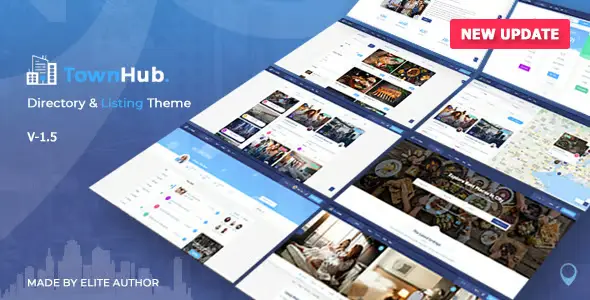
TownHub Directory and Listing Theme is a premium theme designed for creating local directories, listing portals, and marketplaces on WordPress, ideal for projects that prioritize UX, advanced search, and flexible monetization through listings. It is especially useful when a stable hosting foundation and a well-maintained WordPress installation are already in place.
Introduction to TownHub Directory and Listing Theme
This theme is designed to build business directories, service listings, and booking portals on WordPress, optimizing data structure, search flows, and the browsing experience. The TownHub Directory and Listing Theme provides a robust framework for managing complex listings without impacting overall site performance.
From a technical standpoint, this plugin organizes content types, taxonomies, maps, and advanced filters into a scalable structure. The tool integrates seamlessly with real business workflows—business onboarding, information updates, subscription monetization, bookings, and lead generation—reducing friction in repetitive back-office tasks.
A typical micro-scenario: a technician implements this module on a local portal that already uses WooCommerce to collect payments for ad plans. They define listing types, configure listing templates, adjust location search, and connect the checkout to the listing plans, achieving a seamless flow from the homepage to payment.
Product overview
This plugin primarily operates in the directory and listings functional area, directly impacting user experience, internal listing management, and the stability of advanced searches. The TownHub Directory and Listing Theme allows you to centralize business data, reviews, maps, and bookings within a consistent and adaptable visual framework.
Before using this extension, a small store typically manages listings with standard entries and makeshift fields, leading to inconsistencies. During adoption, a medium-sized store restructures categories, locations, filters, and templates, standardizing the content. Afterward, a large portal gains a more stable system for scaling listings and monetization without sacrificing operational clarity.
- Step 1: Initial situation without the add-on: chaotic tabs, scattered custom fields, manually inserted maps, and imprecise filters that generate frustration for the end user.
- Step 2: Key action using a specific function: definition of structured listings, integrated geolocation and filters segmented by category, price, rating and location, all managed from the panel.
- Step 3: Observable result in operation: smoother navigation, fewer data errors, more predictable new business onboarding times, and better control over which listings are displayed, how they are sorted, and how they are monetized.
Requirements and dependencies (without versions)
This tool requires a working WordPress installation with access to the admin panel, a stable hosting environment, and, to monetize listings, a compatible e-commerce module such as WooCommerce or similar. Before using it, it's advisable to review server requirements, available memory, and caching policies.
- Main dependency: requires WordPress to be running; for paid plans or bookings with payment, it is usually integrated with WooCommerce or another gateway that manages products, subscriptions or one-time payments.
- General compatibility: It can coexist with extensions for checkout, taxes, coupons, and shipping when using listing plan or reservation products, provided that payment flows, transactional emails, and generated user roles are reviewed.
- Typical limitations: In projects with many thousands of listings or high traffic volume, it is advisable to first test in a staging environment, measure database queries, review page and object caches, and validate that maps, filters, and searches behave stably.
Key benefits for your project
- Centralizing listing data: This module organizes businesses, locations, categories, reviews, and galleries into a consistent structure, reducing duplicate data and errors. The result is a cleaner database that simplifies maintenance, migrations, and content audits without relying on makeshift solutions.
- Structured directory monetization: This extension lets you define listing plans, feature ads, offer sponsored listings, and connect them to paid products. With it, you can transform a simple catalog into a recurring revenue stream, with clear rules regarding visibility, publication duration, and premium options.
- Discovery-focused user experience: The tool incorporates optimized templates for local search, maps, refined filters, and listing/detail views designed to convert visits into leads or bookings. Users find relevant businesses with fewer clicks and better visual context, improving their overall perception of the portal.
- Operational scalability of the team: By standardizing fields and processes, your team spends less time creating or reviewing listings, managing expired content, and handling user reports. This frees up time for optimization tasks, business agreements, or marketing instead of repetitive manual work.
- Integration with existing payment flows: If you already use WooCommerce, you can link directory plans to products, leverage pre-configured gateways, and maintain a single billing system. This simplifies reconciliations, financial reporting, and reduces potential points of failure across multiple disconnected solutions.
- A solid foundation for local SEO and AEO: By having structured business data, clear location information, and consistent content, you facilitate schema configurations, clean breadcrumbs, and logical paths. This helps both traditional and generative search engines better understand your website and provide more relevant results.
Key features of the TownHub Directory and Listing Theme
- Advanced listing management with custom fields: The tool allows you to define specific attributes (hours, price ranges, services, amenities) and display them in an organized way. This improves filter accuracy and provides more useful data for both human users and search engines.
- Map and geolocation integration: This plugin includes support for displaying businesses on interactive maps and filtering by radius, city, or point of interest. In WooCommerce workflows, you can combine paid listings with featured map placements, providing additional business value for advertisers.
- Integrated review and rating system: The extension incorporates comments and ratings for each listing, with options for moderation and spam control. From a UX perspective, this helps users make quick decisions, while operationally it offers additional signals for dynamically sorting or highlighting listings.
- Conversion-focused templates and layout: The theme offers archive and detailed designs that showcase key information in the initial blocks, highlight calls to action (call, message, book), and maintain a mobile-friendly layout. For WooCommerce stores, it facilitates a seamless and natural transition to checkout.
- Support for paid plans and featured listings: The TownHub Directory and Listing Theme can work with products or plans that activate premium listings, renewals, and featured options. In real-world workflows, this translates to automating new listings, expirations, and visibility changes without constant administrator intervention.
- Optimized search and filtering for large catalogs: The module includes filters by category, location, tag, price range, and other criteria, with proper pagination and quick views. This reduces the feeling of saturation as the catalog grows and helps distribute traffic more evenly among different businesses.
Who is this product ideal for?
This theme is especially suitable for projects looking to turn WordPress into a stable, monetizable, and easy-to-manage directory portal. It's useful for small businesses starting a local portal as well as agencies managing city networks or niche verticals.
- Administrators who need order and traceability: profiles that require seeing which listings are active, which plans are linked, when each ad expires and how the featured space is being used, with clear history and data searchable from the panel.
- Teams with multiple projects and operational consistency: agencies and studios that replicate directory models in different cities or sectors, and want to maintain the same logic of fields, templates, automations and reports without reconfiguring everything each time.
- Implementers, designers, and marketing managers: professionals who need a solid visual framework, editable by web developers, and a data structure ready for local SEO campaigns, ads, lead generation, and revenue generation through featured listings or subscription plans.
Practical use cases
- Local restaurant portal → Problem: The current site uses standard entries, without filters by cuisine type or a functional map. Extension solution: Structured listings are created, filters by category and area are added, and paid plans are offered to feature restaurants. Result: More intuitive navigation, referral bookings, and better control of active listings.
- Healthcare professional directory → Problem: Patients are unable to find specialists based on accepted insurance or consultation type. Tool implementation: Custom fields (insurance, modality, languages), a filtered search engine, and profiles with call-to-action (CTA) for appointments are defined. Result: Patients find relevant professionals with fewer steps and fewer support inquiries.
- Tourism experience marketplace → Problem: Tours are managed via individual pages and emails, without a clear inventory or paid visibility. Plugin use: Listings are organized by destination, experience type, and duration, with featured plans linked to paid products. Result: Centralized inventory, clear booking flows, and monetization through visibility.
- City-based directory network → Problem: Maintaining consistent design and data across multiple sub-sites is costly. Extension solution: The theme's base configuration is replicated in each city, preserving fields, filters, and templates. Result: More consistent operations, a shorter learning curve, and comparable metrics across regions.
Frequently Asked Questions about the TownHub Directory and Listing Theme
What type of WordPress installation is this directory theme compatible with?
It works on standard WordPress installations on shared or dedicated hosting, provided they meet basic PHP, database, and memory requirements. It's recommended to have active HTTPS, a backup system, and a proven caching plugin to ensure stability as the number of listings increases.
In environments with other themes and complex extensions, it's advisable to test in a staging environment first, reviewing error logs, resource consumption, and the behavior of the admin panel. This will allow you to identify potential conflicts with visual builders, security modules, or aggressive caching plugins before deploying the project to production.
How does this issue affect the user experience in the search and contact process?
It's designed to improve the user experience in browsing, searching, and contacting businesses, thanks to structured listings, maps, precise filters, and clear product information. While it doesn't directly manage checkout, it can connect with WooCommerce for payment flows for advertising plans or bookings.
In practice, users can quickly locate businesses by location, category, or keywords, access key information at the top of the listing, and find clear buttons to call, message, or book. This design minimizes unnecessary steps and reduces abandonment within the directory itself.
Does it allow you to automate rules for new listings, expirations, and featured listings?
You can work with automated rules associated with payment plans or internal settings, so that additions, expirations, and visibility changes are managed with minimal manual intervention. The TownHub Directory and Listing Theme integrates with WooCommerce products or plans to link durations and statuses.
It's common to configure products that activate a certain number of days of visibility, the ability to highlight listings, or to emphasize specific sections. When an order's status changes, the associated listing is updated. Before deploying to production, it's advisable to test with test accounts, dummy orders, and review the server's cron jobs.
How are renewals and failed payments handled in advertising plans?
Renewals and failed payments are typically handled through WooCommerce or your payment system, while the theme responds to order status changes. If a payment fails, the associated plan may not renew, and the listing may lose visibility or expire.
To avoid confusion, it's advisable to define clear rules: what happens when an order expires, how many grace days are given, and what message is displayed to the advertiser in their dashboard. It's also a good idea to review automated renewal reminder emails and verify that the system's cron jobs are processing events on time.
Does working with WooCommerce have an impact on taxes, shipping, or coupons?
When used with WooCommerce, products associated with ad plans or listings are typically virtual, without physical shipping, so taxes and shipping depend on WooCommerce's own settings. This theme does not alter the logic for calculating VAT or shipping methods.
It's possible to apply coupons to products that represent listing plans, managing temporary discounts or acquisition campaigns. Before launching promotions, it's advisable to conduct real-world purchase tests in a test environment, review totals, taxes, and confirmation emails, and verify that the listing is activated with the correct visibility level.
How does it affect performance and stability when there are many listings?
On sites with many listings, complex filters, and maps, performance depends heavily on the server, database, and cache configuration. The theme is designed to handle large catalogs, but optimizing queries, images, and map-loading scripts is crucial.
A good practice is to enable page caching, use image compression, and monitor response times on archive pages with many filters. If you detect slowness, review redundant plugins and unnecessary widgets, and consider techniques such as proper pagination, limiting results per page, and using indexes on database tables.
Is it viable to use it in multisite or multi-store installations?
It can be used in WordPress multisite environments, where each site manages its own directory with independent settings. In multi-store scenarios with WooCommerce, each instance can define different plans, currencies, and taxes, while maintaining the same visual listing logic.
However, for very large networks, it's advisable to establish a centralized management strategy: base templates, policies for required fields, and common rules for featured listings. Before expanding to many cities or brands, conduct scaling tests, backups, and coordinated updates to avoid network inconsistencies.
How can I verify that everything is working correctly after setting it up?
To verify a successful deployment, create a checklist: add a test listing, review its public listing, test filters, view it on a map, test the plan purchase flow, and simulate expiration. Also check automated emails to the advertiser and user panel behavior.
Additionally, it monitors error logs, checks the browser console on pages with maps or filters, and runs lightweight load tests for archive pages with the highest estimated traffic. If no errors appear, listings load normally, and plans respond to order status changes, the system is reasonably validated.

Written and reviewed by the PrimeGPL Team
At PrimeGPL, we ensure that every piece of published content is verified and reviewed by our team. We analyze features, compatibility, and performance to provide you with clear, up-to-date, and truly useful information for each product listed in our store.
Get your questions answered here
We answer your questions so you can buy in an informed and confident manner.
Does my purchase include updates?
Yes. Every product purchase includes lifetime updates, so you won't have to pay extra under any circumstances.
Is there a daily download limit?
No, not at all. After your purchase, you can download it as many times as you need, without any problem.
On how many websites can I use the products?
You can use your purchases on as many domains (websites) as you want, without any problems.
Does it include technical support?
Yes. We offer technical support Monday through Friday, during business hours UTC -3. This support includes assistance with issues related to download problems, installation problems, or errors with the purchased product.
Furthermore, support does not include configurations, customizations, tutorials, or services associated with the author.
Does my purchase have a warranty?
Yes, of course. If you have any problem that we can't solve, or if there's an external issue that doesn't have a general solution related to our service, you'll receive support and, if necessary, a full refund.
How do I access support?
After your purchase, from your user account, you can access the support section, where you can open a ticket and our team will assist you with whatever you need.
Download Previous Versions
If you have purchased this product, or have an active membership, you can download previous versions without any limits or restrictions.
| Product Name | Version | Size | Date | Download |
|---|---|---|---|---|
| No hay versiones anteriores registradas. | ||||
Related Products
Below we show you different products that share the same category.