S2W Import Shopify to WooCommerce

$59.00 Original price was: $59.00.$4.99Current price is: $4.99.
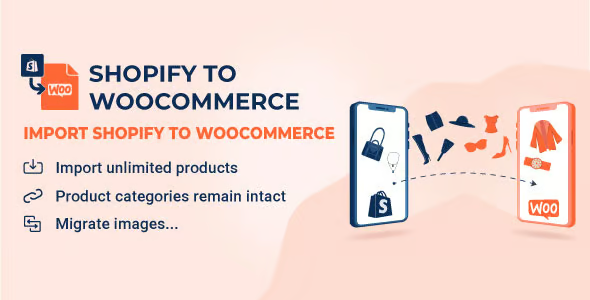
A specialized extension to migrate catalogs, customers, and orders from Shopify to WooCommerce in a structured way, reducing manual work, data errors, and facilitating a more stable and controlled platform change.
This plugin simplifies the migration of relevant data from a Shopify store to WooCommerce in a structured, controlled, and reproducible way. It's designed for implementers, agencies, and technical owners seeking operational stability during a platform change. It's especially useful when a WooCommerce installation is already in place and ready to receive catalogs and orders.
Introduction to S2W Import Shopify to WooCommerce
This extension is designed to move products, customers, and orders from a Shopify store to a WooCommerce installation, reducing friction in data flows, avoiding manual duplication, and improving inventory consistency between both platforms during a well-planned migration.
The tool acts as a bridge between Shopify and WooCommerce, leveraging WordPress's native product, variation, and metadata structures. It allows for orchestrated bulk imports, adjustable data synchronization, and minimized human error in processes that previously relied on spreadsheets or partial copies.
Micro-scenario: A technician reviews in a test environment how this module imports products with multiple variations, validates that the images are correctly associated, checks the stock in the back office and, after verifying the entire flow, replicates the same process in the production store reducing the impact on the checkout.
Product overview
This plugin operates in the functional area of data integration between Shopify and WooCommerce, impacting catalog management, order history stability, and user experience by maintaining consistent information after platform changes without manually redoing the online store structure.
In a small store, products used to be copied one by one from Shopify, resulting in the loss of descriptions, tags, and some images. During the migration with this extension, you define which collections to import and how to map them. Afterward, the catalog is aligned, and the team only needs to adjust minor design details or text.
In medium and large businesses, the current situation often involves multiple people editing data in parallel. Without a centralized workflow, inconsistencies in stock and categories arise. By implementing this tool, a migration window is defined, the import is executed in a controlled manner, and subsequently, the team can focus solely on optimizing UX and marketing without having to redo the inventory.
- Step 1: Initial situation without the plugin: scattered catalog, CSV exports from Shopify, coding errors, loose images, and historical orders that are difficult to reuse in WooCommerce.
- Step 2: Key action using a specific function: Configure the import using the Shopify API, choose which entities to migrate, and run the process in a pre-prepared WordPress environment.
- Step 3: observable result in operation: less friction in the back office, better control over products and customers, and a reduction in errors when preparing the new checkout in WooCommerce with consistent data.
Requirements and dependencies (without versions)
This tool requires a working WordPress installation with WooCommerce up and running, an accessible Shopify store, and valid API credentials, as well as a prior review of product structure, collections, variations, and taxes to avoid surprises in mapping and subsequent internal management flow.
- Primary dependency: Active WooCommerce, with standard product types and taxonomies, plus a Shopify account with sufficient permissions to read products, customers, and orders through its programming interface.
- General compatibility: focuses on catalog, customers and orders; the impact on checkout, renewals or shipments depends on how taxes, shipping zones, coupons and gateways already configured directly in WooCommerce are replicated.
- Typical limitations: Highly customized Shopify structures, extra fields, or third-party apps may not migrate automatically; it's advisable to test in a staging environment first and validate variant mappings, local taxes, and stock rules before running a full migration.
Key benefits for your project
- Efficiency in data migration
By centralizing the import of products, customers, and orders, this extension reduces manual work hours and the risk of copy-paste errors. Migration is no longer dependent on multiple spreadsheets, but rather on a more structured, repeatable workflow that is easier for the technical team to audit. - Better control over catalog and variations
The plugin allows you to preserve attributes, variations, and associated images, giving WooCommerce a product structure very close to Shopify's reality. This simplifies the subsequent design phase, including store filters and inventory rules, resulting in a more consistent catalog from day one. - Reduction of friction in daily operations
Having historical customers and orders within WooCommerce provides support, administration, and marketing with a single source of data. This simplifies reporting, customer reactivation, segmentation by past purchases, and more organized tracking without having to consult two separate admin panels. - Scalability in complex migrations
For agencies or teams with multiple projects, this tool provides a more standardized migration workflow. Steps can be documented, configurations replicated across different sites, and variability between projects reduced, maintaining a similar technical foundation for each new store migrating from Shopify to WooCommerce. - Improved user experience post-migration
When the catalog is properly structured, the WooCommerce checkout works with reliable data on stock, prices, and variants. This reduces errors about unavailable products, minimizes returns due to inconsistent data, and improves the overall user experience when browsing categories, filters, and product pages. - Greater traceability and auditing of changes
The tool makes it easy to understand what was imported, from where, and when, which helps audit the migration in case of issues. This visibility benefits administrators who need to justify changes or make specific corrections without having to redo the entire import.
Key features of S2W Import Shopify to WooCommerce
- Importation of products with attributes and variations
This extension manages both simple and variable products, maintaining attributes, options, and combinations, which streamlines the creation of a complete catalog in WooCommerce. The product listing creation process is automated, eliminating the need to reconfigure variations one by one. - Migration of customers and historical orders
The plugin can migrate registered customer data and order history. This allows you to keep crucial information for support, sales reports, and email marketing strategies within WordPress, with less reliance on the Shopify interface after the switch. - Synchronization via Shopify API
The tool leverages Shopify's official API to read structured data, reducing the risk of errors that often occur with manual CSV exports. This improves process stability, helps maintain correct encoding, and minimizes misaligned fields. - Data filtering and selection options
This module typically allows you to choose which types of content to import: products only, or also customers and orders, as well as filter by ranges or collections. This enables a phased and more secure migration, especially for projects with large data volumes. - Image handling and associated media
The tool aims to preserve featured images, galleries, and resources associated with each product listing. By integrating with the WordPress media library, it reduces subsequent manual allocation tasks, keeping the catalog's visual experience as close as possible to the original store. - Focus on WooCommerce environment stability
The plugin works with WooCommerce's standard tables and structures, avoiding deep database modifications. This provides cleaner integration with other store modules, such as payment gateways, shipping, coupons, and reporting plugins.
Who is this product ideal for?
This plugin is suitable for store owners who want to leave Shopify and consolidate operations in WooCommerce, as well as for agencies, implementers, and technical teams who manage frequent migrations and need a more stable and repeatable foundation for each project.
- Administrators who need order and traceability.
Back-office managers who want to centralize their catalog, customers, and orders in WordPress, with a history of what has been imported and the ability to review, correct, and document each phase of the platform change. - Teams with multiple projects and operational consistency.
Agencies, studios, and consultancies that repeat migration processes can standardize their methodology by using this tool as a central component, improving timelines, data quality, and reducing the learning curve between similar projects. - Implementers, designers, and marketing managers.
Specialists who need a WooCommerce environment with real data to design templates, configure funnels, or launch campaigns appreciate having migrated products and orders available quickly, avoiding unrealistic mockups and working directly on reliable information.
Practical use cases
- A fashion store on Shopify wants to migrate to WooCommerce to gain more control over extensions and costs. Problem: over a thousand items with size and color variations. Solution: the extension imports products and variations with consistent attributes. Result: the catalog is ready to be updated with a new WordPress theme.
- An online academy was selling courses as physical products on Shopify and decided to migrate to a WordPress environment with WooCommerce and an LMS. Problem: they didn't want to lose their customer history. Solution: they imported customers and orders, then linked them to the LMS. Result: students retained access and their purchase data was preserved.
- An agency manages several brands that want to phase out Shopify. Problem: each project has different collection structures. Use case: the plugin is used in a staging environment to test mappings and then replicate adjustments in production. Result: more predictable migrations, fewer issues, and reduced onboarding times.
- A niche eCommerce business wants to consolidate reports in WooCommerce and stop consulting Shopify to view past sales. Problem: marketing decisions scattered across two dashboards. Use case: catalog and order data migrated to the new site. Result: centralized reports, improved customer segmentation, and campaigns based on comprehensive data.
Frequently Asked Questions about S2W Import Shopify to WooCommerce
What should I check before using an import tool from Shopify?
It's advisable to verify that WooCommerce is configured with the correct currency, basic taxes, shipping zones, and standard product types, and that the Shopify store has clean data without critical duplicates. Checking API access and working in a test environment first helps avoid surprises in production.
How does data migration affect the shopping experience at checkout?
The quality of the import directly impacts the checkout experience, as prices, stock levels, and variations must be correctly configured. If products are migrated with consistent attributes and the inventory is up-to-date, the user will experience a smooth purchase process and fewer errors in the shopping cart or at checkout.
Is it possible to automate or schedule partial imports over time?
In many scenarios, the tool is used for phased migrations or one-off synchronizations. Depending on the configuration, partial imports of products or orders can be performed, results validated, and the process repeated. This makes it easy to manage large catalogs without overloading the server or interrupting operations.
Does importing affect renewals of existing payments or subscriptions?
Recurring payments and subscriptions managed by Shopify are not transferred as active processes to WooCommerce, as they depend on each platform's payment gateway and logic. The usual practice is to import the order history and recreate the subscriptions using WooCommerce's specific tools for this new phase.
How do taxes, shipping, and coupons behave after the platform change?
Taxes, shipping rules, and coupons are based on WooCommerce's internal settings, not Shopify's. Imports typically focus on products, customers, and orders. Therefore, it's recommended to recreate taxes, shipping zones, and coupons directly in WooCommerce, using the migrated data only as a reference for business decisions.
What impact does migration have on site performance and stability?
The bulk import of products and orders consumes server resources and can slow down administration while it's running. It's advisable to run processes during off-peak hours, monitor CPU and memory usage, and review logs. After completion, the site will return to normal load, now with the consolidated data.
Can I use this solution in multisite or multi-store environments?
In WordPress multisite, the usual approach is to work store by store, targeting the tool to each specific WooCommerce installation. It's not a centralized solution for multiple domains simultaneously, but the import flow can be repeated across different subsites, maintaining separate catalogs when the project requires it.
How do I verify that the import was successful?
A practical checklist includes: verifying the number of products and categories against Shopify, checking multiple product listings with variations, validating images, comparing a few orders and customers, and making test purchases in WooCommerce. If everything matches and the checkout flow works, it's a good sign that the migration is going well.

Written and reviewed by the PrimeGPL Team
At PrimeGPL, we ensure that every piece of published content is verified and reviewed by our team. We analyze features, compatibility, and performance to provide you with clear, up-to-date, and truly useful information for each product listed in our store.
Get your questions answered here
We answer your questions so you can buy in an informed and confident manner.
Does my purchase include updates?
Yes. Every product purchase includes lifetime updates, so you won't have to pay extra under any circumstances.
Is there a daily download limit?
No, not at all. After your purchase, you can download it as many times as you need, without any problem.
On how many websites can I use the products?
You can use your purchases on as many domains (websites) as you want, without any problems.
Does it include technical support?
Yes. We offer technical support Monday through Friday, during business hours UTC -3. This support includes assistance with issues related to download problems, installation problems, or errors with the purchased product.
Furthermore, support does not include configurations, customizations, tutorials, or services associated with the author.
Does my purchase have a warranty?
Yes, of course. If you have any problem that we can't solve, or if there's an external issue that doesn't have a general solution related to our service, you'll receive support and, if necessary, a full refund.
How do I access support?
After your purchase, from your user account, you can access the support section, where you can open a ticket and our team will assist you with whatever you need.
Download Previous Versions
If you have purchased this product, or have an active membership, you can download previous versions without any limits or restrictions.
| Product Name | Version | Size | Date | Download |
|---|---|---|---|---|
| S2W Import Shopify to WooCommerce | 1.4.4 | 1 MB | 11/02/2026 | Join Now |
Related Products
Below we show you different products that share the same category.