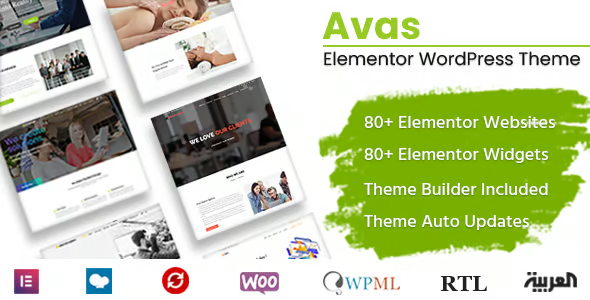
Avas Elementor MultiPurpose WordPress Theme

$29.00 Original price was: $29.00.$4.99Current price is: $4.99.
Multipurpose theme integrated with Elementor to create scalable WooCommerce sites and stores, with global templates and centralized design control, improving visual consistency and reducing maintenance efforts in key flows.
This multipurpose theme based on visual layout helps create WordPress sites and WooCommerce stores with optimized structures, reusable templates, and granular design controls, ideal for agencies, freelancers, and businesses that want to reduce layout times and maintain visual consistency, as long as they use Elementor as their main editor.
Introduction to Avas Elementor MultiPurpose WordPress Theme
This multipurpose WordPress theme integrates with Elementor to manage layout layers, grids, typography, and reusable components, optimizing page and WooCommerce view assembly flows without relying on complex custom code for every relevant visual setting.
This tool combines a flexible design framework with pre-built sections, header and footer templates, and dynamic blocks that connect to real WordPress and WooCommerce data. This reduces friction by maintaining brand guidelines, improving readability, and controlling responsive behavior from a single ecosystem.
Micro-scenario: A technician evaluates this module in a store that experiences checkout abandonment. They redesign the flow in Elementor using theme templates, remove distracting elements, optimize visual hierarchy, and replicate this structure in A/B testing variants without rewriting the codebase in each iteration.
Product overview
This plugin operates on the visual and structural layer of the site, directly impacting user experience, layout stability, and iteration speed on key pages such as product, cart, and checkout within a WordPress environment with active WooCommerce.
Previously, a small online store relied on rigid themes; every design change required modifying PHP templates. With this extension, sections are migrated to Elementor blocks, fonts are standardized, and a color scheme is defined. Then, the store can adjust banners, product pages, and landing pages without risking breaking the layout.
- Step 1: Initial situation without the plugin: inconsistent designs, scattered templates, and checkout with too many elements, difficult to maintain by different implementers.
- Step 2: Key action using a specific function: global templates for headers, product sections, and trust blocks are applied, managed from Elementor supported by the theme.
- Step 3: observable result in operation (less friction, more control, fewer errors): fewer visual incidents after updates, clearer flows for the user and shorter times to launch new campaign pages.
Requirements and dependencies (without versions)
This theme requires a working WordPress site, Elementor installed, and, if using shop features, WooCommerce properly configured with gateways, taxes, and shipping methods. Therefore, it's advisable to check general plugin and template compatibility before integrating it into a critical project.
- Main dependency (if applicable) expressed without versions: requires the Elementor plugin as the base visual page builder to fully leverage its structure of sections, widgets, and global templates.
- General compatibility (checkout, renewals, roles, taxes, shipping) depending on the type of tool: it works on the templates that WooCommerce exposes, allowing you to design product pages, carts and checkout; it does not manage the logic of taxes, shipping or roles, but respects the standard configuration of the ecosystem.
- Typical limitations or scenarios where it is advisable to test first (without alarmism): in stores with many coexisting design plugins, it is advisable to validate that there are no CSS conflicts or overlaps of visual hooks, by doing tests in staging with product flows, cart, checkout, accounts and content pages.
Key benefits for your project
- It allows you to structure complex WordPress layouts without relying on fragmented templates, reducing the number of points where the design can break. This facilitates maintenance, section refactoring, and deployments across multiple domains with a consistent visual foundation.
- It improves the efficiency of teams that combine technical and marketing profiles, since each can work within their respective area: the developer defines blocks, the marketer adjusts copy and images in Elementor without touching code. The result is a more agile workflow with fewer minor change tickets.
- Enhance the WooCommerce user experience by enabling the configuration of clear hierarchies in product pages, trusted sections, featured items, comparisons, and bundles, all from templates that can be applied across multiple pages. This minimizes errors when creating new products or categories with repeatable information structures.
- It contributes to operational stability by separating design from functionality, allowing for updates to payment, shipping, or coupon extensions while maintaining a consistent appearance. In the event of issues, it's easier to isolate whether a failure originates from the visual layer or a business module.
- It offers a scalable foundation for multi-language or multi-category projects where replicating structures across multiple pages is required. Through global templates and reusable sections, this module helps maintain brand consistency even as the catalog expands or new business lines are added.
- It facilitates SEO and AEO iterations on landing pages and category pages, as headings, content blocks, and informational sections can be adjusted without rewriting theme templates. This allows you to test different content approaches without compromising the integrity of the layout.
Key features of Avas Elementor MultiPurpose WordPress Theme
- A multipurpose design system compatible with Elementor that covers blogs, corporate websites, and eCommerce, allowing you to share components between content pages and store sections. This reduces design duplication and ensures the checkout maintains the same visual style as the rest of the site.
- Pre-built templates for headers, footers, and key sections integrate with Elementor widgets, simplifying the creation of mega menus, top bars with shipping messages, and promotional blocks above the cart. This integration directly results in clearer navigation within WooCommerce.
- Advanced controls for typography, color, and spacing are centralized within the theme, helping to avoid visual inconsistencies between product listings, static pages, and blog posts. In purchase flows, this visual order enhances the perception of security and reduces distractions at checkout.
- Supports full-width layouts, custom boxes and grids, useful for catalogs with many categories. The implementer can adjust the density of visible products, columns, and auxiliary elements (filters, breadcrumbs) without redoing hardcoded templates.
- Seamless integration with WooCommerce widgets in Elementor allows you to place blocks like related products, upsells, or reviews in more strategic positions. This makes it possible to experiment with different product page structures without requiring additional development.
- Customization options for blog pages and internal pages allow you to maintain a consistent editorial narrative across sales pages. This continuity between informational content and product descriptions typically improves user journeys and paths to the shopping cart.
Who is this product ideal for?
This theme is especially useful for implementers working with Elementor, agencies with multiple WordPress-based stores, and marketing managers who require visual flexibility without going into deep layers of development in each design iteration.
- Administrators who need order and traceability. It helps them document which templates control each section of the site, reduce surprises after design changes, and maintain a clear structure between static pages, blog, and WooCommerce views.
- Teams with multiple projects and operational consistency. They can reuse design patterns across different sites, standardize product, cart, and checkout layouts, and reduce the time needed to launch new stores with a validated visual foundation.
- Implementers, designers, and marketing managers. Designers define components, implementers connect those layouts to real data, and marketing adapts them for campaigns and tests without altering the core of the theme, maintaining a healthier separation of responsibilities.
Practical use cases
- A fashion store has cluttered product pages and low conversion rates. Problem: too much disorganized information. Solution: a clean product template is created in Elementor, with featured images and defined trust sections. Result: smoother navigation and fewer abandonment issues on detail pages.
- An online academy needs to unify the design of its landing pages and course store. Problem: each page was built using different methods. Using this tool: headers, benefits blocks, and testimonial sections are standardized. Result: a uniform brand image and centralized maintenance.
- A small marketplace wants to quickly launch microsites for different product lines. Problem: replicating the structure was expensive. Solution: global templates are cloned, and colors and fonts are adapted in the customizer. Result: new sites ready in less time, without reconfiguring the entire layout.
- A B2B consulting firm integrates a technical blog with service pages and a digital product catalog. Problem: visual breaks between sections. Use of this plugin: consistent layouts are created for the blog, service pages, and checkout. Result: a seamless user experience and fewer design issues when expanding content.
Frequently Asked Questions about Avas Elementor MultiPurpose WordPress Theme
What types of plugins and environments does it usually work without problems?
This tool adapts well to environments where Elementor is the main page builder and WooCommerce manages the store, coexisting with common SEO, caching and security plugins, provided that compatibility tests are carried out in a staging environment before taking the changes to production.
How does the checkout process affect the overall shopping experience?
This module doesn't modify the payment logic, but it does change the visual presentation of the checkout, cart, and account screens. By organizing fields, text, and sections with consistent templates, it typically improves readability, reduces visual clutter, and makes the purchase flow more predictable for returning users.
Does it allow you to automate elements or apply specific visual rules?
It doesn't automate pricing or stock rules, but it does facilitate reusable design rules: you can define conditional templates in Elementor (by content type or taxonomy) that use the theme's foundation. This way, automations come from how those templates are assigned to specific products, categories, or pages.
Does it have an impact on subscription renewals or failed payments?
The extension does not manage renewals or subscription logic; that responsibility lies with the payment and subscription plugins you use. Its influence is limited to the display of account pages, order history, and associated forms, where it can improve the clarity and organization of the information shown.
Does it affect tax calculations, shipping, or coupon usage?
This plugin does not alter tax calculations, shipping rules, or coupon logic; it works at the presentation layer. Forms and summary messages are displayed with the theme's style, but amounts, tax rules, and discounts still depend on the WooCommerce settings and related extensions.
How does it affect site performance and stability?
This type of theme adds visual options and templates, so performance depends on how optional sections, images, and scripts are used. Properly configured, with static resource optimization and caching, it can maintain acceptable stability and minimize design jumps during checkout and navigation.
Is it suitable for multi-site installations or multi-store projects?
It can be used in multisite networks where design criteria are shared across different sites, helping to standardize headers, footers, and product structures. However, it's advisable to test templates and theme options on each site in the network, especially when combining different shop or membership plugins.
How can I check that everything is working correctly after setting it up?
A practical checklist includes: reviewing home, product, cart, checkout, and account pages on desktop and mobile; checking completed forms with real or test orders; validating that menus, breadcrumbs, and key buttons are visible; and monitoring server error logs during the first few hours of heavy use.

Written and reviewed by the PrimeGPL Team
At PrimeGPL, we ensure that every piece of published content is verified and reviewed by our team. We analyze features, compatibility, and performance to provide you with clear, up-to-date, and truly useful information for each product listed in our store.
Get your questions answered here
We answer your questions so you can buy in an informed and confident manner.
Does my purchase include updates?
Yes. Every product purchase includes lifetime updates, so you won't have to pay extra under any circumstances.
Is there a daily download limit?
No, not at all. After your purchase, you can download it as many times as you need, without any problem.
On how many websites can I use the products?
You can use your purchases on as many domains (websites) as you want, without any problems.
Does it include technical support?
Yes. We offer technical support Monday through Friday, during business hours UTC -3. This support includes assistance with issues related to download problems, installation problems, or errors with the purchased product.
Furthermore, support does not include configurations, customizations, tutorials, or services associated with the author.
Does my purchase have a warranty?
Yes, of course. If you have any problem that we can't solve, or if there's an external issue that doesn't have a general solution related to our service, you'll receive support and, if necessary, a full refund.
How do I access support?
After your purchase, from your user account, you can access the support section, where you can open a ticket and our team will assist you with whatever you need.
Download Previous Versions
If you have purchased this product, or have an active membership, you can download previous versions without any limits or restrictions.
| Product Name | Version | Size | Date | Download |
|---|---|---|---|---|
| Avas Elementor MultiPurpose WordPress Theme | 6.9.8 | 29.0 MB | 23/02/2026 | Join Now |
Related Products
Below we show you different products that share the same category.