WP and Divi Icons Pro

$79.00 Original price was: $79.00.$4.99Current price is: $4.99.
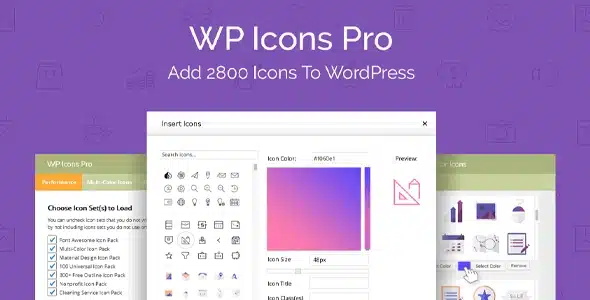
Expand your Divi icon library with professional collections accessible directly from the editor, without code or external dependencies. Consistent iconography across checkout, product pages, and any visual module, applied in seconds.
WP and Divi Icons Pro is a WordPress and Divi Builder extension that substantially expands the icon library available for any visual project, eliminating the exclusive reliance on pre-made icon packs. It's designed for web designers, agencies, and store administrators who need visual consistency without compromising loading speed or customization flexibility.
Introduction to WP and Divi Icons Pro
When a design team works with Divi and needs specific icons to reinforce the visual identity of a store or project, the friction begins when they discover that the native set does not cover all scenarios: action buttons at checkout, trust indicators on product pages, or visual elements in automation flows that require iconography consistent with the brand.
This tool integrates extended icon collections directly into the Divi editor, eliminating the need to manually load external fonts or edit code. The logic is simple: the plugin registers icon packs within the builder's ecosystem, making them accessible from native modules. This reduces implementation errors and saves time with each design iteration.
Imagine a technician setting up an order confirmation page in WooCommerce. They need a shield icon to convey security and a truck icon for shipping status. With this extension, they can find these icons directly in the Divi icon picker, apply them in seconds, and maintain typographic consistency with the rest of the site, all without leaving the editor or loading additional resources.
Product overview
The visual management of a scaling store requires more than a handful of generic icons: it needs a broad, controlled, and consistent library that can be applied across product modules, checkout pages, trust sections, and automation flows without generating technical debt or difficult-to-maintain external dependencies.
Before incorporating this module, the usual workflow involved downloading icon packs, uploading them as custom fonts, registering them in the child theme, and finally, manually referencing them in each Divi module. This repetitive process multiplied points of failure and lengthened the delivery times for any visual update.
- Without the add-on: Every need for iconography outside the default set forced you to leave the editor, manage font files, and risk visual inconsistencies between pages or between theme updates.
- With the active add-on: Divi's native icon picker displays expanded collections, allowing you to choose, scale, and color any icon directly from the module's design panel, without any additional code.
- Observable result: The pages maintain visual consistency, the layout time per section is reduced, and the team can iterate on the design without technical intervention with each icon change.
Requirements and compatibility
Before incorporating this extension into a production environment, it is advisable to verify that the Divi builder is present and active on the site, since all the functionality of the plugin operates within its architecture of modules and design options; without this main dependency, the tool has no surface to integrate into.
- Main dependency: The Divi Builder must be active as a theme or plugin, as the icons are registered and exposed through its internal options system.
- Functional compatibility: Enlarged icons are available in text modules, buttons, accordions, lists, blurbs, and any other Divi module that includes an icon picker, covering most visual elements of a checkout or product page in WooCommerce.
- For environments with advanced child theme customizations or aggressive caching plugins, it's advisable to validate in a staging environment that the icons are being served correctly before replicating the changes in production.
Key benefits for your operation
- Elimination of visual technical debt: Keeping custom icons outside the editor creates orphaned files and broken references with each theme update. This extension centralizes all iconography within Divi itself, reducing points of failure and facilitating visual audits without the need to review code.
- Accelerating the design flow: When a designer needs to iterate quickly on a product landing page or checkout page, every second spent outside the editor adds up to accumulated friction. Having thousands of icons accessible from the native selector keeps the workflow flowing smoothly and allows for faster client reviews.
- Scalable visual coherence: Stores that manage multiple category pages, brand pages, or campaign landing pages need consistent visual language. This module ensures that the same icon is applied with the same style throughout the site, without unintentional variations between pages.
- Reduction of external dependencies: Loading icons from third-party CDNs introduces variable latency and availability risks. By integrating the packages directly into the plugin environment, the store reduces its exposure to external failures and maintains control over the visual assets served to the end user.
- Improved UX at key conversion points: A well-placed padlock icon next to the payment button, or a clear visual indicator in the order summary, can make all the difference in a customer's perception of security. Having access to specific iconography for these contexts allows you to reinforce trust without resorting to cluttered images.
- Full control from the back office: Administrators who manage the site without a technical background can update icons in any module without touching code, reducing dependence on the development team for minor visual changes and streamlining daily operations.
Featured Features of WP and Divi Icons Pro
- Extended icon library integrated into Divi: The plugin incorporates professional-grade icon collections directly into the builder's native icon selector. This means that any editor user can access them without technical expertise, democratizing the use of advanced iconography across the team.
- Compatibility with Visual Builder and classic mode: In both the live editor and the Divi backend, the enlarged icons are available with no behavioral differences. This ensures a consistent workflow regardless of how the user prefers to edit their site.
- Customize color, size, and alignment from the module: The icons inherit Divi's native design options, allowing you to adjust their appearance from the same panel where you configure any other visual element. There are no separate settings or additional panels to learn.
- Optimized loading of icon packs: The extension manages how icon resources are served, avoiding loading entire fonts when only a portion of the icons are used. This has a direct impact on page load times, especially on mobile devices where WooCommerce checkouts often experience higher abandonment rates.
- Library updates without manual intervention: When new icon packs are added through the extension, they are available in the editor without the administrator having to repeat any configuration process. The library grows without generating additional work.
- Support for multiple simultaneous collections: The tool allows you to have several icon collections active at the same time, which is especially useful in agencies that manage sites with different visual identities under the same multisite environment or in projects that combine different icon styles by section.
Who is this product for?
This plugin is designed for those who work extensively with Divi and have experienced the limitations of the default icon set in real-world projects: from agencies delivering websites with their own visual identity to stores needing to build trust in their purchasing process. The friction it eliminates is tangible and everyday.
- Administrators and technicians: that need to maintain visual consistency across multiple pages without generating code dependencies that are difficult to audit or maintain after builder updates.
- Agency or freelance teams: who manage multiple projects with Divi and need a reusable, consistent icon library accessible from the editor on any client.
- UX and marketing managers: who design conversion flows in WooCommerce and need specific iconography for product pages, checkout or campaigns without depending on the development team for every visual change.
Real-world use cases
- Visual reinforcement in the WooCommerce checkout: An electronics store has noticed a high checkout abandonment rate. The UX team wants to add security icons, easily recognizable payment methods, and visual assurances next to the purchase button, but Divi's native icon set doesn't include the specific icons they need. With this module, they can find and apply the right icons directly in the editor, without exporting or loading additional resources. The result is a clearer checkout page that inspires greater trust.
- Consistent visual identity in a fashion store: A clothing e-commerce site is updating its brand image and needs to replace all the site's icons with a stylish, thin-line collection that matches its new aesthetic. Without this extension, the process would involve manually uploading an icon font and referencing it in each module. With the tool enabled, the team selects the correct collection from the editor and applies the changes in bulk, maintaining consistency across all category, product, and checkout pages.
- Managing multiple clients in an agency: A digital agency manages ten Divi websites for clients in different industries. Each client has different icon preferences. This plugin allows them to have multiple collections active simultaneously and assign the most suitable one to each project without additional configuration. The delivery time for each visual iteration is reduced, and the possibility of errors when mixing icon styles between projects is eliminated.
- Visual automations on order status pages: An online grocery store uses Divi to design custom order tracking pages. It needs specific icons for each stage: preparing, shipped, delivered. With this module, the icons are available directly in the Divi modules that render those pages, allowing the team to create a clear and consistent visual experience for the end customer, without technical intervention for each workflow update.
Frequently Asked Questions about WP and Divi Icons Pro
Do I need a specific plugin or theme for the icons to work correctly?
Yes, the plugin's functionality depends directly on the Divi Builder being active on the site, either as the main theme or as a standalone plugin. Without it, the extended icons have no surface to integrate with, and the native selector won't display them. If your project uses a different page builder, this extension is not compatible.
Do the enlarged icons appear visually on the store's frontend without any additional configuration?
Once the module is active and the icons have been assigned to the corresponding elements in the Divi editor, they are rendered on the frontend in the same way as the builder's native icons. They require no additional configuration in the theme or style files. The end user sees them integrated into the design with no visual differences compared to the other elements on the page.
Does this plugin allow you to create rules or conditions to display different icons depending on the context?
The conditional logic for icon visibility relies on Divi's native options for showing or hiding modules based on conditions such as device or user role. This module expands the available library but doesn't add its own rules engine. For more complex automations based on order or user data, you would need to combine this extension with Divi-specific conditional tools.
Does it have any effect on the subscription renewal process or recurring payments in WooCommerce?
This extension operates exclusively on the visual layer of the site and does not interact with WooCommerce's payment, subscription, or automatic renewal logic. Its scope is limited to page design within the Divi builder, so it does not modify or interfere with any financial or order processing workflows.
Does it affect how taxes are calculated, coupons are applied, or shipping costs are handled?
No. This tool does not access or interact with WooCommerce's calculation logic. Taxes, discounts, and shipping rules are managed entirely within the WooCommerce core or its specific extensions. The plugin simply enhances the visual experience of pages built with Divi, without affecting any store functionality.
How does it perform on sites with high page volume or high traffic?
The performance impact depends primarily on how icon resources are served. This extension is designed to load only the icon packs that are actively being used, preventing unnecessary penalties on high-traffic sites. That said, in environments with thousands of dynamically generated pages, it's advisable to validate the behavior with performance measurement tools before scaling, especially if using caching solutions that might interfere with loading icon fonts.
Does it work well in multisite setups or for agencies that manage multiple domains from a single WordPress site?
The plugin can operate in WordPress multisite environments, although the availability of icon collections on each subsite may depend on the network configuration and whether the plugin is activated globally or per site. For agencies managing projects with distinct visual identities, the ability to have multiple collections active simultaneously is especially useful, but it's advisable to verify the behavior in the specific multisite setup before assuming everything works the same as in a standard installation.
How can I verify that the enlarged icons are working correctly on my site?
The most direct way to check is to open the Divi editor in any module that includes an icon picker and verify that the new collections appear in the dropdown panel. If the icons are visible in the editor and render correctly in the module preview, the integration is working as expected. As an additional check, it's worth verifying that the icons display the same way on the frontend, both on desktop and mobile, and that they don't generate any console errors related to unloaded resources.

Written and reviewed by the PrimeGPL Team
At PrimeGPL, we ensure that every piece of published content is verified and reviewed by our team. We analyze features, compatibility, and performance to provide you with clear, up-to-date, and truly useful information for each product listed in our store.
Get your questions answered here
We answer your questions so you can buy in an informed and confident manner.
Does my purchase include updates?
Yes. Every product purchase includes lifetime updates, so you won't have to pay extra under any circumstances.
Is there a daily download limit?
No, not at all. After your purchase, you can download it as many times as you need, without any problem.
On how many websites can I use the products?
You can use your purchases on as many domains (websites) as you want, without any problems.
Does it include technical support?
Yes. We offer technical support Monday through Friday, during business hours UTC -3. This support includes assistance with issues related to download problems, installation problems, or errors with the purchased product.
Furthermore, support does not include configurations, customizations, tutorials, or services associated with the author.
Does my purchase have a warranty?
Yes, of course. If you have any problem that we can't solve, or if there's an external issue that doesn't have a general solution related to our service, you'll receive support and, if necessary, a full refund.
How do I access support?
After your purchase, from your user account, you can access the support section, where you can open a ticket and our team will assist you with whatever you need.
Download Previous Versions
If you have purchased this product, or have an active membership, you can download previous versions without any limits or restrictions.
| Product Name | Version | Size | Date | Download |
|---|---|---|---|---|
| WP and Divi Icons Pro | 2.0.8 | 15 MB | 17/10/2023 | Join Now |
Related Products
Below we show you different products that share the same category.