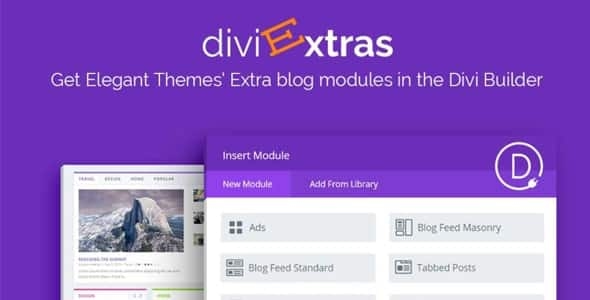
Divi Extras

$49.00 Original price was: $49.00.$4.99Current price is: $4.99.
Divi Extras extends the Divi Builder with advanced modules and visual conditional logic, eliminating reliance on scattered plugins and allowing designers and engineers to build more complex experiences without leaving the editor or writing code.
Divi Extras is a suite of advanced modules and extensions for the Divi Builder that expands its native capabilities, eliminating the need for patchwork solutions or custom code. Ideal for designers and developers managing demanding WordPress sites, this plugin provides granular control over design, display logic, and end-user experience, reducing operational friction in scaling projects.
Introduction to Divi Extras
Divi Extras was created to fill the gaps that the Divi builder leaves open in professional projects: display conditions, specialized modules, and design controls that would normally require a custom developer or several additional plugins, with all the technical weight that this implies in a real WordPress environment.
The extension integrates directly into the visual builder's workflow, exposing advanced options without leaving the familiar interface. This means fewer context switches, fewer implementation errors, and greater stability on sites with multiple collaborators editing simultaneously.
Imagine a technician managing a WooCommerce store with dynamic content sections: without this plugin, each display condition requires a PHP snippet or an external plugin. With the tool active, rules are configured visually from within the module itself, and changes are rolled out without touching a line of code or risking the back office.
Product overview
Divi Extras expands the builder's ecosystem with modules and controls that directly impact visual management, conditional logic, and navigation experience—critical aspects for any store or site that aspires to grow without accumulating invisible technical debt.
Before incorporating this module, teams typically faced a patchwork of solutions: uncoordinated third-party plugins, loose snippets in functions.php, and design sections that broke with every major update. The workflow was fragile and expensive to maintain.
- Without the add-on: The design team relies on development to implement advanced display conditions or modules, creating bottlenecks and delays in production.
- With the active add-on: The designer configures conditions, effects, and specialized modules directly from the Divi visual editor, without additional technical intervention.
- Observable result: Shorter release cycles, less dependence between team roles, and a more consistent frontend that doesn't accumulate silent errors between iterations.
Requirements and compatibility
For this plugin to function correctly, it is essential to have the Divi builder active in the WordPress environment; without this basic dependency, the tool has no context in which to operate, so it is advisable to verify that the integration is complete before applying changes in production.
- Primary dependency: The Divi theme or builder must be active and operational as the site's base layer.
- Functional compatibility with WooCommerce flows: product pages, checkout, customer account areas, cart modules, and dynamic content zones.
- On sites with extensive CSS customizations or hybrid builders, it's advisable to validate the behavior in a staging environment before replicating it in production, especially in modules that affect the DOM structure.
Key benefits for your operation
- Elimination of unnecessary technical dependencies: Many website owners accumulate plugins to cover what Divi doesn't offer by default. This plugin consolidates those functions into a single environment, reducing conflicts between extensions and simplifying long-term site maintenance.
- Greater autonomy for the design team: When designers have to wait for development to implement conditional logic, projects are delayed. This tool moves that capability to the visual editor, shortening cycles and better distributing the workload across roles.
- Update stability: Custom snippets and patches often break with kernel updates. By centralizing functionality in a maintained plugin, the risk of regression decreases, and the technical team reclaims time previously spent on reactive debugging.
- Granular control over the user experience: A store's UX depends on details that standard modules don't control. This extension allows you to adjust visual and logical behaviors that directly impact the customer's perception during navigation and the purchase process.
- Scalability without rewriting: As the catalog grows or traffic increases, makeshift solutions become unsustainable. The plugin provides a more structured foundation that supports growth without requiring complete redesigns every time the scale of operations changes.
- Traceability in design behavior: Knowing which module applies which condition and where is a real operational need. The tool organizes this logic in a visible way, facilitating internal auditing and knowledge transfer among team members.
Key features of Divi Extras
- Additional modules for Divi Builder: It expands the native library with specialized elements that aren't available by default. In a WooCommerce store, this means being able to build product sections, testimonials, or comparisons with design controls that the base builder doesn't expose, all without leaving the visual editor.
- Conditional display logic: It allows you to show or hide sections based on user role, session status, or shopping cart conditions. A wholesale store can display special prices only to authenticated users without needing a separate content restriction plugin.
- Advanced design controls: Options for typography, spacing, animations, and responsive behavior that go beyond Divi's standard controls. They bring visual consistency to multi-page projects where maintaining the design system is as important as the content.
- Integration with dynamic data: It connects modules to site data sources, which is especially useful on product pages or content sheets where information needs to be updated automatically without manual intervention.
- Checkout flow compatibility: Some modules of the plugin can be embedded or conditioned on the checkout process pages, allowing you to add trust elements, contextual messages, or information blocks that improve conversion without altering the transactional logic of WooCommerce.
- Performance options per module: The extension allows you to control which elements load additional resources and under what conditions, helping to maintain reasonable loading times on sites with many dynamic sections active simultaneously.
Who is this product for?
This add-on is especially valuable for those who already work intensively with Divi and have reached the limit of what the builder offers out of the box: teams that need more control without adding more technical complexity to the stack.
- Administrators and technicians who need to precisely control what each type of user sees and under what conditions, without relying on external solutions that are difficult to audit.
- Teams that manage multiple projects or facilities and need to replicate design configurations consistently, reducing setup time on each new project.
- UX, marketing, or content managers who depend on the ability to iterate quickly on design without waiting for development cycles, especially in campaigns or launches with critical dates.
Real-world use cases
- Store with differentiated prices by role: A B2B store needs to display wholesale prices only to customers registered with that role. Without conditional logic, this requires an additional plugin or custom code. With this module, the pricing section is visually configured with the active role condition, and the end customer sees exactly what corresponds to their profile, creating a seamless browsing experience.
- Product page with dynamic blocks: An electronics e-commerce site wants to display technical specifications that are updated from custom product fields. The plugin's integration with dynamic data allows these fields to be populated automatically, eliminating the need to manually update each product page and reducing errors caused by outdated information.
- Checkout with contextual messages: A fashion store wants to display a return guarantee block only when the shopping cart exceeds a certain value. Using the tool's conditional logic, this block appears at the precise moment, reinforcing the purchase decision without modifying the checkout template or risking compatibility with the payment gateway.
- Agency that manages multiple Divi sites: A design team needs to replicate an advanced section structure across multiple clients. With the add-on's additional modules already available in all environments, layout time per project is significantly reduced, and consistency between deliveries is improved without any additional coordination effort.
Frequently Asked Questions about Divi Extras
Does it work with any WordPress theme or only with Divi?
This plugin is designed specifically for the Divi ecosystem: it requires the Divi theme or builder to be active to function. It's not a generic WordPress extension, so if your project uses a different builder or theme, this tool won't provide any added functionality. That said, within the Divi ecosystem, compatibility is strong with most common setups, including sites that combine the Divi theme with WooCommerce active in the same environment.
Does it affect the customer experience in any way during the purchasing process?
It can be significantly improved if configured correctly. The ability to add conditional blocks to the checkout, such as warranty messages or contextual trust elements, directly impacts the customer's perception at the most critical point in the flow. However, any visual modifications to the checkout should be tested in a staging environment before going live to avoid conflicts with the active WooCommerce theme.
Does it allow you to create automatic rules or conditions without writing code?
Yes, one of the plugin's core functions is precisely to bring conditional logic into the visual editor. You can define conditions based on user role, session state, or page context without touching PHP. For more complex automations involving external triggers or CRM integrations, it may be necessary to combine it with other tools, but for most use cases within the site, the visual configuration is sufficient.
How do you handle failed payment scenarios or subscription renewals?
This plugin primarily operates at the design and display level, not within WooCommerce's transactional logic. Failed payment or automatic renewal flows rely on WooCommerce Subscriptions or other payment extensions. Where it can intervene is by displaying conditional messages or providing visual guidance to the user based on their account status, enhancing the experience without interfering with the billing logic.
Is there any impact on tax calculations, shipping, or coupons?
Not directly. This module does not interfere with WooCommerce's calculation engines for taxes, shipping fees, or coupon validation. Its role is visual and conditional, not transactional. If you need to display information about these elements dynamically or conditionally on specific pages, the tool can help you present that information more clearly, but without altering the values calculated by WooCommerce.
Can the site become slow if I activate many plugin modules?
Like any extension that adds elements to the DOM and resources to the frontend, heavy use without optimization can impact load times. The tool includes per-module controls for managing resource loading, allowing for more precise usage. On high-traffic sites or those with extensive catalogs, it's advisable to audit performance with tools like PageSpeed Insights before and after activating new modules to ensure stability.
Can it be used in a multi-site network or to manage multiple stores?
The plugin can operate in WordPress multisite environments as long as Divi is correctly configured on that network. For teams managing multiple independent projects, the real advantage lies in consistency: once the configuration is mastered on one site, replicating it on others is faster because the modules and options are the same across all environments. It's advisable to verify the behavior on the specific network configuration before a mass deployment.
How do I know if the plugin is working correctly on my site?
There are clear signs that everything is working correctly: the additional modules appear available in the Divi editor, display conditions are respected when changing roles or session states, and there are no errors in the browser console related to the plugin scripts. A basic review includes checking an active condition on the frontend with different user types, verifying that the modules load without visual conflicts, and confirming that performance has not changed significantly since the integration.

Written and reviewed by the PrimeGPL Team
At PrimeGPL, we ensure that every piece of published content is verified and reviewed by our team. We analyze features, compatibility, and performance to provide you with clear, up-to-date, and truly useful information for each product listed in our store.
Get your questions answered here
We answer your questions so you can buy in an informed and confident manner.
Does my purchase include updates?
Yes. Every product purchase includes lifetime updates, so you won't have to pay extra under any circumstances.
Is there a daily download limit?
No, not at all. After your purchase, you can download it as many times as you need, without any problem.
On how many websites can I use the products?
You can use your purchases on as many domains (websites) as you want, without any problems.
Does it include technical support?
Yes. We offer technical support Monday through Friday, during business hours UTC -3. This support includes assistance with issues related to download problems, installation problems, or errors with the purchased product.
Furthermore, support does not include configurations, customizations, tutorials, or services associated with the author.
Does my purchase have a warranty?
Yes, of course. If you have any problem that we can't solve, or if there's an external issue that doesn't have a general solution related to our service, you'll receive support and, if necessary, a full refund.
How do I access support?
After your purchase, from your user account, you can access the support section, where you can open a ticket and our team will assist you with whatever you need.
Related Products
Below we show you different products that share the same category.