Divi Essential

$79.00 Original price was: $79.00.$4.99Current price is: $4.99.
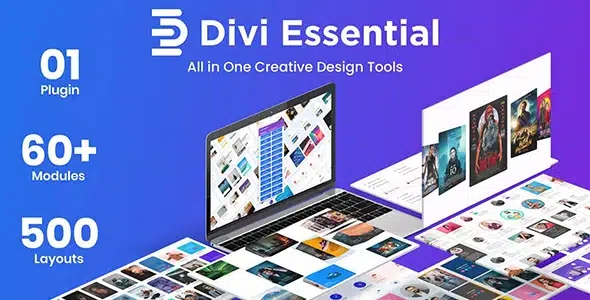
Divi Essential extends the Divi Builder with advanced visual modules that eliminate the need for additional plugins, providing more design control, improved UX on key pages, and cleaner, more predictable operation.
Divi Essentials is a suite of advanced modules and extensions for the Divi Builder that expands its native capabilities, allowing designers and developers to create complex visual experiences without relying on custom code. Ideal for teams managing multiple sites or WooCommerce stores, this tool reduces friction between design and functionality, consolidating workflows that previously required several separate plugins.
Introduction to Divi Essentials
Divi Essential is an extension that expands the Divi builder ecosystem with additional modules, advanced design options, and controls not found in the base installation, eliminating the need for patched solutions or hiring custom development to cover common functional gaps in WordPress and WooCommerce projects.
The technical nature of this plugin lies in its deep integration with the Divi visual editor: it doesn't act as an external layer but as a native extension, reducing conflicts, maintaining DOM tree consistency, and avoiding the additional burden of redundant libraries. This translates into fewer layout errors and less debugging time in production.
Imagine a store manager receiving complaints because the product page isn't displaying description tabs correctly on mobile. With this tool, they can reconfigure the tabs module directly from the visual editor, adjust the responsive behavior, and publish the change in minutes, without touching a line of CSS or opening a support ticket.
Product overview
Divi Essential covers the area of design and extended functionality within the Divi builder, with a direct impact on the management of visual content, the stability of pages under load, and the user experience in critical areas such as product listings, checkout pages, and conversion landing pages in scaling stores.
Before incorporating this module, many teams combined three or four different plugins to achieve basic visual effects: one plugin for accordions, another for advanced sliders, and another for custom icons. The result was a fragile dependency stack, with out-of-sync updates and frequent conflicts that appeared at the worst possible times, usually during high-traffic campaigns.
- Without the add-on: The design team needs additional plugins for each advanced visual module, creating a chain of dependencies that is difficult to maintain and prone to breaking with each core update.
- With the active add-on: The designer accesses modules such as flip boxes, animated counters, advanced icon lists, and testimonials with custom layouts directly from the Divi editor, without leaving the workflow.
- Observable result: Reduced number of active plugins, smaller conflict surface, cleaner code pages, and a more predictable back office for the technical team.
Requirements and compatibility
For Divi Essential to function correctly, it is essential to have the Divi theme or builder active on the site, as this extension operates as an additional layer on top of that specific ecosystem; before deploying it to production, it is advisable to check which other plugins are active and if there are any customizations that modify the behavior of the visual editor.
- Main dependency: The Divi theme or builder must be active and operational; without it, the modules in this extension will not load or appear in the editor.
- Areas of compatibility: content modules for WooCommerce product pages, custom checkout sections, category pages with visual layouts, user roles with editor access, and cache settings that may interfere with the loading of dynamic modules.
- It is advisable to perform validation in a staging environment when the site uses aggressive cache builders or optimization plugins that minify JS, as some modules with animations may be affected before the correct exclusions are configured.
Key benefits for your operation
- Elimination of multiple dependencies: Maintaining five separate plugins to cover basic visual functions is a constant source of conflicts and hours of debugging. This plugin consolidates those functions into a single management point, reducing the error surface and simplifying the environment update process.
- Visual control without code: When a marketing manager needs to modify a hero section or add an urgent countdown timer before a campaign, relying on the technical team creates bottlenecks. This tool puts that control directly in the hands of the person who needs it, without compromising the integrity of the design.
- Stability on high-traffic pages: Product pages or landing pages that experience traffic spikes during promotions need modules that don't add unnecessary database queries. This extension is built to integrate with Divi's rendering workflow, preventing overloads that degrade performance at critical times.
- Scalability in multi-page projects: When a store has dozens of landing pages with similar visual structures, consistency between pages becomes a real problem. Divi Essential modules allow you to reuse global configurations and styles, reducing the time it takes to create new pages and minimizing visual inconsistencies.
- Better UX at conversion points: A product page with poorly configured tabs, accordions that don't respond on mobile, or testimonials without proper formatting leads to abandonment. This module offers precise responsive behavior controls that allow you to adjust the experience for each device without duplicating blocks or resorting to hidden CSS.
- Reduction of QA time: Every time an external design plugin is updated, the technical team must validate that nothing has broken in production. By centralizing advanced visual features in a single extension integrated with Divi, the testing cycle is shortened and review points become more predictable.
Divi Essential Featured Features
- Integrated advanced visual modules: This tool adds modules to the Divi editor that aren't available in the base version, such as interactive flip boxes, feature lists with custom icons, and animated progress bars. In a WooCommerce store, these elements are used on category pages and product pages to communicate value more effectively, reducing bounce rates on key pages.
- Typographic and extended spacing control: Beyond Divi's native options, this plugin offers granular controls for typography, line spacing, and spacing per device. This allows the same block of text to display correctly on desktop, tablet, and mobile without needing to duplicate sections or add manual media queries.
- Configurable hover effects and animations: The modules include customizable scroll animations and hover effects accessible through the visual editor. On product pages, these effects guide the user's attention to the purchase button or testimonials, eliminating the need for external animation libraries that would add unnecessary page weight.
- Improved tab and accordion design: The tab and accordion modules in this extension offer more styling options, initial behavior (open or closed), and transition settings than their native counterparts. In information-rich product pages, this directly improves content organization and user navigation between sections.
- Social proof modules and testimonials: The extension includes modules dedicated to testimonials with grid, carousel, or list layouts, with controls for image, name, job title, and rating. For a store that relies on customer trust, having these elements visually integrated into the product page can make all the difference in the purchase decision.
- Integration with Divi's global options: All Divi Essential modules adhere to Divi's global options and presets system, meaning that changes to color, font, or style applied globally also affect these modules. This ensures visual consistency across your entire site without requiring you to update each module individually.
Who is this product for?
This plugin is designed for those who already work with Divi and have reached a point where the builder's native limitations hinder their delivery capacity: teams that frequently produce pages, manage stores with a lot of visual content, or need consistency between projects without multiplying plugins.
- Administrators or technicians who need to keep the back office clean, with the fewest possible active plugins, and who value the traceability of visual changes within the Divi editor.
- Agency teams or freelancers who manage multiple sites with Divi and need an extension that behaves predictably in different environments, reducing setup time per project.
- Marketing or UX managers who rely on being able to update key visual sections, such as campaign banners, offer pages, or testimonial modules, without depending on the development team for every change.
Real-world use cases
- Launch campaign with a high-converting landing page: A marketing team needs to publish a landing page for a promotion within 48 hours. Without advanced modules available in the editor, the designer has to ask the developer for help creating a benefits flipbox and a countdown timer. With Divi Essential enabled, the designer builds both elements from the visual editor, adjusts the responsive behavior, and publishes on time without any blocking. The result is a page ready within the planned timeframe, with no additional development costs.
- Product data sheet with complex technical information: An industrial equipment store needs to organize technical specifications, warranties, and downloadable documentation on the same product page. Divi's native tabs don't offer enough style control. With this extension, the team configures tabs with custom layouts, default opening behavior, and smooth transitions, resulting in a clear navigation experience that reduces customer service inquiries about product specifications.
- Visual consistency in a multi-page site: An agency manages a client with over 40 service pages, each with a testimonials section and a list of features. Maintaining visual consistency across all these pages using external plugins is unmanageable. By using Divi Essential modules with Divi's global presets, the team updates the style of all testimonial modules from a single point, without reviewing each page individually. The client receives a visually consistent site, and the team saves hours of manual review.
- WooCommerce category page optimization: The UX manager noticed that the main category page had a high bounce rate because the introductory content was plain text with no visual hierarchy. Using the icon and feature bar modules in this tool, they redesigned the top section of the category page to visually communicate the benefits of the product line. The result was a more engaging page that better guides users to individual product pages, improving the internal navigation flow.
Frequently Asked Questions about Divi Essential
Does it work with any WordPress theme or does it require something specific?
Divi Essential relies directly on the Divi ecosystem: it requires the Divi theme or the Divi Builder plugin to be active on your site for its modules to appear and function in the editor. It is not compatible with other visual builders like Elementor or Beaver Builder, nor with generic themes without Divi active. If your site already uses Divi as its design foundation, integration is seamless and requires no additional configuration for modules to appear in the editor.
Do these modules affect the end customer's experience in the store, or only the editor's?
The modules in this extension directly impact what the end customer sees and experiences: product tabs, information accordions, testimonial sliders, and hover effects are all elements that the user interacts with on the front end. A well-configured tabs module on a product page improves customer navigation between specifications, reviews, and return policy, reducing friction during the purchase decision phase. The editor is merely the control point; the result lives in the user experience.
Can I create rules or conditions to show or hide modules based on the user or context?
Divi Essential, combined with the display conditions options offered by the Divi ecosystem itself, allows you to configure which modules are shown based on page context or user type. This is useful in stores where you want to show different content to registered users versus anonymous visitors, or display specific sections only on product pages within a particular category. The specific possibilities depend on how you configure the combination with other tools in the stack.
Does it affect the renewal or recurring payment process in WooCommerce?
Divi Essential is a visual design extension and does not interfere with WooCommerce's payment, renewal, or subscription management flows. Its scope is limited to the visual front end and the Divi editor, so it does not add or modify cart, checkout, or order processing logic. If your store manages subscriptions, this tool's modules can improve the presentation of related pages, but the payment and renewal engine operates completely independently.
How do modules with taxes, coupons, or shipping calculations behave at checkout?
This extension does not interfere with tax calculations, coupon application, or WooCommerce shipping logic. Its function is visual and page layout, not business logic. You can use it to design more attractive checkout pages or order confirmation pages with a better visual presentation, but the calculations and business rules are handled independently by WooCommerce. There is no risk of conflict at that level if the rest of the stack is configured correctly.
How does the extension perform in stores with high traffic or many pages?
Because it's natively integrated with the Divi ecosystem, this tool doesn't add extra database queries or load redundant external libraries in most configurations. In stores with a high volume of pages or heavy traffic, performance depends largely on the site's caching configuration and which other plugins are active. It's recommended to validate performance in a staging environment using load analysis tools before making large-scale changes to production, especially if using modules with animations or dynamic effects.
Can it be used in multisite installations or to manage multiple stores from the same WordPress site?
Divi Essential can work in WordPress multisite installations, although compatibility and exact behavior on each subsite depend on how the network is configured and whether Divi is enabled at the network level or per individual site. For agency teams managing multiple stores from a centralized installation, it's advisable to validate in a test environment that modules load correctly on each subsite and that Divi's global options apply as expected before scaling the configuration to the entire network.
How do I know if the extension is working correctly on my site?
A practical way to verify this is to open the Divi editor on any page and check that the Divi Essential add-on modules appear in the available modules panel. If the modules are visible and can be inserted into the page, the extension is active and working. Additionally, it's advisable to check that the modules render correctly on the front end in major browsers and devices, that no JavaScript errors appear in the browser console, and that any configured animations or effects run without conflicts with other scripts running on the site.

Written and reviewed by the PrimeGPL Team
At PrimeGPL, we ensure that every piece of published content is verified and reviewed by our team. We analyze features, compatibility, and performance to provide you with clear, up-to-date, and truly useful information for each product listed in our store.
Get your questions answered here
We answer your questions so you can buy in an informed and confident manner.
Does my purchase include updates?
Yes. Every product purchase includes lifetime updates, so you won't have to pay extra under any circumstances.
Is there a daily download limit?
No, not at all. After your purchase, you can download it as many times as you need, without any problem.
On how many websites can I use the products?
You can use your purchases on as many domains (websites) as you want, without any problems.
Does it include technical support?
Yes. We offer technical support Monday through Friday, during business hours UTC -3. This support includes assistance with issues related to download problems, installation problems, or errors with the purchased product.
Furthermore, support does not include configurations, customizations, tutorials, or services associated with the author.
Does my purchase have a warranty?
Yes, of course. If you have any problem that we can't solve, or if there's an external issue that doesn't have a general solution related to our service, you'll receive support and, if necessary, a full refund.
How do I access support?
After your purchase, from your user account, you can access the support section, where you can open a ticket and our team will assist you with whatever you need.
Related Products
Below we show you different products that share the same category.