Oxygen Builder Plugin

$199.00 Original price was: $199.00.$4.99Current price is: $4.99.
A visual builder for WordPress that replaces the theme system, generates clean code, and allows you to design dynamic templates for WooCommerce with full control over the frontend and without external dependencies.
Oxygen Builder Plugin is a visual builder tool for WordPress that allows you to design complete pages, templates, and layouts without relying on conventional themes. It's ideal for developers and agencies that need full control over HTML markup, visual structure, and frontend performance in projects that demand technical precision and real scalability.
Introduction to Oxygen Builder Plugin
Oxygen Builder Plugin redefines how WordPress sites are built by removing the traditional theme middle layer, offering a visual environment where every frontend element is generated with clean code, reducing page weight and eliminating the usual friction between design and performance in real production workflows.
The technical nature of this plugin sets it apart from conventional builders: it doesn't stack shortcodes or generate blocks with redundant inline styles. It works directly on the site's structure, resulting in less accumulated technical debt and greater stability as the project grows.
A webmaster managing a WooCommerce store noticed that the checkout was loading slowly due to conflicts between the active theme and customization plugins. By migrating the design to this module, they eliminated those dependencies, rebuilt the checkout flow with complete control over each visual component, and saw significantly faster loading times without any server modifications.
Product overview
This extension covers everything from building individual pages to the complete management of global templates, directly impacting visual consistency, frontend stability, and the end-customer experience in a store that scales and cannot afford design inconsistencies or regressions due to theme updates.
Before adopting this tool, many teams struggle with rigid structures, overlapping stylesheets, and product or checkout templates that can't be modified without risk. The change process involves editing child theme files, managing CSS conflicts, and hoping the next update doesn't break anything.
- Without the add-on: The checkout design depends on the active theme, visual changes require custom code in the child theme, and each update can revert critical modifications without notice.
- With the active add-on: WooCommerce templates, including the cart, checkout, and product pages, are managed visually from a single environment with control over every node of the DOM.
- Observable result: The team reduces the implementation time for visual changes, eliminates conflicts between themes and plugins, and maintains design consistency without relying on external updates.
Requirements and compatibility
For this module to function correctly, it is necessary to check that the WordPress environment is free of conflicts with other active page builders, that caching plugins do not interfere with the compilation of dynamic styles, and that WooCommerce integrations are aligned before migrating critical templates to production.
- It requires WordPress as a base platform; its operation is designed to function without a conventional active theme, assuming complete control of the frontend.
- Compatible with WooCommerce flows: product pages, cart, checkout, user account, renewals, and order confirmation pages.
- It is recommended to perform a validation in a staging environment when migrating checkout or shopping cart templates, especially if there are payment gateways with embedded forms or tax plugins with their own rendering.
Key benefits for your operation
- Total control without theme dependency: WordPress developers who have experienced design breaks after theme updates know how costly it is to restore visual consistency. This extension eliminates that dependency by taking direct control of the frontend, so WordPress core updates don't affect custom templates.
- Clean code and measurable performance: Traditional page builders generate bloated HTML that negatively impacts loading times. This plugin compiles only the necessary CSS for each page, reducing the frontend's weight and improving performance metrics that directly affect SEO and conversion rates.
- Centralized management of global templates: Maintaining design consistency across a store with dozens of pages is a real operational burden. This tool allows you to define headers, footers, and section templates that are updated from a single point, eliminating the risk of visual inconsistencies between pages.
- Deep integration with dynamic data: Teams that need to display custom fields, order data, or user information on the frontend without relying on complex shortcodes will find in this module a dynamic field system that connects directly to the WordPress and WooCommerce database.
- Scalability without technical debt: As a store grows, the number of customizations accumulated in the child theme becomes a maintenance problem. By centralizing the design in this extension, the technical team can scale the project without carrying over legacy code that is difficult to audit.
- Reduction of errors in critical workflows: Changes to checkout or product pages are high-risk operations. This plugin allows you to preview and validate changes in real time before publishing them, reducing the likelihood of errors visible to the end customer during the purchase process.
Highlighted Features of Oxygen Builder Plugin
- Visual builder without an active theme: It operates by replacing the WordPress theme system, meaning the design doesn't depend on any external templates. In a WooCommerce store, this means that third-party theme updates can't break the frontend, eliminating one of the most frequent sources of errors in production operations.
- Template system with dynamic conditions: It allows you to assign different templates based on content type, user role, or URL context. An administrator can display a simplified checkout version for returning customers and a more detailed one for new buyers, without needing additional plugins.
- Integrated CSS and JavaScript editor: Technicians who need to fine-tune behavior or style have direct access to the code within the same visual environment, without having to jump between server files. This reduces iteration time and keeps changes traceable within the constructor itself.
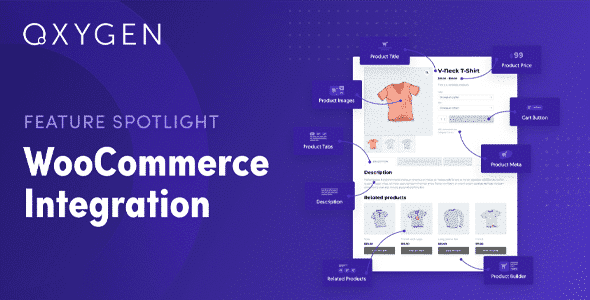
- Dynamic fields connected to WooCommerce: It allows you to insert product data, price, stock levels, order metadata, or user information directly into any template. In a back office where customized account pages or order confirmations with specific information are needed, this capability eliminates the need for custom development.
- List and query builders: It includes a system for creating product listings, posts, or any type of custom content using visually configurable queries. For stores that need category pages or collections with their own filtering logic, this replaces more complex solutions that add weight and dependencies.
- CSS compilation per page: Instead of loading a global stylesheet, this tool generates only the CSS needed for each specific page. The performance impact is direct and measurable, especially on high-traffic pages like the homepage or product pages, where every kilobyte counts for the user experience.
Who is this product for?
This plugin is geared towards those who have exhausted the possibilities of conventional page builders and need a level of technical control that WordPress themes can't offer without accumulating code debt. It's especially valuable when the project has performance requirements, deep customization needs, or conditional templates that rely on dynamic data.
- Administrators and front-end developers who need full traceability over generated HTML markup and do not want to depend on the design decisions of a third-party theme.
- Agencies or freelancers managing multiple WordPress projects are looking for a reusable template system that maintains visual consistency across clients without duplicating manual work.
- Technical managers of WooCommerce stores who need to customize the checkout, product pages, or user account area with conditional logic and dynamic data without relying on custom development in each iteration.
Real-world use cases
- Redesign of the checkout without gateway breakage: A store with an embedded payment gateway needs to redesign its checkout flow to improve conversion rates. With a conventional theme, any visual changes can interfere with the payment form. By migrating the checkout template to this module, the team can adjust the visual structure without touching the gateway code, validate it in staging before publishing, and achieve a cleaner flow that reduces abandonment at the checkout step.
- Product templates with custom data: A technical equipment store needs to display product pages with specifications stored in custom fields, compatibility tables, and conditional stock alerts. With this extension's dynamic fields, the team builds a product template that connects directly to that data without shortcodes or intermediate plugins, reducing maintenance time when the fields change.
- Header management by user role: A B2B store needs to display different navigation for registered wholesale customers and anonymous visitors. Using this plugin's conditional template system, the administrator configures two versions of the header with conditions based on user role, eliminating the need for an additional menu customization plugin and maintaining complete visual control within a single environment.
- Customized account pages for returning customers: A subscription store needs its account area to display order history, active subscription status, and quick access to exclusive content. Using this tool's dynamic templates, the team builds a structured account page with conditional sections that appear based on the customer's status, improving the post-purchase experience and reducing support inquiries.
Frequently Asked Questions about the Oxygen Builder Plugin
Does it work well with any WordPress installation or does it require a specific environment configuration?
This module works best in environments where no other page builder is running simultaneously, as both compete for control of the frontend. Before using it in production, it's advisable to verify that caching plugins are configured to avoid interfering with dynamic style compilation. In clean installations, the integration process is straightforward; in environments with many active plugins, a preliminary audit for potential conflicts is recommended to prevent unexpected behavior in template rendering.
Does anything change in the customer experience during the purchase process?
The impact on the end customer depends directly on how the templates are built, but generally speaking, this plugin allows for a cleaner checkout experience with fewer unnecessary visual elements and a greater focus on conversion steps. By generating lighter code, pages load faster, reducing abandonment rates, especially on mobile devices where latency negatively impacts the shopping experience.
Does it allow you to create rules or conditions to display different content depending on the context?
Yes. This extension's conditional template system allows you to assign different layouts based on page type, user role, cart status, or active URL. An operator can configure users with a wholesale role to see a different header, or for the product template to change depending on the category—all without additional code and from the same visual environment where the layout is built.
Is it compatible with auto-renewal or recurring payment plugins?
Compatibility with subscription and auto-renewal plugins depends on how those plugins render their own forms and pages. This plugin can manage the visual templates for account and renewal confirmation pages, but payment forms embedded by payment gateways or subscription plugins maintain their own rendering. It is recommended to validate in a staging environment that the renewal flows display correctly before migrating those templates to production.
Does it affect tax calculations, shipping, or the application of coupons at checkout?
This tool manages the visual design of the checkout, not the WooCommerce business logic. Tax calculations, shipping rules, and coupon validation remain the responsibility of WooCommerce and its extensions. However, a poorly constructed checkout template can visually obscure critical elements; therefore, it's important to verify that all required fields and error messages are visible in the custom template before activating it.
Are there any performance risks when the store has a lot of traffic or a lot of products?
This plugin's per-page CSS compilation model performs well under low-volume traffic, as each page loads only the styles it needs. However, as with any tool that generates dynamic content, it's essential to ensure your server's caching system is properly configured to serve the compiled pages without regenerating them on every request. In high-traffic environments, a well-tuned cache configuration is crucial for maintaining stability.
Can it be used in multi-site installations or to manage multiple projects from the same environment?
In WordPress multisite installations, the behavior of this module can vary depending on the network configuration. Each subsite can have its own templates and settings, but centralized management across sites requires prior planning. For agencies managing multiple independent projects, the standard practice is to maintain separate installations with templates exported and imported between projects, facilitating visual consistency without creating dependencies between environments.
How can I verify that everything is working correctly after setting it up?
Basic validation includes checking that assigned templates render correctly on the configured page types, that the checkout process completes a test transaction without visual or functional errors, that dynamic fields display the correct data, and that template conditions trigger the expected layout based on the user role or context. It's also advisable to use performance analysis tools to verify that the generated CSS corresponds only to what is needed for each page and doesn't load unnecessary global styles.

Written and reviewed by the PrimeGPL Team
At PrimeGPL, we ensure that every piece of published content is verified and reviewed by our team. We analyze features, compatibility, and performance to provide you with clear, up-to-date, and truly useful information for each product listed in our store.
Get your questions answered here
We answer your questions so you can buy in an informed and confident manner.
Does my purchase include updates?
Yes. Every product purchase includes lifetime updates, so you won't have to pay extra under any circumstances.
Is there a daily download limit?
No, not at all. After your purchase, you can download it as many times as you need, without any problem.
On how many websites can I use the products?
You can use your purchases on as many domains (websites) as you want, without any problems.
Does it include technical support?
Yes. We offer technical support Monday through Friday, during business hours UTC -3. This support includes assistance with issues related to download problems, installation problems, or errors with the purchased product.
Furthermore, support does not include configurations, customizations, tutorials, or services associated with the author.
Does my purchase have a warranty?
Yes, of course. If you have any problem that we can't solve, or if there's an external issue that doesn't have a general solution related to our service, you'll receive support and, if necessary, a full refund.
How do I access support?
After your purchase, from your user account, you can access the support section, where you can open a ticket and our team will assist you with whatever you need.
Related Products
Below we show you different products that share the same category.