Oxy Ultimate Plugin


$179.00 Original price was: $179.00.$4.99Current price is: $4.99.
Oxy Ultimate Plugin extends Oxygen Builder with modules, conditional blocks, and dynamic elements for WooCommerce, allowing you to build complex shopping experiences without leaving the visual editor or accumulating conflicting plugins.
Oxy Ultimate Plugin is an advanced WordPress and WooCommerce extension that expands and enhances the Oxygen Builder, allowing developers and store operators to incorporate blocks, modules, and automations not offered by the native environment. It's ideal for those building complex shopping experiences who need granular control over every visual and functional element of the flow.
Introduction to Oxy Ultimate Plugin
When the limitations of the base builder begin to hinder ambitious projects, Oxy Ultimate Plugin emerges as the layer that extends Oxygen Builder with additional capabilities, eliminating the need to resort to multiple partial solutions that create conflicts and slow down the development of real WooCommerce stores.
The technical nature of this plugin lies in its deep integration with the Oxygen ecosystem, adding building elements, design controls, and automation options that behave consistently with the existing architecture. This reduces compatibility issues and the operational burden of maintenance.
A developer who manages a fashion store with advanced filters and customized product pages can, from the back office, apply new modules of this extension directly in the visual editor, without touching additional code, and see the result reflected in the checkout in minutes.
Product overview
Oxy Ultimate Plugin acts on the design and functionality area within Oxygen Builder, with a direct impact on the stability of the building flow, visual consistency between pages, and the ability to scale a store without accumulating technical debt in each new section created.
Before incorporating this module, many teams relied on loose shortcodes, generic plugins, and manual CSS adjustments that broke mobile consistency or caused regressions when updating the builder. With this tool enabled, the build process is centralized, and additional elements are managed from a single, consistent interface.
- Without the add-on: Each additional functionality required a separate plugin, generating style conflicts, longer loading times, and a back office saturated with scattered configurations.
- With the active add-on: Extended modules are integrated directly into the Oxygen editor, allowing you to build complex sections, product carousels, or conditional forms from the same visual environment.
- Observable result: Less development time per page, greater visual consistency throughout the store, and an editing workflow that doesn't disrupt the marketing team's operations.
Requirements and compatibility
For Oxy Ultimate Plugin to function correctly, the environment must have Oxygen Builder as the active builder, since this extension operates within its native architecture; it is also advisable to check that other visual customization plugins do not generate script conflicts before activating it in production.
- Main dependency: Oxygen Builder active and operational as the site builder.
- Functional compatibility with custom checkout areas, product pages, cart, user roles, conditional blocks, forms, and dynamic elements of WooCommerce.
- Recommended testing scenario: Stores with mixed page builders or multiple active design plugins should validate the integration in a staging environment before applying it to production.
Key benefits for your operation
- Visual construction without fragmentation: Managing a store's design with scattered tools is time-consuming and creates inconsistencies that the end customer notices. This module centralizes the various elements within a single editor, eliminating jumps between interfaces and reducing layout time per section.
- Control over the purchase flow: When the team needs to customize the product page or checkout without hiring additional development, this extension offers blocks and conditions that respond to real business rules, such as showing items based on the user's role or the contents of the cart.
- Lower accumulated technical debt: Each additional plugin is a potential point of failure. By consolidating functionalities into this plugin, the environment is simplified, updates affect fewer layers, and troubleshooting time is significantly reduced.
- Scalability without redesign: A growing store needs to add sections, categories, and pages without breaking what already works. This tool allows you to reuse components and apply global changes from a single control point, without manually redoing each page.
- Better experience for the end customer: Mobile UX issues, elements that don't load correctly, and inconsistent product pages lead to abandonment. By using modules that are well-integrated with the builder, the visual result is more predictable and stable across all devices.
- Automation of display conditions: Showing or hiding blocks based on user behavior, order status, or product category is a common need. This plugin lets you define those rules directly in the editor, without any external PHP logic.
Key features of Oxy Ultimate Plugin
- Extended modules for Oxygen Builder: It incorporates design and functionality elements not found in the native builder. In a WooCommerce store, this translates into being able to build product sections, comparison tools, or dynamic product pages without relying on external solutions that don't respect the builder's visual flow.
- Conditional blocks with business logic: It allows you to define display conditions based on user, cart, or session data. An operator can show an upselling block only to customers who have already purchased, improving content relevance without modifying the theme.
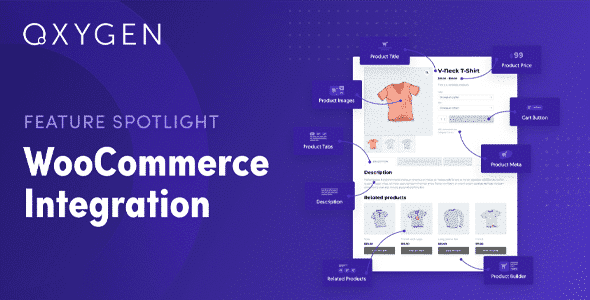
- Integration with WooCommerce dynamic data: The modules in this extension read and display real-time data from the catalog, orders, and users. This allows you to build account pages, order histories, or product pages with up-to-date information without hardcoding content.
- Advanced carousel and gallery elements: Beyond the builder's basic galleries, this plugin offers additional presentation controls that work well on mobile and tablet, which is critical when more than sixty percent of the traffic to an average store comes from mobile devices.
- Compatibility with form builders and conditional logic: The contact, quote, or custom order flows can be integrated with the modules of this tool, allowing the form's design and functionality to coexist without style conflicts or data loss.
- Spacing, typography, and responsive controls by breakpoint: Adjusting the design for each device from the same editor panel reduces review time and prevents desktop changes from breaking the mobile view, a common problem in stores that grow quickly and edit frequently.
Who is this product for?
This add-on is designed for those already working with Oxygen Builder who feel the native builder doesn't meet the needs of a growing WooCommerce store. It's not a starter solution, but rather an extension for operations that already have a clear understanding of what they need to build and how.
- Administrators or technicians who need granular control over the design and display logic without leaving the builder environment.
- Teams that manage multiple projects or stores with Oxygen and need operational consistency across clients, reusing modules and design patterns.
- Marketing or UX managers who rely on conditional blocks, carousels, and dynamic elements to run campaigns without waiting for technical intervention for every change.
Real-world use cases
- Electronics store with customized product listings: The team needed to display technical specifications in a comparison table format, but the builder didn't offer this feature. Using the Oxy Ultimate Plugin, the developer built the structure directly in the visual editor, connected the WooCommerce custom fields, and deployed the solution to production without any additional plugins. The result was a clearer product page and a lower return rate due to unmet expectations.
- Agency with five client stores under maintenance: Maintaining design consistency across different projects was time-consuming. The extension allowed for the export and reuse of blocks between installations, reducing the initial layout time for new pages and ensuring that each client's visual standards were maintained without constant manual review.
- Subscription store with conditional content: Displaying renewal offers only to active subscribers and hiding certain blocks from unregistered users was a clear business need. This plugin's conditional modules handled that logic directly from the editor, without adding custom code to functions.php, and the marketing team could manage the changes independently.
- Fashion brand with seasonal lookbooks: Publishing high-impact visual content on mobile required galleries and carousels that the native builder didn't handle well at all breakpoints. This tool provided the necessary responsive controls, and the team went from needing manual corrections after each publication to launching lookbooks directly from the editor with stable results.
Frequently Asked Questions about Oxy Ultimate Plugin
Does it work with any WordPress installation or does it have specific dependencies?
The Oxy Ultimate Plugin requires Oxygen Builder to be active as the site's primary builder. It is not designed to function as a standalone plugin or as an add-on for other page builders. If your environment already uses Oxygen, integration is straightforward. In installations where Oxygen is partially used alongside other builders, it's advisable to perform preliminary tests to confirm there are no rendering conflicts or duplicate scripts before using it on critical pages in the checkout process.
Does anything change in the end customer's experience during checkout?
It depends on how it's used. If the team applies conditional modules or custom blocks to the checkout page, the customer can have a more relevant experience, with elements shown or hidden based on their profile or cart contents. What doesn't change is the underlying WooCommerce checkout logic. The changes are visual and structural, not functional at the order processing level. A good practice is to validate in staging that the visual changes don't affect the checkout's loading speed.
Does it allow you to create automations or conditional rules without programming?
Yes. One of the most used features of this extension is precisely the display conditions that are configured from the visual editor. It's possible to define when a block is displayed based on the user's role, session status, current product category, or cart data. It doesn't require writing PHP or custom hooks. For more complex automations involving email sending or order status changes, additional plugins specialized in those areas would be needed.
Does it have any functionality related to failed payments or subscription renewals?
The Oxy Ultimate Plugin doesn't handle payment or subscription renewal logic, as those functions belong to the WooCommerce core and extensions like WooCommerce Subscriptions. However, this plugin can display messages, banners, or conditional blocks linked to the user's subscription status, such as visual alerts for upcoming renewals or exclusive content for active subscribers, improving communication without modifying the billing logic.
Does it affect tax calculations, shipping costs, or coupon applications?
It doesn't interfere with the tax logic, shipping, or the WooCommerce coupon engine. These calculations are handled by the platform's core. Where it does add value is in how these elements are presented to the user: it's possible to design informational blocks about shipping costs, visually display coupon terms and conditions, or customize the cart page to highlight free shipping thresholds, all from the editor without altering the actual calculations.
How does it perform with stores that have high product volume or high traffic?
This module doesn't add heavy database queries itself, as it primarily works at the visual rendering level within the builder. In stores with large catalogs, performance depends more on how the pages are built than on the extension itself. The use of dynamic blocks that load data in real time can have an impact if they aren't combined with an adequate caching layer. Testing performance with tools like GTmetrix or PageSpeed after implementing new sections is a recommended practice.
Is it viable to use it in a multisite installation or to manage several stores from the same environment?
The viability of Oxygen Builder in multisite environments depends on the network configuration and whether Oxygen Builder is active on each subsite. If the multisite manages separate WooCommerce stores, each installation will need the plugin. For agencies maintaining multiple independent projects, the extension adds value through the reuse of blocks and patterns across projects, although this portability requires manual management and is not automatic between different sites.
How do I know if the plugin is working correctly after applying it?
There are clear signs confirming a successful integration: the Oxy Ultimate Plugin modules appear available within the Oxygen editor without loading errors, conditional blocks respond correctly according to the defined conditions when previewing with different user roles, and pages built with the new elements load without console errors in the browser. Reviewing the WordPress error log, performing a full flow test at checkout, and verifying mobile behavior are the three minimum steps to validate that everything is working as expected.

Written and reviewed by the PrimeGPL Team
At PrimeGPL, we ensure that every piece of published content is verified and reviewed by our team. We analyze features, compatibility, and performance to provide you with clear, up-to-date, and truly useful information for each product listed in our store.
Get your questions answered here
We answer your questions so you can buy in an informed and confident manner.
Does my purchase include updates?
Yes. Every product purchase includes lifetime updates, so you won't have to pay extra under any circumstances.
Is there a daily download limit?
No, not at all. After your purchase, you can download it as many times as you need, without any problem.
On how many websites can I use the products?
You can use your purchases on as many domains (websites) as you want, without any problems.
Does it include technical support?
Yes. We offer technical support Monday through Friday, during business hours UTC -3. This support includes assistance with issues related to download problems, installation problems, or errors with the purchased product.
Furthermore, support does not include configurations, customizations, tutorials, or services associated with the author.
Does my purchase have a warranty?
Yes, of course. If you have any problem that we can't solve, or if there's an external issue that doesn't have a general solution related to our service, you'll receive support and, if necessary, a full refund.
How do I access support?
After your purchase, from your user account, you can access the support section, where you can open a ticket and our team will assist you with whatever you need.
Download Previous Versions
If you have purchased this product, or have an active membership, you can download previous versions without any limits or restrictions.
| Product Name | Version | Size | Date | Download |
|---|---|---|---|---|
| Oxy Ultimate | 1.6.14 | 1.1 MB | 24/07/2025 | Join Now |
Related Products
Below we show you different products that share the same category.