
YITH WooCommerce Product Addons
$129.99 Original price was: $129.99.$4.99Current price is: $4.99.
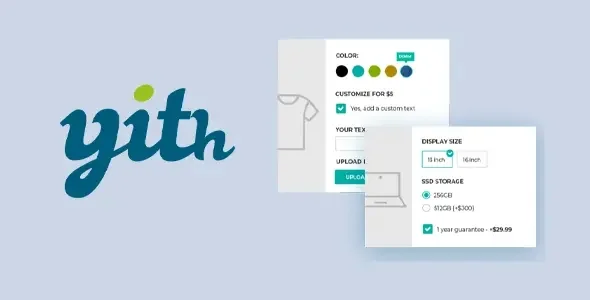
YITH WooCommerce Product Addons is a WooCommerce extension that lets you add custom fields to products—text, selections, files, colors, and more—directly to the product page, transferring those options to the cart and order without additional manual configuration. It's ideal for stores selling configurable, customized, or complex variant products that native WooCommerce can't handle seamlessly.
Introduction to YITH WooCommerce Product Addons
When a WooCommerce store needs to offer true customer personalization—engravings, special sizes, messages, finishes, conditional options—the native variant settings quickly fall short, leading to incomplete orders, misinterpretations, and unnecessary support that consumes hours of team time. This module solves that problem at its root, integrating additional fields directly into the checkout flow.
Technically, this extension operates on the WooCommerce metadata architecture, adding the values collected on the frontend to the order object, which are then available in the back office, notifications, and third-party integrations. It requires no intermediate solutions or custom hooks to ensure the complete information reaches the store manager.
An administrator who receives daily orders with notes in the comments field —because there is no other place where the customer can indicate their preferences— notices the change from day one: the fields are structured, the data arrives in order, and the preparation team works without ambiguity.
Product overview
YITH WooCommerce Product Addons addresses one of the most critical aspects of any scaling store: the ability to collect specific customer information at the time of purchase, without disrupting the checkout flow or relying on subsequent manual processes that increase errors.
Before implementing this tool, many stores managed personalization through free text fields in order notes, follow-up emails, or even phone calls. The data arrived late, incorrectly, or incompletely, and the margin of error increased with the volume of orders.
- Without the add-on: The customer has nowhere to indicate their preferences during the purchase; the team spends time contacting the buyer to complete the information, generating delays and potential returns.
- With the active add-on: Conditional fields are configured for each product—a text field for engraving, a color selector, a reference image uploader—which the customer fills in before adding to the cart, and all that information is automatically linked to the order.
- Observable result: Orders arrive complete to the back office, the production or logistics team works with clean data, and after-sales support is tangibly reduced because customer expectations were set at the time of purchase.
Requirements and compatibility
For this plugin to function stably, the environment must have WooCommerce active as a primary dependency, since all the logic for fields, metadata, and order presentation relies on its architecture; it is also advisable to check compatibility with the active theme and other plugins that modify the product loop or checkout before deploying to production.
- Main dependency: WooCommerce must be operational; without it, the extension has no functional context in which to operate.
- Areas of compatibility to review: Classic and block checkout, integrations with common payment gateways, compatibility with tax plugins and shipping rules conditioned on cart contents, and plugins for roles or price management by user group.
- Recommended test environments: If the store uses a page builder or a highly customized theme that modifies the product page, it is wise to validate the display of the fields in a staging environment before activating them in production, especially if fields with complex conditional logic are used.
Key benefits for your operation
- Deletion of incomplete orders: One of the most frequent hidden costs in personalized product stores is the time spent completing information that the customer couldn't provide during the purchase. This extension structures that data collection to coincide with the exact moment the customer is most engaged, reducing the rate of orders that reach the back office with incomplete information.
- Frictionless additional price control: Many stores need to charge extra for specific options—gift wrapping, adding an engraved plaque, choosing a premium finish—and doing so manually involves edited invoices, negative coupons, or ad hoc adjustments. This plugin allows you to assign a price to each option, which is automatically added to the cart total with complete transparency for the customer.
- Reduction of errors in production or logistics: When the order fulfillment team works with structured data rather than freehand notes, the error rate decreases. The tool presents each custom field alongside the rest of the order details, eliminating the need for interpretation or guesswork regarding the customer's intent.
- Scalability without increased support: As order volume grows, manual processes become unsustainable. This module allows hundreds of customized orders to flow without human intervention in data collection, keeping operations under control even as the catalog or traffic expands.
- Better UX at the point of purchase decision: A customer who understands exactly what they can customize and how that affects the price has fewer doubts before buying. The extension allows you to present the options clearly, in an organized and contextual way, which contributes to a smoother experience and a perception of professionalism for the store.
- Structured data for external integrations: The values collected by the fields are stored as metadata of the order item, making them accessible to management tools, ERP, print-on-demand systems, or any integration that consumes the WooCommerce API, without the need to parse free text notes.
Key features of YITH WooCommerce Product Addons
- Multiple field types: The extension offers free text, a text area, single selection, multiple selection, radio buttons, checkboxes, a color picker, an image picker, file upload, and date fields. Each type addresses a different use case—a file field for uploading a reference photo, a color picker for choosing a finish—eliminating the need for additional plugins to cover each requirement.
- Conditional logic between fields: You can configure certain fields to appear only if the customer has selected a specific value in a previous field. This keeps the product page clean and focused, showing only the options relevant to the user's choices, reducing confusion and improving conversion rates for complex products.
- Additional price per option: Each field or each value within a field can have an associated extra price, expressed as an absolute value or a percentage. The cart total is updated in real time, and the customer sees the breakdown before confirming the purchase, eliminating surprises at checkout and reducing abandonment due to mistrust.
- Global and product-specific add-ons: The tool allows you to define groups of fields that apply to all products, specific categories, or individual products. A store that wants to offer special packaging across its entire range can configure it once and apply it across the board, without editing each product separately.
- Display in order, email and PDF: The collected values appear in the order details within the back office, in confirmation emails sent to the customer and administrator, and in PDF documents generated by compatible invoicing plugins. The traceability of the personalized data is complete from purchase to archiving.
- File upload field: Allowing customers to upload an image, logo, or document directly to the product page completely changes the workflow in print, customization, and design shops. The file is linked to the order and accessible from the back office without the need to manage emails or external transfers.
Who is this product for?
This plugin is especially well-suited for established stores that understand manual customization isn't scalable. It's not a solution for beginners exploring WooCommerce, but rather for those who have already identified errors, delays, or unnecessary support in their current processes due to a lack of a data collection structure at the point of purchase.
- Administrators or technicians with a need for control and traceability: Those who manage the back office and need each order to arrive with all the structured information, without depending on free notes or subsequent communications with the client.
- Teams that manage multiple projects or stores: The ability to define global add-ons and apply them by category or in bulk reduces setup time when managing more than one WooCommerce project with similar catalogs.
- Marketing, UX, or automation managers: Those who depend on having customer data available in a structured way to feed automation flows, segmentation or integration with external tools such as CRMs or on-demand production systems.
Real-world use cases
- Personalized jewelry store: A shop that sells rings with interior engraving was receiving orders without the text to be engraved, which meant they had to contact each customer before production. With this module, a mandatory text field is added to the product page where the customer enters the message during checkout. The order arrives at the workshop with the complete information, the engraving is prepared without delay, and the customer receives their order within the promised timeframe.
- Online printing with art files: A printing business previously required customers to submit artwork files before production. The process was manual: email, review, confirmation. The extension adds a file upload field to the product page. Customers upload their artwork when placing an order, and the prepress team accesses the file directly from the order back office, eliminating an email exchange that previously delayed each job.
- Grocery store with packaging options: A gourmet shop wanted to offer special gift packaging with a ribbon, premium box, and personalized card, charging extra for it. Configuring these options as product variations was impractical due to the sheer number of possible combinations. This add-on presents them as additional fields with associated prices; the customer selects them on the product page, the extra cost is itemized in the shopping cart, and the preparation team sees the instructions in the order details.
- Clothing store with special sizes available upon request: A fashion brand offered standard sizes in stock and custom sizes upon request, but lacked a way to collect customers' exact measurements during the checkout process. This module adds conditional numeric fields that only appear when the customer selects "custom size," capturing the necessary measurements directly linked to the order. The sewing team works with the data from the outset, eliminating back-and-forth.
Frequently Asked Questions about YITH WooCommerce Product Addons
Does it work with any WooCommerce theme or do I need a specific one?
The plugin is designed to integrate with the standard WooCommerce product page structure, so it works with most well-built themes that respect native hooks. However, highly customized themes or page builders that rewrite the product loop may require minor adjustments. Before deploying to production with a heavily modified third-party theme, it's worth testing in a staging environment to confirm that the fields render correctly and that the data is successfully submitted to the order.
Does the customer clearly see the custom fields before confirming the purchase?
The fields appear directly on the product page, before the "Add to Cart" button, and the selected values are displayed in the cart summary and on the checkout page. If a field includes an additional price, the total is updated in real time so the customer sees the impact before confirming. This transparency reduces cart abandonment due to unexpected checkout surprises and improves buyer confidence in the process.
Is it possible to make certain fields mandatory or to make them appear only under certain conditions?
Yes. Each field can be marked as required, preventing the customer from adding the product to their cart without completing it. Additionally, conditional logic allows a field to appear or be hidden depending on the value selected in a previous field. This is especially useful for products with branching options: if the customer chooses "custom," the specification fields appear; if they choose "standard," they are hidden to avoid confusion.
Do the additional fields affect automatic renewals or subscriptions?
In subscription flows, additional fields are recorded in the initial order. If the subscription generates automatic renewals, the personalized information from the first order is stored as metadata but is not requested again in each cycle, as renewals do not go through interactive checkout. If the personalized data is relevant in each cycle, it's advisable to design a complementary flow to update it. For most use cases, the behavior is as expected without additional intervention.
Do custom fields affect tax calculations or shipping costs?
The additional price associated with a field is added to the product's base price, so taxes are calculated on the resulting total following the same tax rules that apply to the product. Regarding shipping, if the shipping method is calculated by weight or order amount, the additional price of the field is included in that calculation. There is no special logic that excludes field extras from standard WooCommerce calculations.
How does the add-on perform with large catalogs or in high-traffic stores?
The extension works at the product and order item metadata level, meaning it doesn't generate heavy queries across the entire catalog. In high-volume stores, the performance impact is comparable to any plugin that adds logic to the product page. As with any extension that adds JavaScript for conditional logic or real-time price updates, a well-cached and optimized environment helps keep load times within acceptable ranges. There are no absolute guarantees, but the plugin's design doesn't introduce any known performance degradation patterns.
Can it be used in a multi-site installation or can it manage add-ons from multiple stores from a central point?
The extension can be used in WordPress multisite environments, although add-on management is per site: each store within the network configures its own field groups independently. There is no single central panel to synchronize configurations across sites from the same interface, so in networks with many subnodes, configuration management should be planned as part of the maintenance workflow. For teams managing multiple independent projects, the extension behaves consistently across all installations.
How can I verify that the fields are working correctly in my store?
A practical way to validate this is to place a test order as a customer, fill in all the configured fields, and confirm the purchase. Then, log into the back office and open that order: the field values should appear next to the corresponding item. Also, check the confirmation email sent to both the customer and the administrator to verify that the data is displayed correctly. If you have configured fields with additional pricing, check that the order total reflects the expected extra charge. This complete cycle covers the critical traceability points.
Short description
Add custom fields to your WooCommerce products—text, files, colors, selectors—with conditional logic and additional pricing. Data arrives structured in the order, eliminating manual management and incomplete information.

Written and reviewed by the PrimeGPL Team
At PrimeGPL, we ensure that every piece of published content is verified and reviewed by our team. We analyze features, compatibility, and performance to provide you with clear, up-to-date, and truly useful information for each product listed in our store.
Get your questions answered here
We answer your questions so you can buy in an informed and confident manner.
Does my purchase include updates?
Yes. Every product purchase includes lifetime updates, so you won't have to pay extra under any circumstances.
Is there a daily download limit?
No, not at all. After your purchase, you can download it as many times as you need, without any problem.
On how many websites can I use the products?
You can use your purchases on as many domains (websites) as you want, without any problems.
Does it include technical support?
Yes. We offer technical support Monday through Friday, during business hours UTC -3. This support includes assistance with issues related to download problems, installation problems, or errors with the purchased product.
Furthermore, support does not include configurations, customizations, tutorials, or services associated with the author.
Does my purchase have a warranty?
Yes, of course. If you have any problem that we can't solve, or if there's an external issue that doesn't have a general solution related to our service, you'll receive support and, if necessary, a full refund.
How do I access support?
After your purchase, from your user account, you can access the support section, where you can open a ticket and our team will assist you with whatever you need.
Download Previous Versions
If you have purchased this product, or have an active membership, you can download previous versions without any limits or restrictions.
| Product Name | Version | Size | Date | Download |
|---|---|---|---|---|
| No hay versiones anteriores registradas. | ||||
Related Products
Below we show you different products that share the same category.




