
DWT Directory and Listing Theme
$59.00 Original price was: $59.00.$4.99Current price is: $4.99.
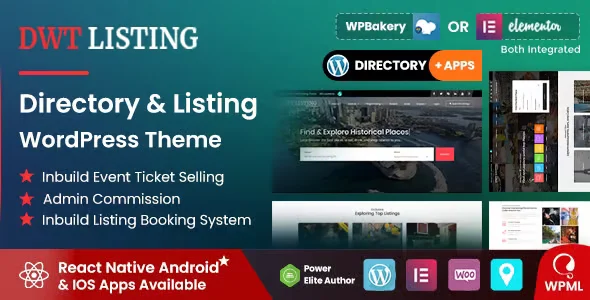
DWT Directory and Listing Theme is a visual and functional WordPress solution designed to build directories, business listings, or classifieds portals with a robust structure, intuitive navigation, and controlled publishing workflows. Ideal for those managing communities, local marketplaces, or vertical portals, this tool reduces the burden of manual customization and centralizes editorial control from the back office.
Introduction to DWT Directory and Listing Theme
DWT Directory and Listing Theme is a WordPress theme specifically designed to build directory and listing portals with an architecture that eliminates the usual friction of adapting generic themes to complex structures of categories, business listings, and filtered searches, speeding up setup time without sacrificing control.
The tool integrates the core design patterns of a directory: category pages with listing cards, detail pages with custom fields, search systems with filters, and taxonomy structures that align with popular directory plugins. This reduces the number of manual customizations and the usual conflicts between themes and content management plugins.
An administrator who has spent months trying to adapt a multipurpose theme to a local restaurant directory immediately notices the difference: the templates already include the listing logic, the fields for opening hours, address, and ratings fit naturally into the design, and the back office is no longer a battleground of shortcodes and CSS overrides.
Product overview
This plugin covers the functional area of design and data presentation structure in WordPress directories, with a direct impact on visual stability, visitor UX, and the operator's ability to scale the volume of listings without losing consistency or editorial control.
Before incorporating this tool, many directory portals ran on generic themes patched with extra CSS, duplicate templates, and page builder plugins that slowed down loading times. The result was an inconsistent user experience and a back office that was difficult for the team to maintain. By integrating this module, the template architecture responds to the directory's logic from the ground up.
- Without the add-on: The operator spends hours on template overrides, style conflicts between the theme and the directory plugin, and each new category requires manual intervention to maintain visual consistency.
- With the active add-on: The listing templates, details sheet, and search page function as a cohesive system that automatically adapts to new categories and taxonomies defined in the directory plugin.
- Observable result: Less time spent on visual patches, greater consistency in the visitor experience, and a back office where adding new directory sections does not require developer intervention in each iteration.
Requirements and compatibility
To get the most out of DWT Directory and Listing Theme, it's advisable to first review which directory or listing plugins are active in the environment, which page builders are used, and whether the custom taxonomies are well defined, since the theme assumes a specific content structure that may vary depending on the directory plugin chosen.
- Primary dependency: an active directory or listing management plugin that provides the taxonomies, custom fields, and entry types that the theme expects to render correctly.
- Areas of compatibility: listing submission forms, filtered search systems, integration with payment gateways for premium listings, user role management for listing owners, and rating or review modules.
- It is advisable to validate the integration in a staging environment before going into production, especially if the directory already has a volume of published listings or if aggressive caching plugins are used that could serve old templates during the transition.
Key benefits for your operation
- Reduction of initial development time: Building a directory from a generic theme requires rewriting templates, resolving style conflicts, and creating page structures from scratch. This module delivers those structures already resolved, freeing the technical team to focus on the portal's specific business logic.
- Visual coherence at scale: When a directory grows and adds new categories or listing types, maintaining visual consistency becomes a real challenge. This tool manages that consistency from the base templates, preventing each new section from requiring design intervention.
- Better UX for the visitor: A visitor who arrives at a directory with a clear structure, well-organized listings, and intuitive search filters converts better and returns more often. This plugin structures the data presentation so that the search and discovery flow feels natural, without the operator having to design it from scratch.
- Editorial control without constant technical dependence: The back office of a directory with many listings can become unmanageable if the theme isn't optimized for that logic. This extension organizes the editorial workflow so the content team can manage listings, categories, and featured items without needing a developer at every step.
- Stability in the face of catalog growth: Directories that start with a hundred listings and grow to thousands need a template system that doesn't degrade performance or the user experience as they scale. This plugin's architecture is designed for that growth, avoiding the common bottlenecks of non-specialized themes.
- Integration with monetization flows: Portals that offer premium listings, featured listings, or paid plans need a theme that supports these workflows without disrupting the visual experience. This tool addresses these differences at the template level, facilitating traceability between the subscribed plan and the listing's presentation.
Highlighted Features of DWT Directory and Listing Theme
- Specialized templates for listing forms: The theme includes detailed page layouts designed to display structured business or service information, with sections for galleries, contact details, hours, maps, and ratings. This eliminates the need to build that structure with shortcodes or page builder blocks, reducing back-office complexity.
- Visually integrated search system with filters: The frontend design incorporates search and filtering areas that aesthetically align with the rest of the portal, eliminating the need for an external widget. Visitors can filter by category, location, or attributes without the interface disrupting the directory's consistency.
- Category pages with listing cards: Pages that group listings by category or taxonomy use a system of configurable visual cards, which facilitates exploration and improves visitor dwell time by presenting information in a scannable and attractive way.
- Support for visually differentiated featured or premium listings: Websites that monetize through featured listings need that differentiation to be visible and appealing. This extension manages that visual hierarchy from within the templates, so premium listings are perceived as such without any additional CSS intervention from the website owner.
- Responsive design geared towards local searches: A significant portion of local directory traffic comes from mobile devices, often with the intention of taking immediate action. The module delivers an optimized mobile experience that prioritizes key data such as phone number, address, and hours, reducing friction between the visitor and the action they wish to take.
- Customization options from the theme panel: The operator can adjust colors, fonts, element layout, and key page settings from the WordPress customization panel, without touching any code. This gives the marketing or design team the autonomy to maintain the portal's identity without relying on the development team for each iteration.
Who is this product for?
This module is especially valuable for those who operate or develop directory portals, local guides, service marketplaces, or classified listing platforms, and who have experienced firsthand the cost of trying to adapt generic themes to that specific logic. It's not a multipurpose theme that can be used for directories; it was designed from the ground up for that purpose.
- Administrators or technicians who need full control over the presentation of listings, taxonomies, and publishing workflows without relying on complex page builders that add layers of abstraction that are difficult to maintain.
- Agency teams or freelancers who manage multiple directory portals and need a consistent foundation that can be replicated and adapted without rewriting the architecture for each project.
- Product, marketing, or UX managers who rely on a clear and scalable presentation of listings to improve retention metrics, click-through rates on listings, and conversion of visitors into leads for listed businesses.
Real-world use cases
- Local business portal in a medium-sized city: An editorial team manages hundreds of listings for restaurants, shops, and services. Without a specialized template structure, each design update involves reviewing individual listings. With the DWT Directory and Listing Theme active, templates apply changes globally, the editorial team updates content without touching code, and visitors experience a consistent interface that makes comparison and decision-making easier.
- Marketplace for freelance services with listing plans: The operator offers basic, standard, and premium plans with varying visibility. The problem was that the visual differentiation between plans was confusing for visitors and difficult for the team to maintain. With this tool, the templates natively incorporate this visual hierarchy, premium listings are clearly highlighted, and the plan upgrade rate improves because the differentiating value is visible.
- Regional tourism guide with geographical searches: Visitors arrive searching for activities by area or type of experience. The challenge was to present these filters intuitively on mobile without disrupting the portal's aesthetics. The extension delivers a visually integrated, filtered search experience that works on mobile devices without additional configuration, reducing the abandonment rate in the search flow.
- Directory of B2B suppliers in a vertical sector: An industry association publishes a directory of verified suppliers. Previously, adding new fields or categories broke the existing design. With this plugin as a foundation, the template architecture absorbs new taxonomies and custom fields without affecting visual consistency, allowing the directory to evolve with industry needs without costly redesigns.
Frequently Asked Questions about the DWT Directory and Listing Theme
Which directory or listing management plugins is this theme compatible with?
DWT Directory and Listing Theme is designed to work alongside the most widely used directory plugins in the WordPress ecosystem, which provide the taxonomies, custom fields, and post types that the theme renders. Before integrating this tool, it's advisable to confirm that your chosen directory plugin generates the content types and data structures that the theme expects, as compatibility depends on how each plugin defines its data architecture. A staging test with the active directory plugin allows you to verify that the templates connect correctly before publishing.
How does this issue affect the visitor experience in the search and filtering process?
The most direct impact on visitor UX is the visual integration of the search and filter system within the portal's design, eliminating the feeling of external elements tacked onto the theme. A visitor using filters for category, location, or attributes experiences a cohesive flow where the interface doesn't change style when interacting with the search controls. This reduces cognitive friction and improves the perceived quality of the portal, resulting in longer dwell times and more interactions with listings.
Does the theme include automations or rules for managing published listings?
Business logic automations—such as listing expiration, owner notifications, and editorial approval rules—depend on the directory plugin used with the theme, not the theme itself. What this tool does manage are the visual rules: which template is applied based on the listing type or status, how featured listings are presented versus standard listings, and which elements appear on each page type. This separation of responsibilities makes the system more maintainable in the long run.
How does the system handle listings with payment plans or renewals?
Payment and renewal management is handled by the directory plugin or WooCommerce if it's used to monetize listings. The DWT Directory and Listing Theme manages the presentation: it visually differentiates listings based on their active plan, can display badges or status indicators depending on the fields the payment plugin modifies in the listing details, and maintains visual consistency regardless of payment status. The operator must ensure that the monetization plugin and the theme share the same field logic for this differentiation to function correctly.
How does it influence the presentation of structured information relevant to local SEO?
A visually well-structured directory also facilitates the implementation of structured data markup, which is key for local SEO. This plugin organizes the listing elements—name, address, phone number, hours, category—so that implementing schema markup is more straightforward, whether through the directory plugin or an additional SEO plugin. The clean template structure reduces conflicts that often arise when structured markup tries to read scattered data in a non-specialized theme.
How does the theme handle a directory with a large volume of listings?
The performance of a directory with thousands of listings depends primarily on the database, cache configuration, and hosting, but the theme architecture also plays a significant role. DWT Directory and Listing Theme uses optimized templates that prevent unnecessary resource loading on listing and detail pages. That said, in high-volume environments, it's advisable to supplement with an object caching plugin and review the queries generated by the directory plugin, as the theme amplifies both the good and bad practices of the plugin it uses.
Is it viable to use this theme in a WordPress multisite environment?
Using the tool in multisite environments is technically possible, but it requires prior evaluation of how the directory plugin behaves in that configuration, as some listing plugins have multisite limitations related to shared database tables or role management per subsite. The tool itself doesn't impose additional restrictions on multisite, but the consistency of the experience across subsites will depend on how theme settings are managed in each instance. For agencies managing multiple independent directory portals, using separate installations may be more robust.
How can I verify that the theme is working correctly in my directory?
A practical checklist includes: verifying that category pages display listing cards with the correct design; checking that detail pages render all directory plugin fields in the expected positions; ensuring that featured or premium listings are visually differentiated from standard listings; testing the search flow with filters on mobile and desktop to confirm a cohesive interface; and checking in the browser inspector for CSS conflicts between the theme and the directory plugin. If any of these points fail, the cause is usually an incompatibility between the plugin's taxonomies and the theme's templates.
Short description
WordPress theme specializing in directories and listing portals that eliminates the friction of adapting generic designs: native templates for listings, filtered searches and differentiated listings by plan, ready to scale without continuous redesigns.

Written and reviewed by the PrimeGPL Team
At PrimeGPL, we ensure that every piece of published content is verified and reviewed by our team. We analyze features, compatibility, and performance to provide you with clear, up-to-date, and truly useful information for each product listed in our store.
Get your questions answered here
We answer your questions so you can buy in an informed and confident manner.
Does my purchase include updates?
Yes. Every product purchase includes lifetime updates, so you won't have to pay extra under any circumstances.
Is there a daily download limit?
No, not at all. After your purchase, you can download it as many times as you need, without any problem.
On how many websites can I use the products?
You can use your purchases on as many domains (websites) as you want, without any problems.
Does it include technical support?
Yes. We offer technical support Monday through Friday, during business hours UTC -3. This support includes assistance with issues related to download problems, installation problems, or errors with the purchased product.
Furthermore, support does not include configurations, customizations, tutorials, or services associated with the author.
Does my purchase have a warranty?
Yes, of course. If you have any problem that we can't solve, or if there's an external issue that doesn't have a general solution related to our service, you'll receive support and, if necessary, a full refund.
How do I access support?
After your purchase, from your user account, you can access the support section, where you can open a ticket and our team will assist you with whatever you need.
Download Previous Versions
If you have purchased this product, or have an active membership, you can download previous versions without any limits or restrictions.
| Product Name | Version | Size | Date | Download |
|---|---|---|---|---|
| No hay versiones anteriores registradas. | ||||
Related Products
Below we show you different products that share the same category.




