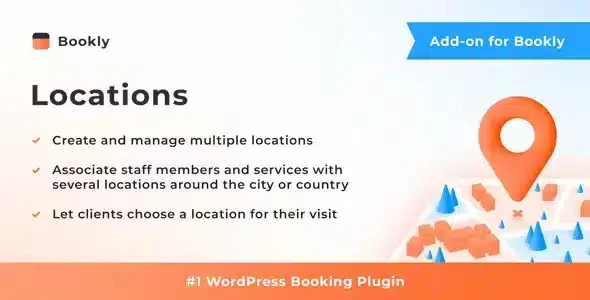
Bookly Locations Addon
$39.00 Original price was: $39.00.$4.99Current price is: $4.99.
Bookly extension that adds location management to the booking system: each location has its own staff, schedules and availability, eliminating incorrect assignments and simplifying the booking process for the end customer.
The Bookly Locations Addon is an extension that allows multi-location service businesses to manage availability, staffing, and bookings by location from a single dashboard, eliminating the operational confusion that arises when customers can't select where they want to be served. It requires the main Bookly plugin to function.
Introduction to Bookly Locations Addon
When a business operates in more than one physical location, managing appointments without location distinction leads to errors, overlaps, and a frustrating booking experience for the end customer; this module solves exactly that friction by incorporating a geographical selection layer within the WordPress booking flow.
The technical nature of this add-on is straightforward: it adds a structured step to the booking form where the customer chooses the location before viewing staff availability. This prevents the system from displaying the schedules of an employee who works at another branch, reducing scheduling errors and subsequent cancellations.
An administrator who manages three beauty centers, for example, configures each location with its own services, employees, and schedules from the back office; when a customer starts the booking process, they only see the staff and available slots at the location they have selected, without any subsequent manual intervention.
Product overview
This extension acts on the planning layer of the reservation system, directly impacting the consistency of availability data and the clarity of the process for the end user, something critical when the volume of appointments grows and the operation cannot depend on manual corrections.
Before implementing this add-on, businesses with multiple locations often duplicated entire Bookly instances or managed locations as service categories, which cluttered reports and forced back office staff to manually filter each booking. With the tool active, each location exists as a separate entity within the same environment.
- Without the add-on: Customers book without specifying a location, staff see appointments assigned to locations where they are not working that day, and management spends time reassigning or confirming each booking by phone.
- With the active add-on: The form filters staff and availability according to the chosen location, ensuring that only real and consistent slots with the schedule of that location are offered.
- Observable result: Reduction of misallocated bookings, less post-booking support contact, and a clearer selection experience for the customer, which improves the process completion rate.
Requirements and compatibility
For this module to function correctly, the main Bookly plugin must be present and active in the WordPress environment; without that foundation, the extension has no context in which to operate, since all its settings are integrated within the configuration structure that Bookly establishes.
- Functional dependency of the Bookly plugin in its active version, which manages the booking engine, calendar, and employee profiles.
- Compatible with frontend booking form flows, with employee management by location in backoffice, and with report filters by location.
- Before deploying to production, it is advisable to verify in a test environment that the forms embedded in existing pages maintain the location selection step without breaking the design of the active theme.
Key benefits for your operation
- Elimination of phantom reservations: When the system doesn't distinguish between locations, appointments appear assigned to employees at locations where they are unavailable. This module filters availability based on the selected location, displaying only genuine openings, thus reducing last-minute cancellations and the administrative work involved in correcting them.
- Clearer booking experience for the customer: Confusion during the selection process is one of the most common reasons for form abandonment. By structuring location selection as a preliminary step, the customer understands from the outset where they will be served, which improves trust and the booking conversion rate.
- Centralized management of multiple locations: Managing each location in a separate installation multiplies maintenance work and makes it impossible to have a consolidated view. With this extension, all locations coexist in the same dashboard, and reports can be filtered or aggregated as needed.
- Unambiguous staff allocation by location: Each employee can be linked to one or more locations, and the system respects that configuration when displaying availability. This eliminates the need to manage this logic manually or through naming conventions in external calendars.
- Scalability without loss of control: When a business opens a new branch, it simply needs to be added to the system, along with staff and services; the form automatically incorporates it without any code changes or duplicate configurations. This ability to grow without reconfiguring the entire environment is what allows for stable scalability.
- Real-time traceability of bookings by location: Location-segmented reports allow you to identify which locations have the highest demand, which time slots are saturated, and where there is idle capacity—information that was previously difficult to extract without manually cross-referencing data.
Featured Features of Bookly Locations Addon
- Location selection as a form step: The add-on adds a location selection field to the booking flow, visible to the customer before they choose a service or employee. This is not an optional filter but a structural step, ensuring that all booking data is consistent from the start.
- Dynamic availability filtering by location: Once a location is selected, the system only displays employees and schedules associated with that branch. The direct impact is that impossible gaps disappear, and the customer can never book a combination that doesn't exist in the actual operation.
- Employee assignment to one or more locations: Each employee profile can be assigned to multiple locations with independent calendars for each site. This flexibility allows for managing mobile staff without losing track of where they work each day.
- Unified management panel with location filter: From the back office, the administrator can view the global calendar or filter by specific location. This transforms the operational view without needing to change environments or consult external tools.
- Integration with Bookly's native reports: Reservation reports incorporate location as a segmentation variable. For operations that need to understand performance by location, this traceability is the difference between making data-driven decisions and relying on intuition.
- Compatibility with other add-ons in the Bookly ecosystem: The tool does not operate in isolation; it integrates with reminders, payments, and group management extensions, so that automations configured in those modules respect the location logic without additional configuration.
Who is this product for?
This add-on is designed for service businesses that already operate or plan to operate in more than one physical location and need their booking system to reflect that reality without manual workarounds. Whether it's two locations or ten, the friction it eliminates is the same.
- Administrators or technicians who need real-time traceability by location and don't want to manage separate calendars for each site.
- Teams that maintain multiple WordPress installations or that centralize the management of multiple service points and need data consistency.
- Operations or customer experience managers who identify the abandonment of the booking form as a problem and want to solve it with a clear and unambiguous venue selection.
Real-world use cases
- Physiotherapy center with three clinics: The business grows and opens a second and third location with different staff at each. Regardless of location, patients book appointments with physiotherapists who don't work at the clinic closest to their home. With the module active, each patient first selects the location and only sees the actual availability at that center, reducing reconfirmation calls and improving the experience from the first contact.
- Language academy with classrooms in different neighborhoods: The academy offers the same courses at different locations, but each classroom has its own capacity and schedule. The administrator configures each location with its services and instructors; the student chooses the location that suits them best and reserves their place without the system showing them unavailable options. The result is an online registration process without any intervention from the administrative team.
- Franchised chain of beauty salons: The franchise requires each location to manage its own schedule, but also needs the franchisor to have a consolidated view of performance. With this add-on, each location operates autonomously within the same environment, and aggregated reports allow for comparison of occupancy, demand, and efficiency by location without manually exporting data.
- Photography studio with two themed spaces: The studio has one space for portraits and another for product photography, each with different equipment and availability. Clients need to book the appropriate space for their session. The extension allows each space to be configured as an independent location with its own schedule, preventing someone from booking the product studio for a portrait session and vice versa.
Frequently Asked Questions about the Bookly Locations Addon
Do I need to have anything else installed for this to work properly?
Yes, this module operates as an extension of the main Bookly plugin, which must be active in your environment. Without that foundation, the add-on has nowhere to integrate and won't display any functionality. It's also worth checking that other Bookly ecosystem add-ons you already use are compatible with location management, especially if you have availability rules or automatic reminders configured that might be affected by the new location selection step in the form.
How does the customer experience change when making a reservation?
The customer sees an additional step at the beginning of the form where they select the location before choosing a service or employee. This simplifies the decision because the system automatically filters what's available at that location. The practical result is a more straightforward process, with no irrelevant options, which reduces confusion and improves the booking completion rate.
Can I set up different availability rules for each location?
Each location functions as an independent entity within the system, meaning it can have its own opening hours, assigned employees, and available services. This independence is the foundation of the tool: it's not just an aesthetic filter but a real functional segmentation that affects which openings are displayed and to whom. The availability rules you configure for each employee are respected within the context of each location.
Does it affect the payment process if I have online payments set up?
The module does not interfere with your existing Bookly payment gateway. Location selection occurs before the payment step in the form flow, so when the customer reaches checkout, the location, service, employee, and hours are already defined. If you have different prices for each location, it's advisable to review your service settings for each location to ensure the price displayed to the customer corresponds to the selected location.
Does it impact the management of coupons or discounts per location?
This plugin doesn't directly manage coupons or discounts, but the location structure it creates can be used as context for other extensions in the ecosystem that handle pricing or special conditions. If you need to apply specific discounts per location, the cleanest setup involves combining this module with the per-service pricing options within each location, ensuring the application logic is consistent before deploying to production.
Does the system handle well if there are many simultaneous bookings or a high volume of locations?
Performance depends largely on the hosting environment and overall WordPress configuration, not just the plugin itself. That said, the module's architecture is designed to process location filtering efficiently without redundant queries. In high-volume environments, it's advisable to check the server cache and ensure the database has the correct indexes—something that applies to any booking system with multiple active variables.
Does it work in multisite environments or if I manage multiple stores from the same WordPress site?
In a WordPress multisite installation, the behavior depends on how the network is configured and whether Bookly is active on each subsite or across the entire network. This module operates within the context of each individual Bookly installation, so in a multisite setup, each subsite would manage its own locations independently. If the goal is to consolidate data from multiple stores into a single dashboard, that functionality goes beyond what this plugin offers natively.
How do I know that the module is working as expected after configuring it?
There are clear signs you can verify without external tools: the booking form should display the location selection step before any other field; when a location is chosen, the employee list should change to show only those linked to that location; and in the back office, the calendar should allow filtering by location and display only appointments for that location. If these three conditions are met, the module is working correctly. Making a full test booking before publishing is the quickest way to validate it.

Written and reviewed by the PrimeGPL Team
At PrimeGPL, we ensure that every piece of published content is verified and reviewed by our team. We analyze features, compatibility, and performance to provide you with clear, up-to-date, and truly useful information for each product listed in our store.
Get your questions answered here
We answer your questions so you can buy in an informed and confident manner.
Does my purchase include updates?
Yes. Every product purchase includes lifetime updates, so you won't have to pay extra under any circumstances.
Is there a daily download limit?
No, not at all. After your purchase, you can download it as many times as you need, without any problem.
On how many websites can I use the products?
You can use your purchases on as many domains (websites) as you want, without any problems.
Does it include technical support?
Yes. We offer technical support Monday through Friday, during business hours UTC -3. This support includes assistance with issues related to download problems, installation problems, or errors with the purchased product.
Furthermore, support does not include configurations, customizations, tutorials, or services associated with the author.
Does my purchase have a warranty?
Yes, of course. If you have any problem that we can't solve, or if there's an external issue that doesn't have a general solution related to our service, you'll receive support and, if necessary, a full refund.
How do I access support?
After your purchase, from your user account, you can access the support section, where you can open a ticket and our team will assist you with whatever you need.
Download Previous Versions
If you have purchased this product, or have an active membership, you can download previous versions without any limits or restrictions.
| Product Name | Version | Size | Date | Download |
|---|---|---|---|---|
| Bookly Location | 6.5 | 0.04 MB | 13/04/2026 | Join Now |
Related Products
Below we show you different products that share the same category.