Bookly Invoices Addon
$39.00 Original price was: $39.00.$4.99Current price is: $4.99.
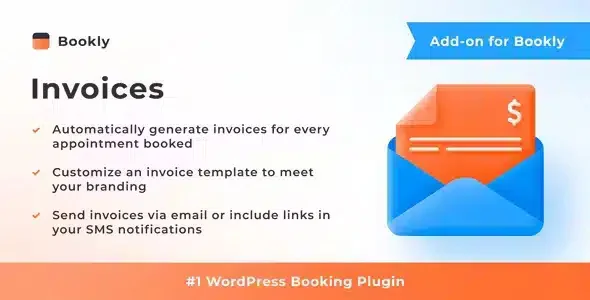
Automate the generation and delivery of invoices for every confirmed Bookly booking, eliminating manual management of tax documents and ensuring that the customer receives their invoice instantly without team intervention.
Bookly Invoices Addon automates the generation and delivery of invoices within the Bookly booking ecosystem, eliminating the manual management of tax documents for each confirmed appointment. It's ideal for service-based businesses using WordPress that require accounting traceability without additional processes.
Introduction to Bookly Invoices Addon
When a service business grows and bookings multiply, manually managing invoices becomes a constant source of errors, delays, and complaints from customers who expect to receive their invoice immediately after confirming an appointment. This module solves precisely that problem, connecting the booking flow with the automatic generation of invoices without human intervention.
The technical nature of this extension lies in its direct integration with Bookly Pro, which allows it to read the data for each booking—customer, service, amount, date—and automatically translate it into a structured document sent to the customer's email. This eliminates manual steps in the back office and reduces the possibility of issuing incorrect or late invoices.
Imagine an administrator managing a clinic with dozens of appointments daily: before the plugin, someone on the team would manually export data, generate PDFs, and send them one by one. With this tool, each booking confirmation triggers the entire process automatically.
Product overview
Document management in booking-based businesses is a recurring point of friction that affects both the customer experience and the internal efficiency of the team, and this plugin addresses that problem at its root by automating invoice issuance within the same Bookly confirmation flow.
Before implementing this extension, the process had a clear gap: the booking was confirmed, the payment was processed, but the invoice remained pending manual generation. The administrative team had to access the data, create the invoice, and send it, multiplying the time spent by the number of bookings for the day.
- Without the add-on: Each invoice required manual intervention, with the risk of omissions, incorrect data, or delays that generated customer complaints and extra burden for the team.
- With the active add-on: When a reservation is confirmed, the system automatically generates the invoice with the customer's details and the service, and sends it by email without any intermediate steps.
- Observable result: The client receives their tax document immediately, the team eliminates a repetitive back-office task, and accounting traceability is guaranteed from the very beginning.
Requirements and compatibility
Before incorporating this tool into your environment, it is advisable to verify that you have the Bookly Pro plugin working correctly in your WordPress installation, since this module acts as an extension dependent on that core and does not operate independently without it.
- Primary dependency: Bookly Pro must be present and operational; without it, this extension has no functional context to generate or send documents.
- Operational compatibility: the module interacts with the booking confirmation flows, customer data, recorded amounts, and email notifications configured in Bookly.
- Before deploying it in production, especially in environments with customized booking flows or specific payment gateways, it is advisable to validate the behavior in a staging environment to confirm that the data is correctly mapped in the generated document.
Key benefits for your operation
- Eliminates the manual processing of document issuance: Managing invoices manually consumes team time on repetitive and error-prone tasks. This plugin automates the entire cycle, from data capture to customer delivery, freeing up resources for higher-value activities. The back office becomes more streamlined, allowing the team to focus on operations, not administration.
- Guarantees immediate delivery to the customer: When a customer completes a booking and pays, they expect to receive confirmation and documentation without delay. The tool acts at the moment of confirmation, delivering the invoice by email instantly. This reduces support inquiries related to pending documents.
- Improves the accounting traceability of the business: Without an automated system, tracking which invoices have been issued, which are pending, and which correspond to which reservations is a manual and opaque process. This module creates a consistent record associated with each transaction, facilitating audits and accounting reconciliations.
- Reduce errors in billing data: Manually copying customer data into tax documents introduces typos and omissions. By directly reading data recorded in Bookly, this extension eliminates that source of inconsistencies, producing more reliable and professional documents.
- Scale without additional friction: A business with ten daily bookings can manage invoices manually, but one with a hundred cannot. This plugin maintains the same level of automation regardless of volume, making it especially valuable for growing operations.
- It reinforces the professional perception of the service: Receiving a well-structured and personalized invoice immediately after a booking conveys organization and professionalism. This experience influences the customer's perception of the business's quality, a detail that ultimately affects customer retention.
Key features of the Bookly Invoices Addon
- Automatic generation of invoices per reservation: Each time a booking is confirmed, the system creates the corresponding invoice using the data stored in Bookly. This means zero manual intervention and zero chance of forgetting to issue an invoice, which is critical for businesses with high appointment turnover.
- Automatic email delivery: The generated invoice is sent directly to the customer's email without any intermediate steps. The operator doesn't need to access the back office to complete this process, making document delivery an invisible and efficient part of the customer service workflow.
- Customizing the document with business data: The add-on allows you to incorporate the business's tax and brand information into the generated document. This produces invoices that are consistent with the visual identity and legally required information, instead of generic documents lacking context.
- Access and download from the administration panel: In addition to automatic sending, the administrator can access, view, and download generated invoices from the back office as needed. This centralized access simplifies document management and customer service for resending invoices.
- Structured PDF format: Invoices are generated in PDF format, the recognized standard for tax documents. This ensures that the customer receives a readable, printable file compatible with any accounting or filing system they use.
- Seamless integration with Bookly's notification flow: The tool integrates seamlessly with Bookly's existing communication system, meaning it doesn't disrupt established workflows or generate duplicate notifications. Invoicing becomes a natural part of the confirmation process.
Who is this product for?
This add-on is designed for those who manage service businesses with recurring bookings and feel that manually issuing invoices is an operational bottleneck that grows with each new confirmed appointment. If the volume of bookings already exceeds what a team can handle manually without errors, this extension fits perfectly into that gap.
- Administrators or technicians who need document traceability without manual processes and want to ensure that each transaction has its invoice automatically associated with it.
- Teams that manage multiple locations or businesses under the same WordPress environment and need consistency in document issuance without duplicating administrative effort.
- Automation and customer experience managers who understand that the immediate delivery of tax documentation is part of the post-service experience and want to control it from the same booking flow.
Real-world use cases
- Physiotherapy clinic with high appointment turnover: A clinic manages dozens of sessions daily, and the administrative team was wasting time each afternoon manually generating and sending invoices. By incorporating this module, each appointment confirmation automatically triggers invoice issuance and sending, freeing up that time for clinical tasks. The result is a more streamlined operation and patients receiving their documentation without having to request it.
- Photography studio with premium session bookings: Clients of this type of service expect a professional experience at every touchpoint. Previously, the invoice arrived days after the session, leading to email inquiries and a perception of disorganization. With this tool, the invoice is included in the same confirmation email, reinforcing the brand image effortlessly.
- Training center with regular workshops: When workshops have fixed dates and many participants, manually managing each participant's invoice is impractical. This add-on allows each registration to automatically generate its own invoice with the correct attendee details and the service purchased, eliminating the risk of omissions during peak periods.
- Spa or wellness center with memberships and individual appointments: In mixed environments where some clients have packages and others pay per session, manual invoicing quickly becomes complicated. This extension unifies the process for any type of confirmed booking, ensuring that all clients receive their documentation regardless of the applicable rate. The team no longer has to manage exceptions, and the client always receives their invoice.
Frequently Asked Questions about the Bookly Invoices Addon
Does this plugin work without having Bookly Pro installed?
No, this extension relies on Bookly Pro to function. It needs access to the booking, customer, and payment data managed by that core, so without it, it lacks the necessary functionality. Before purchasing, you should confirm that Bookly Pro is present and configured in your WordPress environment, as this is the structural requirement upon which the entire invoice generation workflow depends.
Does the end customer receive the invoice automatically or does it have to be sent manually?
The process is completely automatic. When a booking is confirmed, the system generates the invoice and sends it to the customer's email address without any administrator intervention. This means the customer receives their document immediately upon confirmation, without having to rely on a team member to remember. This immediacy improves the after-sales experience and reduces inquiries related to pending documentation.
Is it possible to configure conditions or rules so that the invoice is only generated in certain cases?
The add-on generates invoices linked to the booking confirmation workflow in Bookly. Customization options depend on how the workflows are configured in your specific installation. For very specific conditional billing needs—by service type, payment status, or customer segment—it's advisable to review the official documentation to understand the exact scope of available options before assuming any unverified behavior.
What happens if a payment fails or a booking is cancelled after the invoice has been generated?
This is a relevant scenario to verify in your specific environment. The module's behavior in the event of cancellations or reversed payments can vary depending on how the Bookly Pro workflow is configured and the payment gateways used. Performing tests in a staging environment with cancellation and failed payment scenarios before deployment to production allows you to confirm that the document management system responds correctly to these cases.
Does the add-on correctly apply the taxes configured in the bookings?
The tool uses the data recorded for each booking, including the associated amounts. If taxes are correctly configured in Bookly Pro and reflected in the transaction, this information should be transferred to the generated document. Validating the tax structure in a test environment, especially if you operate with different tax rates or exemptions, is a recommended practice before issuing live documents.
Does it affect site performance when there are many simultaneous bookings?
As with any process that runs at the time of confirmation, the performance impact depends on the server infrastructure and the number of concurrent processes the environment handles. In installations with high volumes of simultaneous reservations, it's advisable to ensure the server has sufficient capacity to handle the generation and sending processes without excessive queues. Absolute performance cannot be guaranteed, but in well-sized environments, the impact is usually minimal.
Can it be used in a WordPress multisite installation with multiple stores or businesses?
Compatibility with multisite installations depends on how each subsite is configured and whether Bookly Pro is active on each one independently. In multisite environments with separate business units, it's common for each subsite to manage its own bookings and, therefore, its own invoices. Verifying the behavior in this type of architecture before deployment is a prudent practice to avoid conflicts between subsites.
How do I know if the plugin is working correctly after setting it up?
A practical way to verify this is to make a test booking with a real email address and confirm that the PDF reaches the recipient with the correct information: customer name, service booked, amount, and business details. Checking that the invoice is registered and downloadable from the back office adds a second layer of verification. If both of these work correctly, the workflow is operational and requires no ongoing monitoring.

Written and reviewed by the PrimeGPL Team
At PrimeGPL, we ensure that every piece of published content is verified and reviewed by our team. We analyze features, compatibility, and performance to provide you with clear, up-to-date, and truly useful information for each product listed in our store.
Get your questions answered here
We answer your questions so you can buy in an informed and confident manner.
Does my purchase include updates?
Yes. Every product purchase includes lifetime updates, so you won't have to pay extra under any circumstances.
Is there a daily download limit?
No, not at all. After your purchase, you can download it as many times as you need, without any problem.
On how many websites can I use the products?
You can use your purchases on as many domains (websites) as you want, without any problems.
Does it include technical support?
Yes. We offer technical support Monday through Friday, during business hours UTC -3. This support includes assistance with issues related to download problems, installation problems, or errors with the purchased product.
Furthermore, support does not include configurations, customizations, tutorials, or services associated with the author.
Does my purchase have a warranty?
Yes, of course. If you have any problem that we can't solve, or if there's an external issue that doesn't have a general solution related to our service, you'll receive support and, if necessary, a full refund.
How do I access support?
After your purchase, from your user account, you can access the support section, where you can open a ticket and our team will assist you with whatever you need.
Download Previous Versions
If you have purchased this product, or have an active membership, you can download previous versions without any limits or restrictions.
| Product Name | Version | Size | Date | Download |
|---|---|---|---|---|
| Bookly Invoices | 5.5 | 9.2 MB | 20/01/2026 | Join Now |
Related Products
Below we show you different products that share the same category.