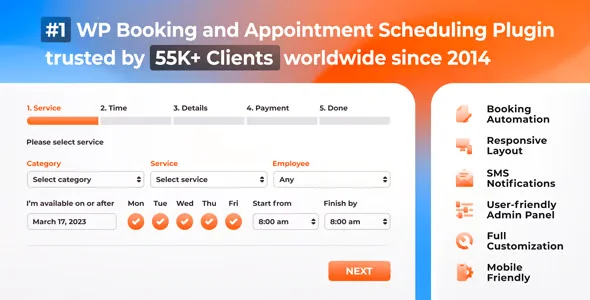
Bookly Customer Cabinet Addon

$39.00 Original price was: $39.00.$4.99Current price is: $4.99.
Add a private client area to Bookly Pro where each user manages their appointments, history and contact details independently, reducing inquiries to the team and improving the post-booking experience without custom development.
The Bookly Customer Cabinet Addon allows customers to manage their appointments, history, and personal data from a private area on the site, without administrator intervention. Ideal for service businesses using Bookly Pro, it eliminates reliance on the back office for routine tasks and empowers end users.
Introduction to the Bookly Customer Cabinet Addon
When a booking business grows, manually managing each request for change, cancellation, or history inquiry becomes a real bottleneck: the Bookly Customer Cabinet Addon solves that problem by creating a private space where the customer takes control of their information and active appointments.
This extension integrates directly into the WordPress workflow, adding a customer portal that syncs in real time with the booking system. The admin team no longer receives repetitive requests, and data remains centralized, consistent, and auditable from the back office.
Imagine a physiotherapy center with dozens of active patients: before, each appointment change required an email or call; with this active module, the patient accesses their office, locates the reservation and modifies it within the established rules, without staff intervention.
Product overview
The functional area of this add-on directly impacts the end customer's UX and the operational workload of the management team, two variables that determine the real scalability of any service business that depends on a continuous flow of bookings.
Without this tool, the operator receives scattered inquiries via email, chat, and phone for tasks that the system could handle on its own. With this module active, those interactions disappear from the human workflow.
- Without the add-on: Customers have no visibility into their past or future bookings, leading to repetitive inquiries to the team and errors due to outdated information.
- With the active add-on: Each user accesses their personal cabinet, reviews the complete history, modifies contact information, and manages appointments according to the rules set by the administrator.
- Observable result: Reduction of low-value incoming queries, greater customer satisfaction due to increased autonomy, and cleaner data in the back office by eliminating error-prone manual editing.
Requirements and compatibility
Before deploying this extension in production, it is advisable to check that the environment has the base Bookly Pro plugin active and correctly configured, as this plugin operates as an additional layer on top of your data architecture and booking flows.
- Functional dependency on Bookly Pro: without the main plugin active, the cabinet has no data to display or booking rules to respect.
- Compatible with native WordPress authentication flows, user role management, and shortcodes for flexible integration into any page or template of the active theme.
- It is advisable to validate the behavior in a staging environment when the store handles custom cancellation rules or integrations with payment gateways, to confirm that refund or credit flows are correctly reflected in the account.
Key benefits for your operation
- Reduction of administrative burden: Every time a customer needs to change information or check an appointment, the team wastes time on low-value tasks. This module shifts that responsibility to the user, freeing up staff for tasks that truly require human intervention.
- Centralized booking history: Operators who manage recurring services know how difficult it is to track a customer's history when the data is scattered. This tool consolidates all bookings into a single, visible space for both the customer and the administrator, improving traceability.
- Controlled customer autonomy: Giving the customer access doesn't mean losing control. The administrator defines which actions are allowed and under what conditions, keeping business rules intact while the user feels they have agency over their own experience.
- Improved retention through experience: A client who can manage their appointments seamlessly has less reason to discontinue the service. A smooth experience in the office translates into lower churn rates for service businesses with recurring clients.
- More reliable data in the back office: When the client updates their information directly, manual transcription errors disappear. The team works with up-to-date data without the need for additional verification cycles.
- Scalability without increased staff: As the customer base grows, the volume of routine inquiries would scale proportionally without this add-on. With it active, that growth doesn't require expanding the support team to handle tasks that the system can manage on its own.
Highlighted Features of Bookly Customer Cabinet Addon
- Private customer portal: It is generated using a shortcode, allowing it to be placed on any page of the site with the active theme's design. It does not impose an external interface or break the brand's visual consistency.
- Viewing booking history: The customer gains access to a complete record of their past and future appointments, with details of the service, provider, and status. This eliminates the need to contact the business for follow-up inquiries.
- Personal data management: The user can update their name, email, phone number, and other configurable fields directly from their account. Changes are synchronized with the administrator's record without any intermediate steps.
- Cancellation and modification according to rules: The administrator sets the conditions under which a client can cancel or reschedule, and the system applies them automatically. This prevents late cancellations without the need for manual, case-by-case review.
- Access protected by WordPress authentication: The cabinet is only accessible to registered and authenticated users, ensuring that each client sees only their own information and there is no risk of cross-exposure of data.
- Compatibility with Bookly's notification flow: Actions performed from the cabinet can trigger notifications already configured in Bookly Pro, maintaining communicative consistency without duplicating configurations.
Who is this product for?
This add-on is particularly well-suited for businesses where the volume of active clients puts constant pressure on the management team and where the post-booking experience is just as important as the booking process. Healthcare, wellness, education, and consulting businesses with recurring clients are the ones that see the impact most quickly.
- Administrators or technicians who need to reduce manual interventions in customer data and maintain traceability without periodic audits.
- Teams that manage multiple services or locations and need each client to operate autonomously without creating inconsistencies in the centralized database.
- UX or customer experience managers looking to reduce post-purchase friction and improve retention without custom development.
Real-world use cases
- Beauty salon with high appointment turnover: The team was receiving daily requests for schedule changes via WhatsApp and email, leading to double booking errors. By activating the client portal, each user manages their appointments directly; staff only intervene in cancellations that are not covered by policy, and freed-up slots are reassigned more quickly.
- Physiotherapy clinic with long-term patients: Patients needed to consult their session history to coordinate with their referring physician. With this module, they can access their complete record from their private area without calling reception, improving their perception of the service's professionalism.
- Language academy with weekly bookings: Students frequently change their schedules depending on their work availability. The extension allows rescheduling within the conditions defined by the academy, eliminating the back-and-forth of messages and reducing unfilled gaps in the calendar.
- Independent consultant with various services: Manually managing data for dozens of active clients with different session types was impractical in the long run. With the active system, each client's data is kept up-to-date, and the consultant works with reliable information without spending time on manual updates.
Frequently Asked Questions about the Bookly Customer Cabinet Addon
Does this plugin work independently or does it require another active plugin to operate?
Bookly Pro is required as a functional foundation, as the client relies on its data architecture, booking rules, and notification system. Without the main plugin active, the client has no structure to operate on. It is advisable to confirm that Bookly Pro is correctly configured, with services and providers defined, before activating the client to avoid empty or inconsistent displays in the client area.
How does this module affect the customer experience during and after a booking?
The most visible impact is in the post-booking period: the customer no longer relies on email or phone to check, modify, or cancel. They access their account, locate the booking, and act according to the established rules. This autonomy reduces perceived friction and improves service evaluation without the business having changed anything in its actual quality.
Can I set up automatic rules to limit what the client can do from their private area?
The administrator controls which actions are enabled in the cabinet and under what conditions they are permitted, such as minimum cancellation periods or restrictions by service type. These rules are applied automatically without manual review. This allows the client to have greater autonomy without the risk of actions disrupting the business's operational planning.
Does the office handle situations of failed payments or outstanding payments linked to a reservation?
The visibility of payment statuses within the booking dashboard depends on how the payment flow is configured in Bookly Pro and the active payment gateway plugins. The dashboard may reflect the booking status, but the active management of failed payments or refunds follows the flow defined in the payment gateway and the base plugin settings, not in the dashboard itself.
Does this add-on affect the management of coupons, discounts, or special prices applied to previous bookings?
The dashboard displays information about existing bookings, including the prices applied at the time of booking. It does not modify or recalculate terms and conditions. If a customer cancels and rebookes through the dashboard, the pricing conditions will be based on the rules active in Bookly Pro at that time, not on the original booking.
How does the extension perform on sites with high customer volume and simultaneous bookings?
The performance of the client area is tied to the WordPress environment and the efficiency of the queries Bookly Pro performs on the database. For high-volume installations, it's advisable to have hosting with adequate resources and a well-configured cache. The module doesn't add extraordinary processing layers, but in high-load scenarios, it's recommended to monitor the client area's response times, just as you would with any dynamic section of the site.
Does it work correctly in WordPress installations with multiple sites or multi-store environments?
In multisite networks, each subsite operates independently with its own instance of Bookly Pro and the plugin. There is no native synchronization of client data between different subsites. For operations managing multiple locations within the same network, it's worth evaluating whether Bookly Pro's data architecture meets this need or if an additional integration solution is required.
How can I verify that the client cabinet is working correctly after setting it up?
A practical checklist includes: logging in as a registered test user and confirming that the booking history is displayed correctly; attempting to modify an appointment within and outside the allowed timeframes to verify that the rules apply; updating contact details and checking that the change is reflected in the back office; and verifying that the notifications set up in Bookly Pro are triggered correctly after actions taken from the office.

Written and reviewed by the PrimeGPL Team
At PrimeGPL, we ensure that every piece of published content is verified and reviewed by our team. We analyze features, compatibility, and performance to provide you with clear, up-to-date, and truly useful information for each product listed in our store.
Get your questions answered here
We answer your questions so you can buy in an informed and confident manner.
Does my purchase include updates?
Yes. Every product purchase includes lifetime updates, so you won't have to pay extra under any circumstances.
Is there a daily download limit?
No, not at all. After your purchase, you can download it as many times as you need, without any problem.
On how many websites can I use the products?
You can use your purchases on as many domains (websites) as you want, without any problems.
Does it include technical support?
Yes. We offer technical support Monday through Friday, during business hours UTC -3. This support includes assistance with issues related to download problems, installation problems, or errors with the purchased product.
Furthermore, support does not include configurations, customizations, tutorials, or services associated with the author.
Does my purchase have a warranty?
Yes, of course. If you have any problem that we can't solve, or if there's an external issue that doesn't have a general solution related to our service, you'll receive support and, if necessary, a full refund.
How do I access support?
After your purchase, from your user account, you can access the support section, where you can open a ticket and our team will assist you with whatever you need.
Download Previous Versions
If you have purchased this product, or have an active membership, you can download previous versions without any limits or restrictions.
| Product Name | Version | Size | Date | Download |
|---|---|---|---|---|
| Bookly Customer Cabinet | 6.7 | 0.04 MB | 25/02/2026 | Join Now |
Related Products
Below we show you different products that share the same category.