Kadence Blocks Pro

$299.00 Original price was: $299.00.$4.99Current price is: $4.99.
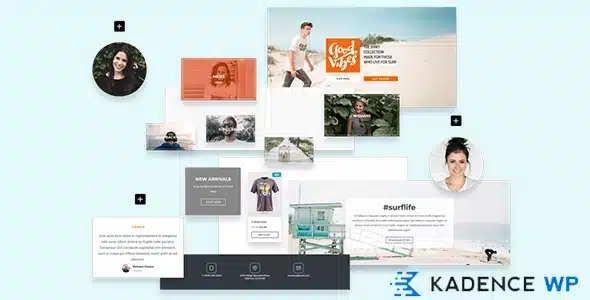
Premium extension for Kadence Blocks that adds conditional visibility, animations, advanced blocks, and a reusable section library to the WordPress editor, without extra plugins or custom code.
Kadence Blocks Pro is the premium extension for the Kadence block builder that transforms the WordPress editor into a complete visual design system—no code required. It's ideal for agencies, developers, and WooCommerce store owners who need granular control over design, structure, and user experience without relying on a developer for every adjustment.
Introduction to Kadence Blocks Pro
Kadence Blocks Pro extends the native WordPress block editor with advanced design, interactivity, and conditional content tools that eliminate the usual friction between what a team envisions for their store and what they can actually build without touching a line of code.
The technical nature of this plugin lies in its deep integration with the WordPress block system: it doesn't add an external layer, but rather enriches the existing editing flow with controls that would normally require additional plugins, custom CSS, or developer intervention. This reduces technical debt and reliance on external resources for everyday design tasks or content updates.
An administrator who needs to create a testimonials section with intro animations, device-differentiated design, and conditional visibility based on user role can do so directly from the editor, without leaving the back office, without exporting templates, and without waiting for the technical team to have a slot in their schedule.
Product overview
This plugin addresses the functional area of advanced visual design within WordPress, with a direct impact on content management, frontend stability, and end-user experience—factors that become critical when a store starts to scale and the team needs speed without sacrificing consistency.
Before incorporating this tool, many teams relied on combinations of plugins to achieve simple effects: one for animations, another for conditional content, and yet another for sliders or advanced galleries. Each additional plugin is a potential point of conflict, a source of overhead, and one more element to keep updated. By incorporating this module, that fragmentation is consolidated into a single workflow within the native editor.
- Without the add-on: The marketing team needs five different plugins to build a landing page with animations, content visible only to registered customers, and a carousel of featured products. The back office is becoming unstable, and each update creates uncertainty.
- With the active add-on: The same team builds that landing page directly in the editor, using advanced blocks with role-based visibility control, native animations, and dynamic galleries, all from a unified interface.
- Observable result: Fewer active plugins, less risk of conflicts, faster publishing speed, and a more consistent frontend that doesn't depend on accumulated technical patches.
Requirements and compatibility
To function correctly, this plugin requires the free Kadence Blocks plugin to be active on the site, as it acts as a direct extension of that core and does not operate independently; it is also advisable to check the compatibility of the active theme with the block editor before integrating it into production.
- Main dependency: The free Kadence Blocks plugin must be installed and active, as this extension directly extends its capabilities.
- Areas of compatibility: Works on product pages, checkout pages, account pages, editorial content areas, and WooCommerce templates built with the block editor.
- Before implementing in a production environment with active checkout flows or integrations with shipping gateways and plugins, it is advisable to validate the behavior in a staging environment, especially if conditional visibility rules are used on cart items or registered user areas.
Key benefits for your operation
- Reducing plugin debt: Managing ten plugins to cover basic design needs is a constant source of conflict and wasted time troubleshooting. This extension consolidates disparate functionalities into a single system, reducing the error surface and simplifying site maintenance.
- Visual control without technical dependence: Many marketing or content teams get stuck waiting for a developer to implement seemingly simple design changes. With this plugin, those changes are implemented directly from the editor, shortening the publishing cycle and freeing up the technical team for more complex tasks.
- Conditional content by context: Displaying different content based on a user's role, session status, or device is a real necessity for stores with areas for wholesale customers, distributors, or members. This tool manages that logic without additional code, directly impacting the relevance of what each user sees.
- Design consistency at scale: When a team manages multiple pages or projects, maintaining visual consistency across sections becomes costly without a reusable block system. This module allows you to create and save designed sections as internal templates, reducing repetitive work and inconsistencies.
- Interactivity without custom JavaScript: Adding appearance effects, entrance animations, or hover behaviors typically involves writing or managing code. With this extension, those behaviors are configured visually, eliminating a common point of friction between design and implementation.
- More elaborate user experience on key pages: The checkout, product pages, and campaign landing pages are the points where UX directly impacts conversion. Being able to build these pages with advanced blocks, granular typographic control, and precise device adaptation translates into fewer abandonments and greater consistency with the brand identity.
Key features of Kadence Blocks Pro
- Additional advanced blocks: This extension includes blocks not available in the free version, such as carousels, accordions with opening logic, countdown timers, and contact forms with conditions. In an online store, this means being able to build campaign pages with real urgency or dynamic FAQs without external plugins.
- Conditional visibility by rules: Each block can be configured to show or hide based on user role, device, date, or session status. For a store with tiered pricing by customer type, this capability allows relevant information to be displayed without duplicating pages or maintaining parallel versions of the same content.
- Entrance animations and scroll effects: The elements can appear with configurable animations that respond to the user's scrolling. This isn't just an aesthetic detail: on product pages or landing pages, a progressive presentation of content improves user engagement and reduces the feeling of visual overload.
- Saved sections library: The designs created can be saved as reusable templates within the site. For agencies or teams that maintain multiple projects, this is equivalent to having their own component system without needing external design management tools.
- Advanced typographic and spacing control: Customizing fonts, sizes, line spacing, and margins with breakpoint variations allows for design control that would normally require custom CSS. In an online store, this translates to pages that look good on mobile without compromising the desktop experience.
- WooCommerce integration for content blocks: Some blocks in this extension can be combined with product data or the WooCommerce page structure, allowing you to enrich the store environment with editorial sections without leaving the native editor flow.
Who is this product for?
This plugin is designed for those already using the Kadence ecosystem who feel limited by the free version in projects requiring greater visual sophistication, conditional logic, or multi-audience design. It's not a tool for those seeking a quick fix without learning: it offers depth, and those who explore it will truly benefit.
- Administrators or technicians who need granular control over content presentation and want to reduce the number of active plugins without losing functionality.
- Agencies or teams that manage multiple sites or projects and need a consistent and reusable block system that does not depend on ad hoc solutions for each client.
- Marketing managers, UX designers, or content automation professionals who need to publish complex pages autonomously, without relying on the development team for every structural change.
Real-world use cases
- Seasonal campaign landing page: A fashion store needs to publish a sale landing page each season with a countdown timer, a featured products section, and a banner visible only to unregistered users. Without this tool, that task required coordinating three plugins and a developer. With this plugin, the marketing team builds and publishes the page directly, with all those elements configured in the same editor, in significantly less time.
- Account page differentiated by customer type: A B2B store with both wholesale and retail customers needs to display different information at the same URL depending on the user's role. This module's conditional logic allows you to configure this visibility without duplicating pages or maintaining two versions of the same content, simplifying management and reducing the risk of inconsistencies.
- Building templates for agencies: An agency managing fifteen stores with distinct brand identities needs efficiency in creating new pages without having to start from scratch each time. This extension's library of saved sections allows them to maintain a repertoire of adaptable components, shortening project turnaround times.
- Product page enhanced with interactivity: An electronics store wants its product pages to include accordions with technical specifications, pop-up animations for the benefits sections, and a testimonials carousel. Previously, this required additional plugins with styles that were difficult to unify. With this plugin, everything is built in a coherent flow within the editor, with complete control over the design and no style conflicts between plugins.
Frequently Asked Questions about Kadence Blocks Pro
Does it work with any WordPress theme or do I need a specific theme?
This plugin works best with themes that support the WordPress block editor. The Kadence ecosystem is designed to work seamlessly with the Kadence theme, although it can also operate with other block-based themes. With classic themes or themes that only partially support the editor, some design features may behave differently, so it's advisable to test it in a staging environment before deploying it to production. The most stable and predictable compatibility is found within the Kadence ecosystem itself.
How does this affect the end customer's experience at checkout or on product pages?
The impact on the end customer is primarily visual and structural: more elaborate product pages, sections with greater visual hierarchy, and content presented progressively can improve product understanding and reduce friction before adding items to the cart. At checkout, the plugin doesn't modify the transactional logic, but it does allow for enriching confirmation pages or content areas adjacent to the purchase process with advanced blocks.
Does it allow you to create automatic rules or conditions that change the content based on user behavior?
Yes. Conditional visibility functionality allows you to set rules based on user role, session status, device, or date. This results in content that automatically changes based on context without manual intervention. For more complex automations based on purchase behavior or order history, it's worth evaluating whether complementary marketing automation tools are needed.
Does it have any impact on WooCommerce renewal or recurring payment flows?
This plugin primarily operates at the design and content presentation layer, not on payment or subscription logic. Renewal flows, failed payment handling, and subscription logic rely on specific plugins like WooCommerce Subscriptions. There's no direct interference, but if you use conditional blocks on pages related to the user's account area, it's advisable to verify that the experience remains consistent for customers with active subscriptions.
Does it affect in any way the handling of taxes, shipping, or coupons in the store?
It doesn't interfere with tax logic, shipping zones, or coupon rules, which are the responsibility of WooCommerce and its specific extensions. However, it can be used to build pages or sections that communicate these conditions to the user more clearly, such as free shipping banners with a countdown timer or sections with pricing information visible only to specific user roles. The tool contributes to the communication layer, not the calculation layer.
Does using many advanced blocks in a high-traffic store compromise site performance?
Performance depends on multiple factors: the number of active blocks, the presence of animations, the configured cache level, and the hosting infrastructure. This extension is built on the native block system, which means a more efficient technical load than accumulating multiple third-party plugins for the same functions. That said, on high-traffic sites, it's advisable to audit the size of the most critical pages and evaluate performance with performance tools before assuming everything will scale without adjustments.
Is it viable to use it in a multisite environment or to manage several stores from the same installation?
The plugin can operate in WordPress multisite environments, although the management of saved block libraries and conditional visibility settings are applied at the individual site level within the network. For teams managing multiple independent stores, the advantage lies in workflow consistency: the same block system across all projects reduces the learning curve and facilitates the transfer of sections between sites. Multisite network conditions should be reviewed on a case-by-case basis depending on the project architecture.
How can I verify that the plugin is working correctly in my store?
A practical checklist includes: verifying that additional blocks appear in the editor with the Kadence Pro icon, checking that conditional visibility rules are applied correctly by switching user roles or testing in incognito mode, confirming that animations are triggered on the frontend without console errors, and checking that sections saved in the library are available from the editor. If any blocks are missing or conditions aren't being applied, the first step is to confirm that the Kadence Blocks base plugin is active and up to date.

Written and reviewed by the PrimeGPL Team
At PrimeGPL, we ensure that every piece of published content is verified and reviewed by our team. We analyze features, compatibility, and performance to provide you with clear, up-to-date, and truly useful information for each product listed in our store.
Get your questions answered here
We answer your questions so you can buy in an informed and confident manner.
Does my purchase include updates?
Yes. Every product purchase includes lifetime updates, so you won't have to pay extra under any circumstances.
Is there a daily download limit?
No, not at all. After your purchase, you can download it as many times as you need, without any problem.
On how many websites can I use the products?
You can use your purchases on as many domains (websites) as you want, without any problems.
Does it include technical support?
Yes. We offer technical support Monday through Friday, during business hours UTC -3. This support includes assistance with issues related to download problems, installation problems, or errors with the purchased product.
Furthermore, support does not include configurations, customizations, tutorials, or services associated with the author.
Does my purchase have a warranty?
Yes, of course. If you have any problem that we can't solve, or if there's an external issue that doesn't have a general solution related to our service, you'll receive support and, if necessary, a full refund.
How do I access support?
After your purchase, from your user account, you can access the support section, where you can open a ticket and our team will assist you with whatever you need.
Related Products
Below we show you different products that share the same category.