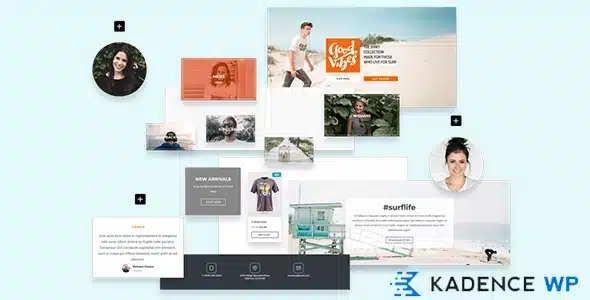
Kadence Galleries

$299.00 Original price was: $299.00.$4.99Current price is: $4.99.
Kadence Galleries lets you create professional, responsive image galleries directly from the block editor, with full control over layout, lightbox, and styles, without additional plugins or custom code.
Kadence Galleries is a visual WordPress plugin that lets you build advanced image galleries with complete control over the design, layout, and user experience. Designed for online stores, portfolios, and content sites that need to present images professionally without relying on generic solutions, this module integrates directly with the Kadence block ecosystem.
Introduction to Kadence Galleries
Kadence Galleries solves one of the most frequent problems on visually intensive WordPress sites: the inability to create consistent, responsive, and fast image layouts without writing custom code or installing multiple overlapping and conflicting plugins.
The tool operates within the block editor and maintains consistency with the Kadence design system, eliminating the usual friction between the defined design and what is actually rendered in production. Each gallery configuration is linked to the block, not to an external shortcode or parallel logic that requires additional maintenance.
An administrator who manages a professional photography store, for example, can define a gallery with lightbox, adaptive columns, and custom order directly from the back office, without exporting settings, without conflicting third-party plugins, and without touching a single line of CSS.
Product overview
This plugin acts on the visual presentation layer of the site, an area where configuration errors have a direct impact on conversion, dwell time and the perception of brand quality, especially in WooCommerce stores with product catalogs that rely on images to build trust.
Before incorporating this extension, many operators resorted to combinations of standalone gallery plugins that didn't respect the active theme, generated conflicting styles, and required separate configurations for each page. The result was visual inconsistency, slow loading times, and updates that broke the design without warning.
- Without the add-on: The galleries are built with limited native blocks or with external plugins that ignore the theme's design system, generating visual inconsistency and accumulated technical debt.
- With the active add-on: The operator configures galleries with column control, spacing, hover effect, lightbox and image ratio directly from the editor, with real-time preview.
- Observable result: Product pages, portfolios, or landing pages with visually consistent galleries, optimized loading, and a smooth user experience without developer intervention.
Requirements and compatibility
For this tool to function stably and predictably, it is necessary to operate with a theme compatible with the Kadence ecosystem and have the WordPress block editor active; some advanced flows may require Kadence Blocks to be present as a functional dependency of the design system.
- Main dependency: integration with the WordPress block editor and compatibility with Kadence's design token system for style inheritance.
- Relevant compatibility areas: WooCommerce product pages, category landing pages, editorial content pages, reusable blocks, and section templates.
- Scenarios where it is advisable to validate before production: sites that use alternative page builders in parallel, or themes that aggressively overwrite block styles, can generate visual conflicts that should be detected in a staging environment.
Key benefits for your operation
- Eliminates dependence on external gallery plugins: Many operators accumulate three or four different plugins to cover gallery functionalities that this module consolidates into a single one. Reducing that load means less conflict, fewer critical updates, and a cleaner back office.
- Visual control without code: The hassle of needing a developer to adjust image spacing or change lightbox behavior disappears. The tool exposes these controls directly in the block panel, with immediate preview.
- Consistency in product catalogs at scale: A store with hundreds of products needs all its galleries to adhere to the same visual system. This plugin allows you to define reusable configurations that maintain consistency without manual page-by-page review.
- Better UX on mobile devices: Poorly configured responsive galleries can cause overflows, cropped images, or broken interactions on mobile. This extension manages responsive layout natively, reducing display errors that impact bounce rates.
- Performance without visual sacrifice: Loading galleries with high-resolution images without proper size management and lazy loading is a real problem. This module works with lazy loading and optimized image sizes, reducing the impact on page response times.
- Faster editorial workflow: Content teams that frequently update galleries waste time reconfiguring scattered options. By centralizing everything in one block, editing time is reduced, and so is the margin for error.
Key features of Kadence Galleries
- Integrated native lightbox: It allows visitors to enlarge images without leaving the page, a critical feature in stores where product detail directly influences the purchase decision. It requires no additional configuration or external plugin to activate.
- Column control and adaptive layout: The operator defines how many columns to display on desktop, tablet, and mobile independently. This solves the common problem of galleries that look good on desktop but break on smaller devices.
- Configurable image ratio: Forcing a consistent aspect ratio across all images in a gallery prevents the uneven mosaic effect that occurs when the original images have different proportions. This is crucial in catalogs where product photos don't always have the same framing.
- Customizable hover effects: The gallery can display visual effects when you hover over each image, such as color overlays, smooth zoom, or text overlays. On category pages or portfolios, this adds interactivity without negatively impacting performance.
- Ordering and selecting images with drag and drop: Rearranging images within a gallery using drag and drop eliminates the frustrating process of deleting and re-uploading content. For teams that frequently update galleries, this represents a significant operational saving.
- Heritage of styles from the Kadence system: The colors, fonts, and spacing defined globally in the theme are applied consistently to the galleries, without needing to redefine values in each block. This ensures visual consistency throughout the site without any extra effort.
Who is this product for?
This plugin is designed for those already working with the Kadence ecosystem who need to take their site's visual presentation to a professional level without adding technical complexity or relying on a developer for every adjustment. It's especially useful in operations where images have real strategic importance.
- Administrators or technicians who manage extensive product catalogs and need granular control over how images are presented on each page, with clear traceability of which configuration applies to each section.
- Teams that operate multiple sites or stores under the same design system and need galleries to be consistent across projects without reconfiguring everything from scratch in each instance.
- UX, content, or marketing managers who rely on visually appealing galleries to improve the end-customer experience, increase dwell time, and reduce bounce rate on key pages.
Real-world use cases
- Fashion store with multiple product views: A clothing store needs to display between six and eight images per product from different angles. Without a well-configured gallery, the images are stacked unevenly, making it difficult for customers to browse comfortably. With this module active, the product page displays a gallery with a uniform aspect ratio, a lightbox, and smooth navigation, reducing pre-purchase hesitancy and decreasing the return rate due to unmet expectations.
- Creative agency with portfolio by categories: An agency needs to separate its work by project type and showcase each category with a distinct gallery in terms of design and visual density. Previously, this required separate plugins with incompatible configurations. With this tool, each portfolio section has its own layout defined in the editor, consistent with the site's overall design system.
- Art or photography shop with direct sales: A photographer sells prints and needs each work to be displayed in high quality with the option to zoom in on the details. The native lightbox allows visitors to explore the image without leaving the product page, replicating the experience of a physical gallery and building greater trust before purchase.
- Editorial blog with intensive visual content: A news outlet publishes articles with galleries of twenty to thirty images. Without lazy loading and column control, these pages are slow to load, and readers often abandon the site before reaching the content. With this extension properly configured, the images load progressively, and reading flows smoothly without technical interruptions.
Frequently Asked Questions about Kadence Galleries
Does it work with any WordPress theme or does it require a specific one?
This module is designed to integrate natively with the Kadence ecosystem, meaning it takes full advantage of its capabilities when the active theme supports that system. It may function at a basic level with third-party themes, but global style inheritance and visual consistency depend on the theme adhering to the standard block architecture. Before using it in production with an external theme, it's advisable to validate in a staging environment that the block styles don't conflict with the theme's CSS rules.
How does the gallery affect the customer experience on a WooCommerce product page?
A well-designed gallery on a product page reduces the visual friction that can cause customers to hesitate before buying. When images have a consistent aspect ratio, can be enlarged with a lightbox, and are well-suited to mobile devices, visitors can evaluate the product with greater confidence. This translates into less time spent indecision and, in many cases, a more consistent conversion rate on devices where visual presentation often falls short.
Does it allow you to define conditions or rules to display different galleries depending on the page context?
The tool operates at the block level within the editor, so its display logic depends on the structure of the template or page that contains it. To display different galleries based on dynamic conditions, such as user role, product category, or content type, it needs to be combined with conditional block visibility tools within the Kadence ecosystem or through theme template logic.
Does it have any impact on payment flows or the WooCommerce checkout process?
This plugin works exclusively on the visual and presentation layer of the site, without interfering with the shopping cart, checkout, or order processing logic. It does not modify or intercept payment flows. Its impact on checkout is indirect: a better product presentation can increase customer confidence before reaching that stage, but it does not alter any transactional process.
Does it interact in any way with coupons, shipping, or taxes in WooCommerce?
There is no integration between this module and WooCommerce's pricing, coupon, shipping, or tax logic. Its function is strictly visual. If used on product or category pages, its role is to enhance how images are displayed, not to modify any transaction data or the store's configured business rules.
How does it perform on sites with a high volume of images or heavy traffic?
The tool includes lazy loading of images by default, which reduces the initial impact on page load time. On sites with large galleries and high traffic, performance also depends on external factors such as server configuration, CDN usage, and prior optimization of uploaded images. It's unreasonable to expect the plugin to compensate for unoptimized images or bottlenecked infrastructure, but under normal conditions, it helps maintain acceptable response times.
Can it be used in multisite installations or in agencies that manage multiple stores?
In WordPress multisite installations, compatibility depends on the network configuration and whether the plugin is activated network-wide or per individual site. For agencies managing multiple independent projects, the extension can be installed on each site separately and configured independently. There is no centralized management console across sites, so consistency across projects relies on the team's operational discipline.
How can I verify that the gallery is working correctly on my site?
A practical checklist: verify that the gallery block renders correctly in the editor without console errors; check that the lightbox opens when clicking on the images on both desktop and mobile; check that the column layout changes according to the defined breakpoint; confirm that the images load lazily when scrolling; and validate that the gallery styles are consistent with the global visual system of the active theme, especially overlay colors and caption typography if used.

Written and reviewed by the PrimeGPL Team
At PrimeGPL, we ensure that every piece of published content is verified and reviewed by our team. We analyze features, compatibility, and performance to provide you with clear, up-to-date, and truly useful information for each product listed in our store.
Get your questions answered here
We answer your questions so you can buy in an informed and confident manner.
Does my purchase include updates?
Yes. Every product purchase includes lifetime updates, so you won't have to pay extra under any circumstances.
Is there a daily download limit?
No, not at all. After your purchase, you can download it as many times as you need, without any problem.
On how many websites can I use the products?
You can use your purchases on as many domains (websites) as you want, without any problems.
Does it include technical support?
Yes. We offer technical support Monday through Friday, during business hours UTC -3. This support includes assistance with issues related to download problems, installation problems, or errors with the purchased product.
Furthermore, support does not include configurations, customizations, tutorials, or services associated with the author.
Does my purchase have a warranty?
Yes, of course. If you have any problem that we can't solve, or if there's an external issue that doesn't have a general solution related to our service, you'll receive support and, if necessary, a full refund.
How do I access support?
After your purchase, from your user account, you can access the support section, where you can open a ticket and our team will assist you with whatever you need.
Download Previous Versions
If you have purchased this product, or have an active membership, you can download previous versions without any limits or restrictions.
| Product Name | Version | Size | Date | Download |
|---|---|---|---|---|
| Kadence Galleries | 1.3.2 | 1.4 MB | 31/03/2024 | Join Now |
Related Products
Below we show you different products that share the same category.