
Workreap Freelance Marketplace Theme
$89.00 Original price was: $89.00.$4.99Current price is: $4.99.
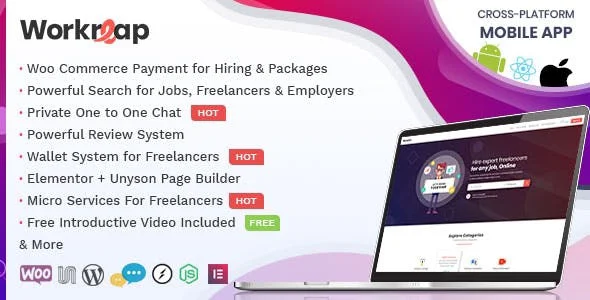
Workreap Freelance Marketplace Theme is a WordPress solution designed to build complete freelance platforms, featuring project management, talent profiles, tiered payments, and role-based dashboards. It's ideal for entrepreneurs and agencies looking to launch their own marketplace without relying on external platforms. Its workflow-oriented architecture reduces friction between clients and freelancers from the very first contact.
Introduction to the Workreap Freelance Marketplace Theme
Workreap Freelance Marketplace Theme is a specialized WordPress template that eliminates the operational friction of building a freelance services marketplace from scratch, integrating project posting, proposal management, milestone payments, and user dashboards with differentiated permissions into a single environment, all without the need to assemble dozens of separate plugins.
Its technical nature combines a conversion-optimized frontend layer with a back office that allows administrators to monitor transactions, disputes, and fees from a single control point. This reduces the time a team spends reconciling data across disparate tools and minimizes configuration errors that often occur when forcing non-native integrations.
Imagine an administrator who has just received a complaint from a freelancer because their milestone payment wasn't released after client approval. With this tool, that technician accesses the back office, locates the order, checks the milestone status in real time, and resolves the issue without touching any code or opening tickets with external payment gateways. The entire workflow is recorded and traceable.
Product overview
Managing a freelance marketplace requires an architecture that simultaneously supports the experience of the client who hires, the talent who executes, and the operator who manages commissions, disputes, and payments; when that architecture is missing or fragmented, the stability of the business depends on manual patches that scale poorly and generate inconsistencies visible to the end user.
Without an integrated solution, operators typically combine a generic theme with listing plugins, standalone gateways, and custom forms that don't share state. Each update to any component can disrupt the hiring process, and transaction data is scattered across tables with no clear relationship. By incorporating this plugin, all those flows converge into a single, coherent layer.
- Without the add-on: Milestone payments are managed manually via email, freelancers have no visibility into the status of their proposals, and the administrator reconciles commissions in external spreadsheets with a high risk of error.
- With the active add-on: The system automatically releases payment to the freelancer when the client approves the milestone from their dashboard, recording the transaction with full traceability and notifying both parties without manual intervention.
- Observable result: Dispute resolution time is shortened, freelancers perceive greater confidence in the platform, and the operator stops acting as a manual intermediary in each transaction, recovering real operating hours.
Requirements and compatibility
Before deploying this theme in a production environment, it is advisable to verify that WordPress is correctly configured with active user roles, that the chosen payment gateway supports escrow payments, and that any caching or security plugins do not interfere with the REST endpoints that the tool manages internally.
- Requires WordPress as the base CMS; some advanced payment features may depend on WooCommerce or gateways compatible with the milestone system incorporated into the theme.
- Compatible with custom checkout flows, role management (client, freelancer, administrator), email notifications, user dashboards, and post-project rating systems.
- Before putting it into production, it's advisable to validate it in a staging environment with real test data, especially if the store already has membership plugins or points systems that could interfere with the commission logic.
Key benefits for your operation
- Eliminating chaos in proposal management: When freelancers send proposals via email or generic forms, the operator quickly loses track. This module centralizes all proposals with their status, history, and associated communications, so the team can make decisions with complete context and without having to search through inboxes.
- Full control over commissions without external configuration: Many operators calculate commissions manually or using error-prone spreadsheets. This tool allows you to define percentages by category or user, apply them automatically to each transaction, and view them from the back office without needing to export data.
- Freelancer confidence thanks to the milestone system: One of the biggest obstacles to attracting talent is the uncertainty surrounding payment timing and method. This add-on manages staged payments with conditional release upon client approval, creating an environment where freelancers know exactly what to expect.
- Customer experience that reduces abandonment: A confusing checkout or hiring process increases the abandonment rate before the project even gets off the ground. A streamlined hiring interface guides the client step by step, reducing the friction points that typically occur during freelancer selection or payment confirmation.
- Scalability without reconfiguring from scratch: As the marketplace grows, adding new service categories, new project types, or new commission rules shouldn't require custom development. This module is built to handle that growth through configuration, not code.
- Dispute and refund traceability: Managing a dispute between a client and a freelancer without clear data exposes the operator to arbitrary decisions. The tool records every action within a project, from the initial proposal to the final payment, providing the administrator with a complete history to support any resolution.
Highlighted Features of Workreap Freelance Marketplace Theme
- Role-differentiated user panels: Clients, freelancers, and administrators access separate interfaces, optimized for their specific tasks. This prevents users from seeing irrelevant information or, worse, accessing sensitive data belonging to other profiles, improving both user experience and operational security.
- Milestone payment system with integrated escrow: The client's money is held until they approve the work, at which point it is automatically released to the freelancer. This system eliminates the need for manual transfers and builds trust on both sides of the marketplace.
- Search engine and service filtering: Customers can find freelancers or services by filtering by category, price, rating, and availability. In a high-volume marketplace, discoverability directly determines the conversion rate from website visit to project launch.
- Post-project evaluation and review system: Upon completion of a project, both parties can leave a rating that is associated with their public profile. This creates a reputation layer that incentivizes quality and reduces the perceived risk for new users before hiring.
- Gig package management: Freelancers can structure their services into packages with defined prices, delivery times, and scope. This structure reduces upfront negotiations, speeds up the client's purchasing decision, and facilitates comparison between providers.
- Automated notifications at each stage of the flow: The system sends automatic notifications for every status change: new proposal, milestone approved, payment released, dispute opened. This keeps all parties informed without manual operator intervention, reducing support inquiries related to project status.
Who is this product for?
This theme is designed for those who need to launch or scale a freelance services marketplace with real management capabilities, not for those simply looking for a directory of professionals without transactional logic. If your business involves collecting commissions, managing pending payments, and resolving disputes, this is the right environment.
- Administrators or technicians who need to have complete visibility over transactions, users and project statuses without relying on manual exports or external analysis tools.
- Teams that manage multiple service verticals within the same marketplace, and they need commission rules, approval workflows, and user dashboards to be consistent across categories.
- Growth or UX Managers They understand that the conversion rate of a marketplace depends as much on the experience of the client who hires as on that of the freelancer who offers their services, and they are looking for a tool that takes care of both sides simultaneously.
Real-world use cases
- Launch of a graphic design marketplace: An agency wants to monetize its network of freelance designers by creating its own platform. Without this theme, it would need to integrate a listings plugin, a payments withholding plugin, and a third for managing proposals. With this tool, that entire workflow is unified from day one, and the team can configure commissions by category before launch without writing a single line of code.
- Dispute management on a web development platform: An administrator receives a complaint from a client who claims the freelancer failed to deliver what was agreed upon. Thanks to the history of milestones and communications recorded in the back office, the administrator reviews each interaction chronologically, identifies the breaking point, and makes an informed decision, avoiding the arbitrariness and legal risk of resolving the issue without data.
- Expansion of services in a digital marketing marketplace: The operator decides to add a new service category—social media management—with a different commission rate than the others. The tool allows them to create this category, assign it its own commission rule, and activate it for new projects without affecting ongoing projects, giving the team the flexibility to grow without freezing operations.
- Improving freelancer retention through payment visibility: A platform has noticed that its freelancers are leaving after the first few projects because they don't understand when and how much they'll be paid. By activating a milestone system with automatic notifications, each freelancer can see the exact status of every pending payment on their dashboard, reducing uncertainty, increasing trust in the platform, and improving talent retention—something the platform needs to grow.
Frequently Asked Questions about the Workreap Freelance Marketplace Theme
Does it work well with the WordPress plugins I already have installed?
Compatibility depends on the type of plugins already active in your installation. This tool is designed to work natively with WordPress and, in many checkout flows, can leverage WooCommerce. Aggressive caching plugins, web application firewalls, or membership plugins with custom role logic are cases where it's advisable to test in a staging environment before going live. SEO, analytics, or contact form plugins generally don't present conflicts. The key is to identify if any existing plugins modify user roles or REST endpoints, as this is where friction can arise.
How does this affect the experience of a customer who contracts a service?
The client experiences the entire workflow within a seamless interface: they search for the service, review the freelancer's profile, agree on the scope of work, make the payment, and approve each milestone from their personal dashboard. There's no need to manage anything via email or use external tools. This consistency reduces abandonment mid-hiring, one of the most common drop-off points in marketplaces built with piecemeal solutions. The result is a client who perceives the platform as professional and trustworthy from the very first use.
What automations does it include and how are they configured?
The system automates email notifications for every status change in a project's workflow: new proposal received, milestone marked as completed, payment released, dispute opened or closed. It can also automate the release of funds when the client approves a milestone, without manual administrator intervention. These rules are configured from the admin panel without any coding required. If more complex logic is needed—for example, automatically releasing funds after a certain number of days without a client response—it's advisable to check if the theme supports it natively or if additional customization is required.
What happens if a payment fails or if the customer requests a refund?
The handling of failed payments depends on the integrated payment gateway, but the system logs the attempt and can notify both the client and the administrator so they can intervene. Partial or full refunds linked to approved or disputed milestones are managed from the back office with complete traceability. The administrator can see the exact status of the funds in each project—held, released, or returned—which facilitates resolution without relying on the gateway to reconstruct the history. It is recommended to define a clear refund policy before launch, as the system supports it but does not enforce it.
How do you handle taxes or apply coupons to projects?
If the payment flow is integrated with WooCommerce, the tax and coupon logic inherits the rules configured in that environment, simplifying management for stores already operating with that tax setup. For theme-specific payment flows, it's advisable to verify whether the tax calculation is applied to the gross or net amount of the project and whether the marketplace commission is calculated before or after the tax, as this directly impacts the operator's accounting. Coupons or discounts for first-time customers are features that may require additional configuration depending on the specific situation.
How does the platform behave when there are many active projects simultaneously?
High-volume performance depends on several factors: hosting quality, caching configuration, and database optimization. The theme itself is built to support a large number of projects, profiles, and concurrent transactions without degrading the end-user experience. However, on platforms with thousands of active users, a well-defined caching strategy and, possibly, dedicated hosting resources are typically necessary. Load testing before aggressively scaling is a recommended practice, not because the theme is unstable, but because every web architecture has limitations that should be understood beforehand.
Can it be used in a multisite environment or manage multiple platforms from a single panel?
Using WordPress Multisite is technically possible in many cases, but it requires validating that the theme's role logic, payment flows, and database tables function correctly in that environment before assuming full compatibility. For operators who want to manage multiple independent marketplaces, the most stable alternative is usually separate instances with specific configurations for each vertical. If the goal is a network of marketplaces under a single brand with shared users, it's advisable to evaluate the architecture before deployment to avoid data conflicts between subsites.
How do I know that everything is working correctly once it's active?
A practical checklist for validating functionality includes: registering one user as a client and another as a freelancer and completing a project workflow from start to finish; verifying that automatic notifications are received for each status change; checking that payment is held after hiring and released only upon milestone approval; verifying that the admin panel reflects the correct commission for each transaction; and confirming that an open dispute blocks automatic payment release until it is resolved. If all these points work in a staging environment with test data, the platform is ready for production.
Short description
WordPress theme for building freelance marketplaces with milestone management, payment processing, role-based dashboards, and workflow automation. Everything is integrated so operators can scale without assembling patched-together solutions.

Written and reviewed by the PrimeGPL Team
At PrimeGPL, we ensure that every piece of published content is verified and reviewed by our team. We analyze features, compatibility, and performance to provide you with clear, up-to-date, and truly useful information for each product listed in our store.
Get your questions answered here
We answer your questions so you can buy in an informed and confident manner.
Does my purchase include updates?
Yes. Every product purchase includes lifetime updates, so you won't have to pay extra under any circumstances.
Is there a daily download limit?
No, not at all. After your purchase, you can download it as many times as you need, without any problem.
On how many websites can I use the products?
You can use your purchases on as many domains (websites) as you want, without any problems.
Does it include technical support?
Yes. We offer technical support Monday through Friday, during business hours UTC -3. This support includes assistance with issues related to download problems, installation problems, or errors with the purchased product.
Furthermore, support does not include configurations, customizations, tutorials, or services associated with the author.
Does my purchase have a warranty?
Yes, of course. If you have any problem that we can't solve, or if there's an external issue that doesn't have a general solution related to our service, you'll receive support and, if necessary, a full refund.
How do I access support?
After your purchase, from your user account, you can access the support section, where you can open a ticket and our team will assist you with whatever you need.
Download Previous Versions
If you have purchased this product, or have an active membership, you can download previous versions without any limits or restrictions.
| Product Name | Version | Size | Date | Download |
|---|---|---|---|---|
| No hay versiones anteriores registradas. | ||||
Related Products
Below we show you different products that share the same category.



