
WooCommerce Upload Files
$45.00 Original price was: $45.00.$4.99Current price is: $4.99.
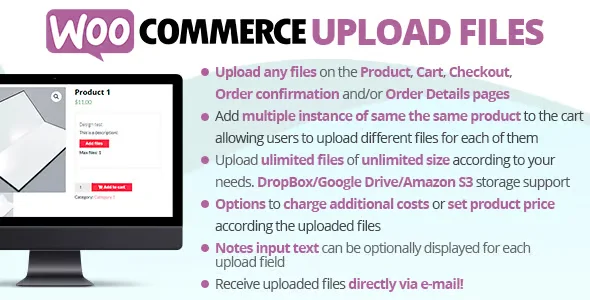
WooCommerce Upload Files is a WooCommerce extension that allows customers to upload files directly during the purchase process, whether on the product page, in the shopping cart, or at checkout. It's ideal for printing companies, creative studios, photographers, and any business that needs to receive files from buyers without relying on external emails or manual processes. WooCommerce is required as a primary dependency.
Introduction to WooCommerce Upload Files
WooCommerce Upload Files solves a very specific operational friction: WooCommerce's native inability to receive files from the customer during the purchase flow, which forces many operators to manage document deliveries by email, external platforms or forms disconnected from the order, generating disorder and loss of traceability.
The technical nature of this plugin integrates directly into WooCommerce workflows, linking each received file to the corresponding order in the back office. This means the operator doesn't need to cross-reference data between systems: the attached file travels with the order, appears in the admin panel, and is associated with the customer's history.
Imagine a technician setting up a custom print shop: they enable the upload field on the product page, define the allowed formats and maximum size, and in a matter of minutes, the customer can upload their PDF design during checkout. The administrator finds it directly in the order details, without email exchanges and without the risk of the file getting lost in a cluttered inbox.
Product overview
This extension acts on the area of personalization and data collection in the store, with a direct impact on order management, customer experience and workflow stability as the business grows and orders with attachments multiply week by week.
Before implementing this module, many stores relied on order forms, manual emails, or contact forms to receive customer files. The result was predictable: orders without the correct file, production delays, and a back office that didn't reflect all the information needed to complete the work.
- Without the add-on: The customer completes the purchase but has no way to attach their file to the order; the operator must track the file by mail or request it later, with the consequent delay and risk of error.
- With the active add-on: The customer sees an upload field on the product page or at checkout, uploads their file in the same step as confirming the purchase, and the system automatically links it to the generated order.
- Observable result: The operator accesses the file from the order details in WooCommerce, reducing follow-up communications and eliminating the risk of processing incomplete orders, resulting in fewer production errors and greater end-customer satisfaction.
Requirements and compatibility
For this tool to work correctly, it is necessary to have WooCommerce operational on the site, as well as verify that the server supports file upload operations with the size limits required by the business, since the hosting configuration can condition the behavior even before touching the extension.
- Main dependency: WooCommerce must be present and operational; without it, the extension has no functional context to act upon.
- Relevant functional compatibility: Product pages, cart, checkout, order management panel, user roles, and WooCommerce email notification systems.
- It is advisable to conduct tests in a staging environment when the store uses custom page builders on the product or checkout page, as some themes or flow customization plugins may require adjustments to the position of the upload fields.
Key benefits for your operation
- Centralization of files in the order: Managing files received by email is a constant source of clutter. This module directly associates each file with the corresponding WooCommerce order, so the operator can find everything in one place and eliminates the time spent cross-referencing data between inboxes and spreadsheets.
- Reduction of incomplete orders: When customers can upload their files at the time of purchase, the likelihood of the order reaching production without the necessary information drops significantly. The extension can make the field mandatory, preventing the process from moving forward if the file is missing.
- Control over allowed formats and sizes: Without restrictions, customers can send incompatible formats or files that are too large for internal workflows. This plugin allows you to define exactly which file extensions and maximum file sizes each field accepts, reducing errors before they reach the back office.
- Better buyer experience at checkout: A customer who needs to upload a file and can't find where to do so during checkout experiences friction, abandonment, or subsequent contact with support. By integrating the upload field into the natural flow of the purchase, the experience is smoother, and the customer perceives that the store understands their process.
- Order traceability and auditing: In high-volume operations, knowing which file corresponds to which order and when it was uploaded is critical. The tool maintains this association persistently, facilitating reviews, claims, or audits without the need to manually reconstruct the history.
- Scalability without manual intervention: As order volume grows, the file receiving process scales with it without requiring additional team effort. Each new order follows the same automated workflow, allowing the business to grow without increasing the back-office workload.
Key features of WooCommerce Upload Files
- Upload fields in multiple flow locations: The extension allows you to place the upload field on the product page, in the shopping cart, or at checkout. This flexibility is important because different types of products may require the file to be requested at different points in the process, adapting the experience to the context without modifying the theme.
- Restrictions on formats and sizes per field: Each upload field can be configured to accept only the file types relevant to that product or category. A print shop might require PDF or AI; a video editing platform might need MP4 or MOV. This granularity prevents incompatible files from reaching production.
- Mandatory or optional field depending on the product: Not all products require a file. This plugin allows you to mark the field as required only where necessary, without forcing the customer to interact with it on standard products, keeping the checkout process clean and reducing unnecessary friction.
- Viewing the file in the administration panel: The administrator can view and download uploaded files directly from the order details in WooCommerce. There's no need to access server folders or cross-reference external data: the information is where it's expected to be, within the usual management workflow.
- Integrated upload notifications: The system can send automatic confirmations to both the customer and the administrator when a file is successfully uploaded. This eliminates buyer uncertainty about whether their file arrived correctly and reduces inquiries to the support team, especially in stores with high order volumes.
- Support for uploading multiple files: Some orders require more than one file: different sides of a design, multiple documents for the same order, or additional references. The tool supports configuring multiple fields, preventing the customer from having to split their order or send the remaining files through another channel.
Who is this product for?
This add-on is especially valuable for those who manage stores where the product or service cannot be delivered without additional customer information in the form of a file. It's not about a specific job title, but rather an operational situation: when the workflow depends on the buyer providing something more than just money.
- Administrators or technicians with a need for control or traceability: Those who manage complex orders and need each file to be linked to its order without manual intervention.
- Teams that manage multiple projects or stores: Operators who manage multiple stores or catalogs with different filing requirements per product and need a consistent and configurable solution.
- UX or automation managers: Those who design purchase flows and need the customer experience when attaching files to be as seamless as the rest of the checkout, without friction or external steps.
Real-world use cases
- Online printing with custom designs: A store that sells brochures, cards, and posters needs customers to upload their designs at checkout. Without this extension, the process involves follow-up emails and delays. With the plugin active, the customer uploads the PDF during checkout, and the production team finds it in the order from the start, without any additional steps.
- Photo editing platform: An image retouching service needs to receive the client's original photos before starting. The upload field on the product page allows the buyer to attach their images in the same step they choose the service, associating the files with the order and eliminating reliance on Dropbox, WeTransfer, or other external platforms.
- Clothing store with custom embroidery: The customer wants to embroider a logo on a garment and needs to upload the vector file. Without a built-in upload field, this information is sent by email at best, or not at all, delaying production. With the tool configured as a required field, no order of this type can proceed without the correct file.
- Translation or writing service: An agency that sells word-for-word translation services needs to receive the client's original document. The upload field in the shopping cart or at checkout allows the buyer to attach their Word or PDF file at the time of purchase, and the assigned translator finds it directly in the order panel, without prior communication and without the risk of losing the order in a shared inbox.
Frequently Asked Questions about WooCommerce Upload Files
Does it work with any WooCommerce theme, or are there compatibility restrictions I should check?
The extension integrates with WooCommerce as its base layer, so it works with most themes that adhere to the plugin's standard hooks. However, if your theme uses a custom checkout or a page builder that replaces the native WooCommerce flow, it's advisable to verify the field positions in a test environment before deploying it to production. Themes that follow standard WooCommerce conventions generally don't present any significant conflicts.
How does uploading files affect the customer experience during the purchase process?
The upload field is seamlessly integrated into the regular workflow, without redirecting the customer to external pages or interrupting the process. The shopper perceives it as just another step in the checkout form, similar to selecting a product attribute. When the field is properly configured with clear instructions on the expected format and size, the first-time upload success rate is high, and subsequent inquiries to the support team are significantly reduced.
Can I set rules or conditions so that the upload field appears only on certain products or categories?
Yes. The plugin allows you to configure upload fields at the individual product level, meaning they only appear where your business needs them. You don't have to display the field across the entire store: a custom product category can have it active and required, while the rest of the catalog maintains a standard checkout without any added friction. This granularity is one of the most valued aspects for retailers with mixed catalogs.
What happens if a customer does not upload the file and the order is completed anyway?
When the field is set to required, the system prevents the purchase process from proceeding without the file being present. If the field is optional, the order is completed normally, and the operator can identify in the back office which orders have and do not have an attached file, facilitating manual tracking in cases where necessary.
Does it affect in any way the calculation of taxes, shipping costs, or the application of coupons to the order?
The file upload functionality operates as an additional data field linked to the order, without interfering with price, tax, shipping, or discount calculations. The order total, applicable taxes, and active coupons are calculated exactly as in any standard WooCommerce order. Having active upload fields does not impact the pricing layer.
How does the plugin perform with a high volume of orders and large files?
The upload system's performance depends heavily on the server configuration: PHP file size limits, storage capacity, and disk write speed. The extension itself doesn't introduce significant bottlenecks, but for high-volume stores, it's advisable to review hosting limits and, if the files are particularly large, assess whether the server's storage solution is adequate. It's unreasonable to expect identical performance on shared hosting and a dedicated high-availability server.
Is it possible to use this tool in a multisite environment or in several stores managed from the same panel?
The extension can operate on WordPress multisite installations, although upload field settings are managed independently for each site in the network. This allows each store to have its own rules for field formats, sizes, and positions without changes in one affecting the others. For teams managing multiple clients or stores, this configuration independence is a real operational advantage.
How can I verify that the upload system is working correctly in my store?
A practical checklist includes: placing a test order with a product that has the field enabled and verifying that the file appears in the order details in the back office; checking that prohibited formats are rejected with a clear message; verifying that files exceeding the configured maximum size are also blocked; and confirming that email notifications, if enabled, reach both the customer and the administrator. If all these steps work in the test environment, the system is operational.
Short description
A WooCommerce extension that allows customers to attach files during the checkout process, automatically linking them to the order in the back office. It eliminates reliance on email and centralizes all order information in one place.

Written and reviewed by the PrimeGPL Team
At PrimeGPL, we ensure that every piece of published content is verified and reviewed by our team. We analyze features, compatibility, and performance to provide you with clear, up-to-date, and truly useful information for each product listed in our store.
Get your questions answered here
We answer your questions so you can buy in an informed and confident manner.
Does my purchase include updates?
Yes. Every product purchase includes lifetime updates, so you won't have to pay extra under any circumstances.
Is there a daily download limit?
No, not at all. After your purchase, you can download it as many times as you need, without any problem.
On how many websites can I use the products?
You can use your purchases on as many domains (websites) as you want, without any problems.
Does it include technical support?
Yes. We offer technical support Monday through Friday, during business hours UTC -3. This support includes assistance with issues related to download problems, installation problems, or errors with the purchased product.
Furthermore, support does not include configurations, customizations, tutorials, or services associated with the author.
Does my purchase have a warranty?
Yes, of course. If you have any problem that we can't solve, or if there's an external issue that doesn't have a general solution related to our service, you'll receive support and, if necessary, a full refund.
How do I access support?
After your purchase, from your user account, you can access the support section, where you can open a ticket and our team will assist you with whatever you need.
Download Previous Versions
If you have purchased this product, or have an active membership, you can download previous versions without any limits or restrictions.
| Product Name | Version | Size | Date | Download |
|---|---|---|---|---|
| No hay versiones anteriores registradas. | ||||
Related Products
Below we show you different products that share the same category.




