
Woffice Intranet/Extranet WordPress Theme
$79.00 Original price was: $79.00.$4.99Current price is: $4.99.
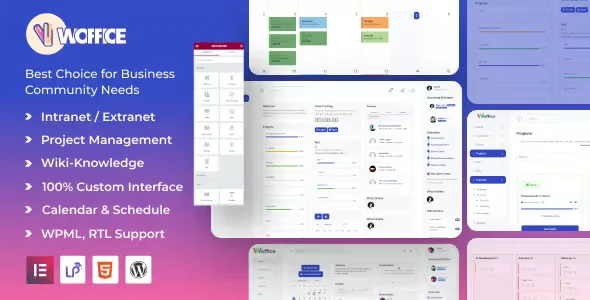
Woffice Intranet/Extranet WordPress Theme is an advanced theme designed to build internal and external portals on WordPress, ideal for teams that need to centralize communication, project management, and role-based access from a single environment. It eliminates reliance on expensive external tools and transforms your WordPress installation into a truly collaborative, scalable workspace with granular permission control.
Introduction to Woffice Intranet/Extranet WordPress Theme
Managing a distributed WordPress team without a proper portal structure creates operational chaos: users access content that doesn't concern them, projects get lost in generic pages, and there's no clear flow of internal communication. This theme solves exactly that set of frictions by turning WordPress into a structured, role-based work environment.
The theme's architecture natively integrates project modules, wikis, forums, user profiles, and notifications, all managed from the standard WordPress back office. This reduces the burden of configuring disparate plugins that rarely coexist without conflicts and centralizes access logic in a single control point.
An operations administrator, for example, can define which sections of the portal employees see, what external customers see, and what is reserved for management, without touching code or installing additional access control plugins, using only the options in this theme's panel.
Product overview
Managing intranets and extranets in WordPress has historically been an assembly problem: combining a generic theme with multiple role, project, and communication plugins creates instability, visual inconsistency, and a fragmented user experience that directly impacts internal portal adoption by the team.
Before implementing this solution, teams often faced makeshift portals where the menu displayed irrelevant items depending on the user, projects lacked their own dedicated space, and communication occurred outside the system. By integrating this theme, that structure was streamlined from the first login.
- Without the add-on: The portal displays the same content to all users regardless of their role, projects lack centralized tracking, and the team relies on external tools to compensate for the shortcomings of the WordPress environment.
- With the active add-on: Each user sees only the sections, projects, and documents assigned to their profile; managers can create separate workspaces for employees, clients, or partners from the administration panel.
- Observable result: Less confusion in access, greater adoption of the portal by the team, and a real reduction in the time administrators spend resolving access requests or redirecting lost users.
Requirements and compatibility
Before deploying this theme to production, it is advisable to verify that the WordPress environment is up to date and that there are no child themes or role plugins that could conflict with the tool's native permissions system, since access management is one of its most sensitive functional aspects.
- It requires WordPress as a base; its role and access logic depends directly on the platform's native user structure, so it's advisable to review existing roles before configuring restrictions.
- Compatible with the main member and community management plugins, although it is advisable to validate coexistence with paid membership solutions if monetizing access to the portal is planned.
- It is recommended to perform tests in a staging environment when working with complex access structures or third-party integrations, especially if the portal serves internal users and external clients simultaneously.
Key benefits for your operation
- Centralization of the workspace: Maintaining projects, documents, and communication on separate platforms leads to a loss of context and duplication of effort. This module consolidates everything into a single WordPress environment, reducing the time your team spends switching between tools and searching for scattered information. The result is a smoother operation with fewer errors.
- Granular access control by role: One of the most frequent problems in corporate portals is that permissions are managed manually or inconsistently. This tool allows you to precisely define what each type of user sees, from employees to external partners, without relying on additional plugins. This eliminates accidental exposure of sensitive information.
- Integrated visual project management: Teams that use WordPress as their CMS but manage projects in external tools often lose traceability and consistency. This plugin integrates a project module with tasks, statuses, and assignments directly into the portal, keeping the project history visible to everyone involved without leaving the environment.
- User experience adapted to the context: A generic portal is disorienting: the menu displays irrelevant options, and the navigation doesn't reflect the user's role. By activating this theme, each user profile accesses a clean and relevant interface tailored to their responsibilities, reducing the adoption curve and the number of inquiries to the internal support team.
- Notifications and internal communication: The lack of an internal notification system forces teams to rely on email for every project or document update. This extension includes real-time notifications within the portal, keeping the team informed without cluttering their inboxes.
- Scalability without restructuring: As a team grows, adding new users to a poorly designed portal involves hours of manual configuration. This theme's architecture allows you to incorporate new profiles, departments, or customer groups without modifying the existing structure, protecting your operational investment as your organization evolves.
Featured Features of Woffice Intranet/Extranet WordPress Theme
- Project and task management system: It allows you to create projects with subtasks, deadlines, and user assignments directly from WordPress. In real-world operation, this means that a project manager can update a task's status without leaving the portal, and everyone involved sees it immediately, without the need for additional synchronization meetings.
- Wiki module and knowledge base: The theme includes a structured space for internal documentation that teams can edit collaboratively. For a company that manages operating procedures or customer manuals, this eliminates reliance on shared Google Docs or third-party intranets, centralizing knowledge where they already work.
- Forums and discussion spaces: Asynchronous email communication leads to unmanageable threads and loss of context. The integrated forum module allows discussions to be linked to the relevant project or department, with accessible history and functional search, reducing the time spent retrieving past decisions.
- Rich user profiles: Each member of the portal has a configurable profile with contact information, role, assigned projects, and recent activity. This improves team cohesion in remote environments and allows administrators to quickly identify who is involved in each process without consulting external spreadsheets.
- Visibility control by groups and roles: Beyond standard WordPress roles, this tool allows you to create custom groups with specific visibility over sections, pages, or modules. A common example is showing certain documents only to the sales team or restricting access to the finance module to a small group, without affecting the rest of the site.
- Adaptable and customizable design: The theme offers visual customization options from the admin panel, without requiring any code editing. For teams that need the portal to reflect their corporate identity, this reduces reliance on the development team and allows for branding updates in minutes instead of days.
Who is this product for?
This theme is especially useful for organizations that already use WordPress as their base platform and need to transform it into a collaborative workspace without migrating to external SaaS solutions. It's also a good fit for agencies managing multiple clients with separate extranet portals, or for companies with remote teams that need a well-structured, common access point.
- Administrators or technicians who need to control access to sensitive information in a granular way, with traceability of who accesses which section of the portal.
- Teams that manage multiple simultaneous projects and need operational consistency without relying on an unstable combination of independent plugins.
- Human resources, operations, or internal communications managers who depend on a centralized space to distribute documentation, manage tasks, and keep the team informed.
Real-world use cases
- Agency with clients on extranet: A digital agency manages projects for ten different clients. Without a structured portal, each client receives email updates but lacks visibility into actual progress. By configuring this portal with separate groups, each client can access only their own project space, check task status, and download deliverables, without seeing anything related to other clients. The result: fewer follow-up emails and a greater perception of professionalism.
- Company with remote teams: A team distributed across multiple countries needs a common point of reference for procedures, announcements, and internal documentation. With the wiki module and notification system, employees access up-to-date information without relying on email chains or shared folders that no one maintains. Internal adoption improves because the environment is clear and relevant to each role.
- Training company with segmented access: A training platform wants to offer its students access to specific materials based on their chosen program, while also giving its instructors access to management tools that students shouldn't see. With group-based visibility control, this can be configured directly from the dashboard without any coding, and each user only has access to the materials they're entitled to upon their first login.
- Startup with onboarding portal: Every time a new employee joins, the operations team spends hours explaining tools and processes. By centralizing all onboarding documentation in a restricted section of the portal, accessible only to new users during their first few weeks, the process becomes self-directed and consistent, reducing the burden on the HR team and accelerating the onboarding process.
Frequently Asked Questions about the Woffice Intranet/Extranet WordPress Theme
Does this theme work with the membership or access control plugins I already have installed?
The theme incorporates its own role and visibility system, which can cause conflicts if it coexists with membership plugins that also manipulate user permissions in WordPress. It's highly recommended to review existing access rules before activating the theme in production. If the membership plugin you're using operates at the post or page level and doesn't interfere with WordPress's role logic, coexistence is usually stable, but it's always advisable to test it in a staging environment first, especially if the site serves users with different access levels simultaneously.
How does this issue affect the experience of end users accessing the portal from mobile devices?
The theme's design is built with a responsive approach, so core modules like projects, wiki, and user profile adjust to different screen sizes without losing essential functionality. Mobile users can navigate, view tasks, and receive notifications with a consistent experience. That said, the density of information in views like the projects board may require visual adjustments if the portal has a high number of custom elements, something worth reviewing during the setup phase.
Can I automate notifications or task assignments based on specific conditions within the portal?
The theme's built-in notification system triggers alerts for project updates, new forum comments, or changes to assigned tasks. For more complex automations, such as automatically assigning tasks based on the user's role when filling out a form, or sending external email notifications under specific conditions, you may need to supplement with a WordPress-compatible automation plugin. The theme doesn't block this integration, but it also doesn't handle it natively beyond its own internal events.
Does the theme manage access renewals or permission expiration for external users?
Access expiration management is not a native feature of the theme; its role system controls who accesses what, but it doesn't incorporate logic for time-based permission expiration. If you need an external client to automatically lose access after a specified period, the best solution is to supplement it with a membership plugin that manages access cycles. The theme functions well as the visual and structural layer of the portal, while the membership plugin handles the time-based access logic.
Does this environment allow you to manage taxes, shipping, or coupons for portal users when combined with WooCommerce?
The theme is not designed as a WooCommerce extension and does not handle pricing, tax, or shipping logic on its own. However, if the portal coexists with a WooCommerce store on the same WordPress installation, authenticated users can benefit from the pricing rules or coupons configured in WooCommerce for specific roles. Integration is not automatic and requires additional configuration in WooCommerce, but coexistence is possible in well-organized installations.
How does the portal behave when the number of users or projects grows significantly?
The performance of the website depends heavily on the underlying hosting infrastructure and how caching is configured in the WordPress environment. The theme itself doesn't introduce extraordinary loads, but project modules and wikis generate database queries that can accumulate with high volumes of content. Having a suitable caching solution and hosting that allows for scaling resources is more critical to performance than the theme itself. Running load tests in staging environments before launching the website to a large number of concurrent users is a wise practice.
Is it possible to use this theme to manage multiple portals or separate instances from the same WordPress installation?
The theme can be configured in a WordPress multisite installation, allowing you to manage separate portals for different brands, departments, or clients from a single, central administration panel. Each subsite can have its own visual configuration, roles, and module structure. This is a relevant option for agencies or business groups that need operational consistency across portals without duplicating infrastructure. Multisite setups do add technical complexity, so it's advisable to plan carefully before launching the first portal.
How can I verify that the roles and access system is working correctly after configuring it?
A practical way to validate this is to create test users with each of the defined roles and navigate the portal with each of them to verify that restricted sections are not accessible and that the menu displays only the corresponding items. Additionally, it's advisable to review the activity log if an audit plugin is installed and verify that notifications are only sent to the users involved in each event. Documenting the configured roles and their visibility rules facilitates maintenance as the portal grows or when new administrators join the team.
Short description
WordPress theme for creating intranets and extranets with role-based access control, project management, wikis, and centralized internal communication, without relying on external SaaS tools or complex configurations of scattered plugins.

Written and reviewed by the PrimeGPL Team
At PrimeGPL, we ensure that every piece of published content is verified and reviewed by our team. We analyze features, compatibility, and performance to provide you with clear, up-to-date, and truly useful information for each product listed in our store.
Get your questions answered here
We answer your questions so you can buy in an informed and confident manner.
Does my purchase include updates?
Yes. Every product purchase includes lifetime updates, so you won't have to pay extra under any circumstances.
Is there a daily download limit?
No, not at all. After your purchase, you can download it as many times as you need, without any problem.
On how many websites can I use the products?
You can use your purchases on as many domains (websites) as you want, without any problems.
Does it include technical support?
Yes. We offer technical support Monday through Friday, during business hours UTC -3. This support includes assistance with issues related to download problems, installation problems, or errors with the purchased product.
Furthermore, support does not include configurations, customizations, tutorials, or services associated with the author.
Does my purchase have a warranty?
Yes, of course. If you have any problem that we can't solve, or if there's an external issue that doesn't have a general solution related to our service, you'll receive support and, if necessary, a full refund.
How do I access support?
After your purchase, from your user account, you can access the support section, where you can open a ticket and our team will assist you with whatever you need.
Download Previous Versions
If you have purchased this product, or have an active membership, you can download previous versions without any limits or restrictions.
| Product Name | Version | Size | Date | Download |
|---|---|---|---|---|
| No hay versiones anteriores registradas. | ||||
Related Products
Below we show you different products that share the same category.



