
Book Your Travel Online Booking Theme
$69.00 Original price was: $69.00.$4.99Current price is: $4.99.
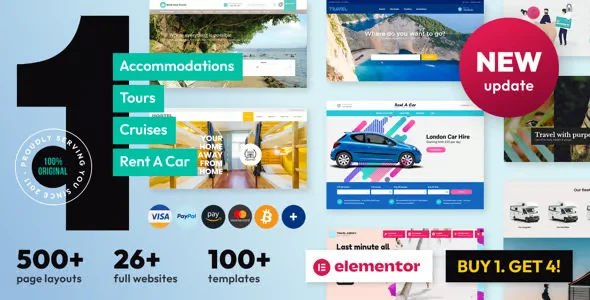
Book Your Travel Online Booking Theme is a visual and functional solution designed for travel agencies, tour operators, and online booking platforms that need to offer a seamless, professional, and conversion-optimized user experience directly from WordPress, integrating search, availability, and booking confirmation flows without relying on external systems.
Introduction to Book Your Travel Online Booking Theme
When a digital travel agency needs to showcase destinations, manage availability, and capture bookings from a single interface, Book Your Travel Online Booking Theme solves the most costly friction in the flow: the leap between the attractive visual experience and the functional booking process, which in generic themes forces the integration of disparate plugins with inconsistent results.
This theme acts as both a presentation layer and a functional structure. It's not just about design: it coherently organizes the content architecture, search forms, filtered results, and checkout process, reducing configuration errors that arise when operators try to assemble these pieces separately using independent solutions.
An administrator who has been trying for weeks to get their generic theme to display tours with dates, variable prices, and real-time availability, installs this tool and finds that the listing, details, and booking pages already have the visual logic built in, allowing them to spend time configuring the content instead of fixing design incompatibilities.
Product overview
The visual and functional management of a travel booking platform is one of the most complex challenges in WordPress, because it involves combining attractive presentation, dynamic filters, real-time availability, and a checkout adapted to products with variable dates, durations, and capacity, all without sacrificing speed or brand consistency.
Before implementing this plugin, the operator used a standard theme that didn't understand the logic of travel products: listing pages displayed tours as if they were simple products, search filters by destination or date weren't natively available, and the end customer abandoned the site because they couldn't find what they were looking for. With the tool active, the page structure perfectly reflects that user flow.
- Without the add-on: The tour or accommodation listings are displayed without date or availability context, the customer cannot filter by destination or duration, and the booking process is confusing because the form is not adapted to the nature of the product.
- With the active add-on: The search pages feature filters for destination, date, trip type, and price; the product pages display availability, itinerary, and gallery in a structured way; and the booking form collects specific traveler data in a logical flow.
- Observable result: The customer navigates clearly, finds their trip, understands what they are booking, and completes the process without abandoning it due to interface confusion, while the operator manages everything from the WordPress back office without the need for additional coding.
Requirements and compatibility
Before working with this tool in a production environment, it is advisable to check that the base WordPress ecosystem is aligned with the booking plugins or WooCommerce that will be used to manage travel products, since the theme acts as a visual layer over that functional logic and its performance depends on that correct integration.
- It requires WordPress as a base platform; if direct payments are handled, integration with WooCommerce or a compatible booking plugin is the critical point to validate before setting up checkout pages.
- Compatible with the main page builders and booking plugins in the WordPress ecosystem; the checkout areas, booking forms, availability management and payment gateways should be tested in a staging environment with the specific plugins that will be used.
- Scenarios with large catalogs, multiple types of accommodation, and simultaneous tours should be tested with real content before going into production, especially if AJAX filters or real-time availability calendars are used.
Key benefits for your operation
- Eliminating visual friction in the reserve flow: Many retailers lose conversions not because of price, but because the search and selection experience is confusing. This module visually structures each step of the process, from the initial search to confirmation, so the customer understands where they are and what to do next.
- Reduction in the time required to configure new destinations: Adding a new tour or accommodation to a generic theme involves manually adapting templates that aren't designed for products with specific dates and availability. With this extension, travel product templates are already designed for this type of content, reducing publishing time and layout errors.
- Visual consistency across mobile devices: Mobile abandonment rates are especially high on booking platforms because forms and calendars break on small screens. This tool is built with responsive design, maintaining usability on any device and preserving booking rates even on mobile devices.
- Control over the presentation of availability and prices: Clearly displaying availability, with prices per person, per date, or per room type, is a challenge that requires custom code in standard themes. This plugin manages that display in a structured way, reducing support tickets from customers confused by the price presentation.
- Catalog scalability without UX degradation: As the catalog grows with more destinations, seasons, and price variations, the theme architecture maintains a consistent user experience without requiring the operator to manually redesign pages each time a new product is added.
- Integration with automation and confirmation workflows: The theme design makes it easy for associated booking plugins to handle automatic confirmations, reminders, and availability updates without interfering with the visual layer, reducing synchronization errors between what the customer sees and what the system has recorded.
Key features of the Book Your Travel Online Booking Theme
- Search page with dynamic filters: The tool includes a search structure that allows customers to filter by destination, activity type, date range, and budget. On a platform with dozens of tours, this is the difference between a user finding their trip in thirty seconds and one who abandons it due to visual overload.
- Product sheet templates adapted for travel: Unlike standard WooCommerce product pages, this module's templates include sections for itineraries, a destination gallery, inclusions and exclusions information, and a booking block with a calendar. Customers receive all the relevant information without having to search for it on different pages.
- Conversion-oriented homepage design: The homepage includes pre-designed blocks to highlight offers, popular destinations, testimonials, and a prominent search bar. The operator can configure these blocks from the back office without touching any code, adapting the visual presentation to each season or campaign.
- Visual integration with booking and calendar plugins: The theme is designed to work seamlessly with the leading availability and booking management plugins in the WordPress ecosystem, displaying calendars and booking forms integrated into the design without visual breaks or style conflicts.
- Customizable typography and color system: The operator can customize the theme's visual identity from the WordPress customizer, adjusting color palettes, fonts, and block layout without needing to directly edit CSS. This allows agencies with their own branding to maintain visual consistency without relying on a developer for every adjustment.
- Optimized performance for catalogs with intense visual content: Travel platforms rely on high-quality images, which can negatively impact loading times. The theme's architecture efficiently manages resource loading, prioritizing visible elements and deferring secondary ones, thus maintaining a smooth experience even in catalogs with many active galleries.
Who is this product for?
This plugin is especially valuable for those who manage travel booking platforms on WordPress and have encountered the limitations of generic themes that don't understand the logic of travel products. If the core problem is that the presentation and booking process don't work together seamlessly, this tool solves precisely that problem.
- Administrators or technicians who need to control the presentation of availability, variable pricing, and booking flows without relying on custom development for each design adjustment.
- Teams that manage multiple destinations or types of tourism product and need the template system to be consistent and scalable without repetitive manual work on each publication.
- Marketing or UX managers who need to optimize conversion in the search and booking flow, and who see how the visual limitations of the current theme directly affect abandonment before checkout.
Real-world use cases
- Tour agency with seasonal catalog: An agency that updates its catalog every season needs to publish new tours quickly without each post requiring layout work. With this tool's product page templates, the content team adds the itinerary, dates, and images, and the page is automatically structured coherently. The result is a catalog updated in hours instead of days, with a professional presentation that clients perceive as reliable.
- Rural accommodation platform with direct booking: A rural accommodation operator wants to eliminate commissions from external platforms and manage bookings directly. The problem is that their current theme doesn't clearly display room availability or facilitate the booking process. With this module, they can configure accommodation pages with a gallery, integrated availability calendar, and booking form, allowing customers to complete their reservations without leaving the site or having to worry about actual availability.
- Operator of adventure experiences with limited capacity groups: An adventure activity business needs to display the number of available spots on each outing and allow customers to book with confidence. With this extension's product page structure, capacity and availability information is prominently displayed, reducing email inquiries from customers unsure about availability and increasing direct bookings thanks to the clear process.
- Travel agency migrating from an external solution to WordPress: A team managing its bookings on an external platform decides to migrate to WordPress to gain more control over the user experience and data. The learning curve of the new environment is the main risk. This tool provides them with a pre-designed travel-focused page structure, reducing initial setup time and allowing the team to concentrate on migrating content rather than building the visual architecture from scratch.
Frequently Asked Questions about Book Your Travel Online Booking Theme
Which booking plugins is this theme compatible with, and what should I check before using it in production?
The theme is designed to integrate with the leading booking and WooCommerce plugins in the WordPress ecosystem, but specific compatibility depends on which availability management plugin you use. Before deploying to production, it's advisable to test in a staging environment with your specific plugin combination, especially in the availability calendar, booking form, and payment gateway areas, as these are the points where style or functionality conflicts between the theme and the plugin logic may arise.
How does this issue affect the end customer's experience during the booking process?
The most direct impact is on the clarity of the flow. The customer moves from a filtered search to a structured product page with all the relevant information—dates, price, itinerary, inclusions—and from there to a visually integrated booking form. This consistency reduces abandonment due to confusion, which is one of the most frequent reasons for lost conversions on travel platforms that use generic themes.
Does the theme trigger any type of automation or business rule on its own?
The theme itself manages the presentation and visual structure, not the business logic. Automations—such as email confirmations, availability updates, and booking reminders—depend on the booking plugin or WooCommerce you use with the theme. What the tool does is structure the pages so that these automations have a coherent visual context and don't create design breaks when the plugin inserts its functional elements.
How does the system handle scenarios such as failed payments or reservations pending confirmation?
Managing failed payments and pending booking statuses is the responsibility of the configured booking plugin or WooCommerce site, not the theme. However, the theme includes templates for order status and confirmation pages that can be adapted to display clear messages to the customer based on their booking status. For complex flows with multiple statuses, it's advisable to test how the plugin writes these statuses to the theme pages during staging.
How does the issue behave with discount coupons or seasonally variable prices?
Coupons and seasonal pricing are functions of the booking plugin or WooCommerce, not the theme. This tool ensures that the presentation of these prices on product pages and at checkout is visually consistent and clear for the customer. If you use variable pricing based on date or traveler type, it's advisable to test how the theme displays this variability on the details page to ensure the customer understands the price before booking.
Does the theme maintain stable performance when the catalog grows with many destinations and galleries?
The theme's architecture efficiently manages resource loading, prioritizing visible elements and deferring those that are not critical for initial loading. In catalogs with many high-quality images, performance also depends on server configuration, caching, and image optimization. The theme itself does not impose an excessive load, but in high-volume environments, it is advisable to combine its use with image optimization and caching tools to maintain acceptable load times.
Is it viable to use this theme in a multisite installation or to manage multiple travel brands?
The theme is compatible with WordPress multisite environments, where each site in the network can have its own independent visual configuration. If the goal is to manage multiple brands or destinations with distinct visual identities under the same installation, the theme's customization system allows for site-specific differentiation. For complex multisite operations with shared booking logic across sites, it's advisable to carefully plan how the theme and booking plugins interact in that context before deploying to production.
How do I know if the theme is working correctly after setting it up?
A practical checklist: the search page displays active filters and returns consistent results; product pages present the availability calendar without visual errors; the booking form collects traveler data and correctly reaches the back office or booking plugin; confirmation and booking status pages display the correct theme design and message; and the mobile experience correctly replicates the desktop experience without broken elements or overflowing forms.
Short description
WordPress theme designed specifically for travel booking platforms: visual structure of search, product sheet and checkout adapted to tours and accommodations, without the need for coding to manage complex tourist catalogs.

Written and reviewed by the PrimeGPL Team
At PrimeGPL, we ensure that every piece of published content is verified and reviewed by our team. We analyze features, compatibility, and performance to provide you with clear, up-to-date, and truly useful information for each product listed in our store.
Get your questions answered here
We answer your questions so you can buy in an informed and confident manner.
Does my purchase include updates?
Yes. Every product purchase includes lifetime updates, so you won't have to pay extra under any circumstances.
Is there a daily download limit?
No, not at all. After your purchase, you can download it as many times as you need, without any problem.
On how many websites can I use the products?
You can use your purchases on as many domains (websites) as you want, without any problems.
Does it include technical support?
Yes. We offer technical support Monday through Friday, during business hours UTC -3. This support includes assistance with issues related to download problems, installation problems, or errors with the purchased product.
Furthermore, support does not include configurations, customizations, tutorials, or services associated with the author.
Does my purchase have a warranty?
Yes, of course. If you have any problem that we can't solve, or if there's an external issue that doesn't have a general solution related to our service, you'll receive support and, if necessary, a full refund.
How do I access support?
After your purchase, from your user account, you can access the support section, where you can open a ticket and our team will assist you with whatever you need.
Download Previous Versions
If you have purchased this product, or have an active membership, you can download previous versions without any limits or restrictions.
| Product Name | Version | Size | Date | Download |
|---|---|---|---|---|
| No hay versiones anteriores registradas. | ||||
Related Products
Below we show you different products that share the same category.




