
Appointment Booking WooCommerce Payments
$19.00 Original price was: $19.00.$4.99Current price is: $4.99.
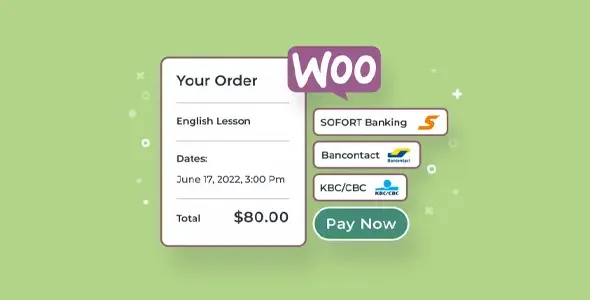
Appointment Booking WooCommerce Payments is the solution that connects appointment management with WooCommerce's native payment flow, eliminating the gap between booking and confirmed payment. Ideal for service-based businesses that need to collect payment at the exact moment of booking, this plugin integrates the payment gateway directly into the scheduling process, reducing unpaid cancellations and operational friction at checkout.
Introduction to Appointment Booking WooCommerce Payments
When a WooCommerce store manages appointment-based services, the biggest operational risk is not in scheduling but in payment: this module solves precisely that friction by linking each confirmed booking with a payment processed within the WooCommerce ecosystem, without external redirects or broken flows that generate abandonments or phantom bookings.
The technical nature of this extension lies in its deep integration with WooCommerce Payments, which allows for the management of authorizations, deferred payments, and order statuses synchronized with appointment status. The back office no longer displays reservations without associated payment, and the administration team can make availability decisions based on real data, not unconfirmed purchase intentions.
An administrator checking their dashboard on a Monday morning no longer finds appointments marked as pending without knowing if the client has paid: each booking has its associated transaction, visible status, and traceable history, all from the same environment they already use to manage the rest of their operation.
Product overview
The functional area of this tool covers the most critical point of any service store: the moment when the customer chooses an appointment and the system must simultaneously guarantee the availability of the slot and the capture of the payment, without one failing while the other progresses, which is exactly what differentiates a scalable operation from one that depends on manual tracking.
Without this add-on, the typical workflow involves the customer selecting an appointment, filling out a form, and paying in a separate step that may or may not be completed. The back-office team spends time matching bookings with payments, contacting customers who didn't complete the payment, and manually releasing slots blocked by orphaned bookings. With the extension active, payment is processed within the same checkout flow that confirms the booking, so an appointment is only registered when a valid payment is received.
- Without the add-on: Reservations accumulate in the system without payment confirmation, creating slots occupied by customers who never completed the transaction and forcing the team to manage that gap manually.
- With the active add-on: The checkout process unifies time selection and payment processing into a single flow, rejecting the reservation if the payment fails and automatically releasing the slot.
- Observable result: The availability calendar reflects actual appointments with confirmed payment, the back office shows consistent statuses, and the team operates with reliable data instead of assumptions.
Requirements and compatibility
Before deploying this extension to production, it is advisable to verify that the environment already has WooCommerce active with WooCommerce Payments configured as the main gateway, because the integration depends directly on that payment infrastructure to synchronize transaction states with the booking system and ensure data consistency in both directions.
- It requires an appointment management plugin compatible with WooCommerce and the use of WooCommerce Payments as the active gateway; without these dependencies, state synchronization does not operate correctly.
- Relevant compatibility areas: standard and express checkout flow, recurring booking renewals, customer and administrator roles, coupon application on services, and refund management from the WooCommerce back office.
- If the store uses a custom checkout through page builders or its own hooks on the payment form, it is advisable to validate in a test environment that the appointment selection fields and the payment fields coexist without conflict before activating it in production.
Key benefits for your operation
- Cancellation of reservations without payment: The biggest pain point for a booking business is a slot blocked by someone who hasn't paid. This module prevents a booking from being confirmed until payment is received, meaning the calendar always reflects real demand and not unfulfilled intentions.
- Reduction of manual work in back office: The administration team spends hours each week cross-referencing appointment lists with payment lists. The tool automatically synchronizes both states, freeing up that time for tasks that do require human judgment.
- Better checkout experience for the customer: When users can select their time and pay in a single, seamless flow, the abandonment rate drops because there are no intermediate steps that might lead them to reconsider their decision. Less friction for the customer translates directly into more completed bookings.
- Refund control associated with the appointment: If an appointment is cancelled, the refund can be processed directly from the WooCommerce order without needing to access the payment gateway externally. This provides complete traceability and reduces the risk of accounting errors.
- State automation based on the payment cycle: A failed payment does not leave the appointment in indefinite limbo; the add-on automatically updates the booking status and can trigger notifications or recovery actions without manual intervention.
- Operational scalability without increasing the team: A store experiencing growth in booking volume typically requires more follow-up staff. With this extension, automated workflows absorb that additional volume without adding a proportional operational burden.
Highlighted Features of Appointment Booking WooCommerce Payments
- Bidirectional state synchronization: The order status in WooCommerce and the appointment status in the booking system are updated simultaneously. If the payment is refunded, the appointment is canceled; if the appointment is declined, the payment is not recorded. This consistency eliminates inconsistencies that would otherwise require manual correction.
- Delayed or immediate capture depending on the configuration: Depending on the business needs, the module allows you to authorize payment at the time of booking and capture the amount at a later date, which is especially useful for services that are confirmed in advance but provided days later.
- Direct refund management from the order: The operator can issue partial or full refunds from the WooCommerce back office without leaving the environment, with automatic recording of the reason and updating of the status of the associated appointment.
- Compatibility with coupons and discounts on services: WooCommerce coupons applied during checkout are processed correctly on the appointment amount, without breaking the pricing logic or generating discrepancies between the displayed and charged cost.
- Automatic payment and booking notifications: The customer receives communications aligned with the actual status of their transaction, not generic messages disconnected from the payment flow. This reduces support inquiries about whether the booking was confirmed.
- Full traceability in order history: Each appointment is linked to an order with its history of statuses, dates, and amounts, facilitating audits, claims, and operational analysis without the need to cross-reference external data sources.
Who is this product for?
This plugin is designed for WooCommerce store owners who sell time, not physical products: consultations, sessions, classes, treatments, or any service that requires booking a slot and reliably collecting payment. If your business has grown to the point where manually tracking appointments and payments consumes more resources than it should, this extension is the direct solution to that problem.
- Administrators or technicians who need the back office to reflect the operational reality without constant manual intervention and with complete traceability of each transaction linked to their appointment.
- Teams that manage multiple calendars or stores and need the collection flow to be consistent across all points of sale, without relying on ad hoc processes for each project.
- Customer experience managers or automation developers who seek to reduce abandonment in the booking process and need notification triggers to be aligned with the actual payment status.
Real-world use cases
- Physiotherapy clinic with online booking: The clinic had appointment slots blocked by patients who had started a booking but hadn't completed payment, and staff were spending half a day each week clearing those slots. By implementing this module, appointments are only confirmed when payment is valid, the calendar is automatically freed up if payment fails, and the team can reclaim that time for direct patient care.
- Photography studio with high-demand sessions: During peak season, the most popular slots would appear to be sold out, but many payments remained pending, causing issues with customers arriving for their sessions without having actually paid. With the extension now active, the visible availability always reflects confirmed payment reservations, eliminating these conflicts at reception.
- Online training school with workshops with limited places: The previous system allowed registrations without immediate payment, which filled workshops with participants who later failed to complete payment and excluded students who did want to pay. The new tool unified registration and payment into a single step, and available spaces now reflect actual participants with processed payments.
- Spa with advance bookings and cancellation policies: They needed to authorize payment at the time of booking but only capture it if the customer didn't cancel less than 24 hours in advance. The module's deferred capture allowed them to implement this policy directly from WooCommerce, without external tools or manual processes for applying penalties.
Appointment Booking WooCommerce Payments FAQ
Does it work with any booking plugin or does it require a specific one?
This extension is designed to integrate with booking systems that are compatible with WooCommerce as a base product. It doesn't work in isolation: it requires the appointments plugin to generate orders in WooCommerce and WooCommerce Payments to be active as the payment gateway. If the booking system doesn't generate native WooCommerce orders, status synchronization won't function correctly. It's advisable to review the documentation of your existing appointments plugin to confirm compatibility before implementing the module.
How does this affect the booking process that the customer sees on the frontend?
The customer experiences a seamless flow where they select their appointment and complete the payment in the same sequence, without separate steps or redirects to interrupt the process. This reduces abandonment because the user doesn't have a pause between choosing their time and confirming the purchase. The booking only appears as confirmed in their account and on the business's calendar once the payment has been successfully processed.
Can I set up automatic rules for unpaid appointments or failed payments?
Yes. When a payment fails or remains pending beyond the configured time, the plugin automatically updates the appointment status and can trigger actions such as releasing the slot, sending a notification to the customer, or marking the order for review. This prevents the team from having to manually review each incomplete transaction and allows business rules to be applied without human intervention in every case.
Does it handle failed payments and retries correctly?
When WooCommerce Payments reports a transaction failure, the module immediately reflects this status in the booking, releasing the slot if applicable according to the configuration. Payment retries can be made through the standard WooCommerce flow, and the appointment status is updated accordingly when the retry is successful. It does not indefinitely block the slot in the event of a failure, thus protecting the actual availability of the calendar.
Are coupons and discounts applied correctly to the appointment price?
WooCommerce coupons work on the service price just like any other product, provided the booking plugin generates the order correctly. The discount is reflected in both the processed payment and the order history, with no discrepancies between the displayed and captured price. If you're using coupons with product or category restrictions, make sure the service category is configured consistently with those rules.
How does the spread behave under a high volume of simultaneous bookings?
Performance depends heavily on the server infrastructure and how the booking plugin handles concurrency, but the module doesn't add any processing layers that create additional bottlenecks. By delegating payment processing to WooCommerce Payments, which operates on scalable external infrastructure, the impact on the local server is limited to state synchronization. In stores with high peak demand, it's advisable to ensure that the database and server are sized for the volume of concurrent orders.
Is it compatible with multisite environments or managing multiple stores?
WooCommerce Payments has its own multisite compatibility logic, and this extension inherits that behavior. In environments where each store operates with its own WooCommerce instance, the module can be configured independently on each site. In multisite installations with a shared network, it's advisable to verify that WooCommerce Payments is correctly configured on each site before assuming that the booking integration will work uniformly across the entire network.
How do I know if the integration is working correctly in my store?
A practical checklist: Make a full test booking from the front end and verify that the order appears in WooCommerce with the correct status; confirm that the slot is marked as booked in the calendar only after successful payment; test a failed payment and verify that the slot is automatically released; check that the order history reflects the appointment associated with its details; and verify that a cancellation from the back office updates the booking status in the appointment system. If all these steps work consistently, the integration is operational.
Short description
Connect appointment management with WooCommerce Payments so that every confirmed booking has a valid payment behind it: no blocked slots, no manual management, and full traceability from the back office.

Written and reviewed by the PrimeGPL Team
At PrimeGPL, we ensure that every piece of published content is verified and reviewed by our team. We analyze features, compatibility, and performance to provide you with clear, up-to-date, and truly useful information for each product listed in our store.
Get your questions answered here
We answer your questions so you can buy in an informed and confident manner.
Does my purchase include updates?
Yes. Every product purchase includes lifetime updates, so you won't have to pay extra under any circumstances.
Is there a daily download limit?
No, not at all. After your purchase, you can download it as many times as you need, without any problem.
On how many websites can I use the products?
You can use your purchases on as many domains (websites) as you want, without any problems.
Does it include technical support?
Yes. We offer technical support Monday through Friday, during business hours UTC -3. This support includes assistance with issues related to download problems, installation problems, or errors with the purchased product.
Furthermore, support does not include configurations, customizations, tutorials, or services associated with the author.
Does my purchase have a warranty?
Yes, of course. If you have any problem that we can't solve, or if there's an external issue that doesn't have a general solution related to our service, you'll receive support and, if necessary, a full refund.
How do I access support?
After your purchase, from your user account, you can access the support section, where you can open a ticket and our team will assist you with whatever you need.
Download Previous Versions
If you have purchased this product, or have an active membership, you can download previous versions without any limits or restrictions.
| Product Name | Version | Size | Date | Download |
|---|---|---|---|---|
| No hay versiones anteriores registradas. | ||||
Related Products
Below we show you different products that share the same category.




