WP Meta SEO Pro

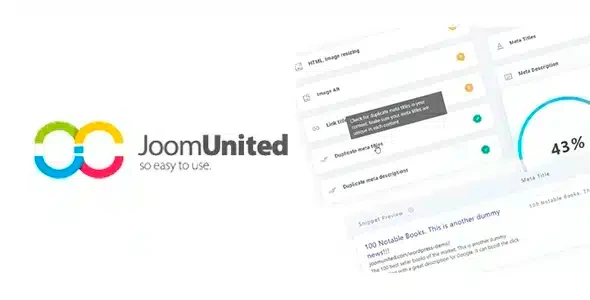
$49.00 Original price was: $49.00.$4.99Current price is: $4.99.
Centralized and bulk management of SEO metadata for WordPress and WooCommerce. Integrated auditing, dynamic templates, and image control: everything a growing catalog needs to maintain organic visibility without disproportionate manual work.
WP Meta SEO Pro is a WordPress and WooCommerce plugin that centralizes the management of SEO metadata, titles, descriptions, and image tags from a unified dashboard. Ideal for stores managing large catalogs or multiple pages, it eliminates scattered configurations and reduces the time spent on manual optimization, requiring a live WordPress environment.
Introduction to WP Meta SEO Pro
WP Meta SEO Pro is an SEO optimization extension for WordPress that allows you to manage titles, meta descriptions, structured data, and content audits from a single dashboard, eliminating the friction of maintaining SEO consistency in WooCommerce stores with dozens or hundreds of active products.
The technical nature of this module lies in its ability to centralize and automate tasks that normally require page-by-page editing. By integrating directly with the WordPress back office, it reduces inconsistencies and frees the team from time-consuming, repetitive cycles of manual review that don't add value.
A store manager with 300 products notices that several listings lack meta descriptions. Instead of opening each product individually, they open the tool's bulk panel, filter for empty records, and apply bulk fill templates, completing the audit in minutes instead of hours.
Product overview
WP Meta SEO Pro acts on the area of organic visibility and consistency of structured data, with a direct impact on how search engines index each page of the store, something critical when the catalog grows and manual management begins to generate gaps that affect the real ranking.
Before implementing this plugin, operations relied on editing metadata one by one, without any overall view of what was incomplete, duplicated, or misconfigured. During adoption, the team sets up automatic generation rules and reviews the site's status using a visual error map. Afterward, each new page or product inherits the correct SEO structure without further intervention.
- Without the add-on: New product meta descriptions are left empty or duplicated because there is no systematic review flow, and titles lack consistency across categories.
- With the active add-on: Dynamic templates are applied that generate titles and descriptions based on product attributes, with bulk editing available from the back office.
- Observable result: lower rate of pages without metadata, greater consistency in search snippets, and reduced periodic SEO audit time.
Requirements and compatibility
For this plugin to function correctly, the environment must have WordPress installed and, in the case of stores, WooCommerce active; it is advisable to check compatibility with other installed SEO plugins to avoid conflicts in the generation of meta tags before activating it in production.
- Main dependence on WordPress as the base CMS; in stores, WooCommerce must be operational for product features to be accessible.
- Compatible with checkout flows, category pages, product listings, blog posts, static pages, and admin or editor roles.
- In environments with multiple SEO plugins active simultaneously, perform staging tests before production to validate that duplicate tags are not generated in the head.
Key benefits for your operation
- Centralized SEO audit: Managing the SEO of a large store without a comprehensive overview can lead to critical errors going unnoticed for weeks. This module offers an audit panel that detects pages with missing titles, empty descriptions, or images without alt attributes, and allows you to prioritize fixes without leaving the back office.
- Bulk metadata editing: When a new collection is launched or content is migrated, updating metadata individually paralyzes the team. This tool allows you to select product ranges or pages and apply changes in bulk, reducing the work from hours to minutes while maintaining editorial consistency.
- Automatic generation by templates: New products are often published without meta descriptions because the writer doesn't always follow the protocol. With dynamic templates linked to product attributes, each listing inherits a structured description from the moment of publication, without relying on subsequent manual review.
- Image and attribute control alt: Images without alt text incur silent penalties in accessibility and indexing. This plugin maps all images on the site without defined alt text and allows you to assign it in bulk, improving both technical SEO and the user experience for screen readers.
- Integration with structured data: Stores that don't implement schema markup are missing out on rich snippet opportunities in search results. The extension simplifies the setup of structured data for products, articles, and pages without requiring code editing, translating the team's efforts into greater potential visibility.
- SEO change traceability: Without a record of what was modified and when, teams often repeat work or revert changes by mistake. This module maintains visibility into the current status of each SEO element, facilitating seamless communication between technical and marketing teams.
Key features of WP Meta SEO Pro
- Mass SEO management panel: It allows you to edit titles and meta descriptions of multiple pages from a single table view. In a WooCommerce store with frequent catalog updates, this eliminates the bottleneck of editing each listing individually before campaigns or launches.
- Site SEO error map: It generates a consolidated view of all pages with detected problems, categorized by type and priority. For an SEO technician reporting to management, this transforms the audit into a systematic process with clear data, rather than a subjective and incomplete review.
- Dynamic metadata templates: It allows you to create rules that combine post or product attributes to automatically generate titles and descriptions. The result is structural consistency without relying on each editor to remember to apply the correct formatting to every new post.
- Image alt attribute management: It maps the status of images on the site and identifies those lacking alternative text. In visual catalogs where graphic content is central to conversion, this control directly impacts image indexing and perceived accessibility.
- Google Search Console compatibility: The tool can be integrated with search performance data to enrich optimization decisions. For teams working with real click and impression data, this connection reduces the gap between external analysis and corrective action within the CMS.
- Support for structured data schema: It simplifies the implementation of markup for common e-commerce content types. Without touching any code, the team can enable rich renderings in SERPs that increase the visual prominence of the result compared to competitors without this configuration.
Who is this product for?
This plugin is a perfect fit for operations where the volume of content exceeds the capacity of manual SEO management, or where multiple profiles—technical, editorial, and marketing—need to work on the same metadata without overlapping or creating inconsistencies. It's not a tool for single-page sites; its value becomes apparent at scale.
- Technical administrators who need control and traceability over the SEO status of the entire site without relying on external tools to detect basic errors.
- Teams that manage multiple WordPress projects or several WooCommerce stores and need to replicate SEO configurations with operational consistency across instances.
- Marketing and SEO managers who depend on metadata being correct before each campaign, launch, or content migration.
Real-world use cases
- New collection launch: A fashion store publishes 80 new products in 48 hours. Without an automated workflow, half of them arrive without meta descriptions. With the module's dynamic templates, each product automatically inherits a structured description based on category and name, and the team only reviews exceptions. The result is an SEO-ready launch from day one, without any emergency audits afterward.
- Content migration from another platform: A store migrating from Shopify to WooCommerce imports 500 pages with incomplete or incorrectly formatted metadata. The tool allows for a bulk audit of the site's status, identifying problematic records and applying mass fixes before Google indexes the new site. The migration does not negatively impact existing search engine rankings.
- SEO management of blog integrated into store: The content team publishes articles weekly but doesn't always follow the metadata protocol. The administrator configures rules that generate default titles and descriptions based on the article title and category, reducing unoptimized posts to isolated cases and avoiding weekly manual reviews.
- Pre-campaign audit of Google Ads: Before launching a traffic campaign, the marketing manager needs to ensure that landing pages have correct metadata to maximize Quality Score. With the audit panel, they can review the status of all involved pages in minutes, correct any errors, and launch the campaign with a fully functional technical structure.
Frequently Asked Questions about WP Meta SEO Pro
Does it work well if I already have another SEO plugin installed like Yoast or Rank Math?
This extension can coexist with other SEO plugins, but it's advisable to check which module takes priority in generating meta tags to avoid duplicates in the HTML head section. It's recommended to test both plugins in a staging environment, verify the source code of several pages, and decide which tool manages each type of metadata. In many cases, teams use this plugin for bulk management and auditing, while another plugin handles more specific individual configurations.
How does this affect the customer experience in-store or at checkout?
The direct impact on customer experience doesn't happen at checkout, but earlier: in the search results where the customer decides to click. Well-configured meta descriptions and consistent titles improve the perceived value of the result and can influence the click-through rate before the user even reaches the store. Once inside, the benefit is indirect but real: pages with properly structured data can display rich information that reinforces trust.
What automations or rules can I configure with this plugin?
The tool allows you to create dynamic templates that combine content variables—such as product name, category, or author—to automatically generate titles and meta descriptions upon publication. This acts as a fill-in rule, ensuring that no element is left without metadata, eliminating the need for manual intervention for each post. It also allows you to establish different patterns based on content type: products, pages, posts, or categories.
Does this plugin have any features related to failed payments or renewals?
WP Meta SEO Pro does not handle payments, renewals, or subscriptions. Its scope is exclusively the SEO optimization of website content. If your business relies on recurring revenue streams or cart recovery, those functionalities are handled by other specific WooCommerce Subscriptions extensions or order recovery plugins.
Does it have any features related to taxes, shipping, or coupons?
No. This module operates exclusively on the site's SEO visibility layer: metadata, structured data, content audits, and image management. It does not interfere with or have access to WooCommerce's tax, logistics, or promotional settings. It is a search engine optimization tool, not a business management tool.
How does the plugin respond when the store has thousands of products or pages?
Bulk editing and auditing of large volumes can put a strain on the server if processed in a single, unbounded operation. The tool typically includes batch processing options to mitigate this impact, but for sites with very large inventories, it's advisable to perform bulk operations during off-peak hours or in environments with adequate resources. There are no absolute performance guarantees without knowing the specific infrastructure.
Does it work in multisite installations or for managing multiple stores?
WordPress Multisite compatibility depends on the network configuration and whether the plugin is activated at the network level or per subsite. In multi-store installations with WooCommerce, each instance can manage its own metadata independently. For teams managing multiple sites, the initial setup curve is steeper, but the operational consistency it provides justifies the effort in scenarios where SEO consistency across projects is a priority.
How do I know if the plugin is working correctly after activating it?
A practical way to validate it: access the audit panel and check that the error map reflects the actual state of the site by comparing it to a manual review of two or three known pages. Then publish a new product and verify that it inherits the metadata from the configured template. Finally, review the source code of a product page and confirm that the title and meta description tags are as expected. If all three points are correct, the tool is working.

Written and reviewed by the PrimeGPL Team
At PrimeGPL, we ensure that every piece of published content is verified and reviewed by our team. We analyze features, compatibility, and performance to provide you with clear, up-to-date, and truly useful information for each product listed in our store.
Get your questions answered here
We answer your questions so you can buy in an informed and confident manner.
Does my purchase include updates?
Yes. Every product purchase includes lifetime updates, so you won't have to pay extra under any circumstances.
Is there a daily download limit?
No, not at all. After your purchase, you can download it as many times as you need, without any problem.
On how many websites can I use the products?
You can use your purchases on as many domains (websites) as you want, without any problems.
Does it include technical support?
Yes. We offer technical support Monday through Friday, during business hours UTC -3. This support includes assistance with issues related to download problems, installation problems, or errors with the purchased product.
Furthermore, support does not include configurations, customizations, tutorials, or services associated with the author.
Does my purchase have a warranty?
Yes, of course. If you have any problem that we can't solve, or if there's an external issue that doesn't have a general solution related to our service, you'll receive support and, if necessary, a full refund.
How do I access support?
After your purchase, from your user account, you can access the support section, where you can open a ticket and our team will assist you with whatever you need.
Download Previous Versions
If you have purchased this product, or have an active membership, you can download previous versions without any limits or restrictions.
| Product Name | Version | Size | Date | Download |
|---|---|---|---|---|
| WP Meta SEO Pro | 1.5.1 | 6.9 MB | 31/07/2025 | Join Now |
Related Products
Below we show you different products that share the same category.