
Web 2.0 Directory Plugin for WordPress

$55.00 Original price was: $55.00.$4.99Current price is: $4.99.
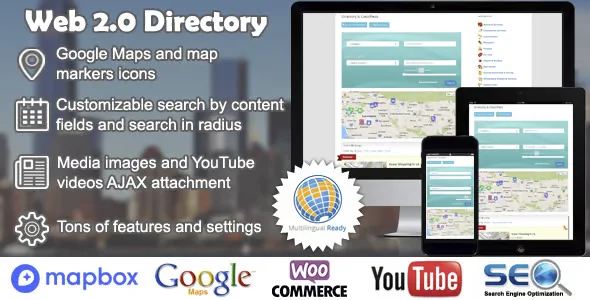
Manage structured directories in WordPress with custom fields, approval workflows, and advanced search. Native WooCommerce integration lets you monetize listings without manual processes or external configurations.
The Web 2.0 Directory Plugin for WordPress lets you build, manage, and scale directories of businesses, resources, or profiles directly from your admin panel, without relying on external solutions. Ideal for operators who need complete control over taxonomies, listings, and post submission flows, this plugin centralizes the management of structured content with an architecture designed for high-demand environments.
Introduction to Web 2.0 Directory Plugin for WordPress
When a WordPress site needs to organize hundreds or thousands of listings in a coherent, accessible, and editable way without constant technical intervention, a Web 2.0 Directory Plugin for WordPress eliminates the friction of building that structure from scratch with code or patched solutions that don't scale well in production.
This extension operates directly on the WordPress core, leveraging its custom content types and taxonomies to create a robust directory architecture. This reduces the workload for the technical team because editors can manage listings, categories, and custom fields without writing a single line of code. Data flow stability between the backend and frontend is maintained without any additional configuration.
An administrator managing a local restaurant directory, for example, can configure custom fields by category, define visibility rules for listings awaiting review, and activate submission forms so businesses can add their information themselves. All from the back office, without exporting data or using external tools.
Product overview
This module covers the functional area of structured directory management in WordPress, with a direct impact on content stability, the end-user browsing experience, and the operator's ability to scale the number of listings without losing consistency in presentation or control over the data.
Without this tool, teams often resort to combinations of custom field plugins, directory themes, and custom scripts, creating fragile dependencies. Changes to one affect the other, editors need technical support for basic tasks, and the visitor experience varies depending on the device or listing type. Maintenance becomes a recurring burden.
- Without the add-on: The listings are managed with fragmented solutions that do not share a common structure, resulting in visual inconsistencies, duplicate fields, and endless manual reviews before publishing.
- With the active add-on: The operator defines listing templates with reusable fields, activates automatic approval workflows, and publishes complete directories with functional search filters from day one.
- Observable result: Fewer errors in publishing, greater consistency between listings, more autonomous editors, and a smoother search experience for the end visitor.
Requirements and compatibility
Before incorporating this plugin into a production environment, it's advisable to review what other extensions manage custom content types or taxonomies on the site, as conflicts can arise if multiple tools attempt to register the same slugs or modify the same WordPress core hooks.
- Requires WordPress with support for custom content types enabled; works best when the theme does not aggressively overwrite archive templates.
- Compatible with editorial review workflows, custom user roles, and frontend listing submission forms; WooCommerce integration allows monetizing listings through direct payments at checkout.
- On sites with a large volume of listings or many custom fields per entry, it is advisable to validate the behavior in a staging environment before publishing to production to detect possible bottlenecks in database queries.
Key benefits for your operation
- Editorial autonomy without technical intervention: Teams that manage directories often rely on developers for tasks that should be routine. This module allows editors and administrators to add fields, categories, and listings without code, freeing up the technical team for more impactful work.
- Scalability without UX degradation: As the number of listings grows, end-user navigation can become slow or confusing if the structure wasn't designed to scale. This extension maintains visual consistency and filtering speed even with thousands of active entries.
- Full control over the approval workflow: Publishing listings submitted by third parties without review is a real operational risk. This tool allows you to define review statuses, automatic notifications, and publishing rules that reduce the risk of incorrect or incomplete content on the front end.
- Integrated monetization with WooCommerce: Many publishers lose revenue because the payment process for listings is disconnected from the directory. By integrating with WooCommerce, this plugin connects the listing submission process with the checkout, creating complete traceability between payment and publication.
- Reduction of errors in the data structure: Fields without validation generate inconsistent data that complicates searches and filters. This module allows you to define field types with validation rules, maintaining data integrity from the moment of submission.
- Template customization by category: Not all listings need to display the same information. The ability to assign different templates by type or category improves content relevance for the visitor and reduces the time the team spends on manual display adjustments.
Key features of Web 2.0 Directory Plugin for WordPress
- Custom fields by listing type: It allows you to define different sets of fields for each directory category, so a restaurant listing shows hours and cuisine type, while a technical service listing shows certifications and coverage area. This improves content relevance and the visitor experience.
- Frontend submission forms: Businesses or users can add their information without back-office access, using configurable forms that respect the fields and rules defined by the administrator. This scales listing collection without increasing the workload of the editorial team.
- Advanced search filters: Visitors can filter by category, location, rating, or other custom fields, reducing the time they need to find what they are looking for and increasing the interaction rate with the directory.
- Integration with maps and geolocation: It allows you to associate coordinates with each listing and display them on an interactive map, which is especially useful for local directories where proximity is a decision criterion for the end user.
- Review workflow and publication statuses: The administrator can configure submitted listings to go through a review process before publication, with automatic notifications to both the author and the reviewer. This reduces the risk of publishing incomplete or incorrect content without oversight.
- Compatibility with WordPress roles and permissions: The tool respects the native role structure, allowing for granular permission assignment: who can send lists, who can approve them, and who can edit other users' lists. This maintains traceability and control without the need for additional role management plugins.
Who is this product for?
This plugin is especially valuable for those who manage sites whose business model depends on the quality and quantity of published listings: local directories, supplier platforms, industry guides, or resource communities. If site growth is limited by the ability to efficiently manage structured content, this tool solves precisely that bottleneck.
- Administrators and technicians with a need for control: Those who need traceability regarding which lists are published, which are pending review, and who sent them, without relying on external spreadsheets or manual processes.
- Teams that manage multiple projects or sites: Internal agencies or teams that replicate the directory structure across multiple projects and need a consistent configuration that can be exported or replicated without rebuilding from scratch.
- Marketing and UX Managers: Those who depend on listings having complete fields, consistent presentation, and functional filters so that traffic acquisition campaigns convert into real interactions with the directory.
Real-world use cases
- Local business directory with pay-per-listing: A business operator launches a local business directory and needs businesses to submit their information and pay to be listed. Without an integrated solution, the process—from form submission to review and payment—is manual and prone to errors. With this WooCommerce module, businesses complete the form, pay at checkout, and their listings are automatically submitted for review. The operator receives fewer follow-up emails, and the process scales without requiring additional staff.
- B2B supplier platform with advanced filters: A company manages a directory of industrial suppliers where buyers need to filter by certification, geographic area, and product type. With generic fields and no configurable filters, visitors abandon the site before finding what they're looking for. This plugin allows you to define those fields precisely and display them as filters on the front end, reducing the abandonment rate and increasing session duration.
- Editorial guide with content review: A digital platform publishes a training resource guide where providers can request to be listed. Without a review workflow, the editorial team receives submissions by email, reviews them manually, and publishes them one by one. With this extension, each submission enters a review stage, the editor receives a notification, approves or rejects it from the back office, and the listing is either published or returned to the author with comments. The editorial team's time is measurably reduced.
- Network of sites with replicated directory: An agency manages multiple niche websites for the same client, each with its own industry directory. Maintaining different configurations on each site leads to inconsistencies and duplicated work. This module replicates the base configuration across sites while maintaining the flexibility to customize fields per project, reducing maintenance time and ensuring a consistent experience throughout the network.
Frequently Asked Questions about the Web 2.0 Directory Plugin for WordPress
Does it work well with other plugins I already have installed on my site?
Compatibility depends primarily on whether other plugins register content types or taxonomies with the same slugs, which can lead to silent, hard-to-detect conflicts. Before deploying it to production, it's advisable to check which custom field plugins, page builders, or content type extensions are active. In most standard WordPress setups with WooCommerce, this tool coexists seamlessly with the most common plugins in the ecosystem.
Does it affect the end customer's experience when browsing the directory?
The impact on visitor UX is one of the strengths of this module. Search filters, category templates, and a structured field layout allow users to find what they're looking for with fewer clicks. This reduces bounce rate on listing pages and improves session duration, two metrics that directly affect the site's organic performance.
Can I automate the publication of listings based on specific conditions?
Yes. The tool allows you to configure publishing rules based on the listing's status, the submitting user's role, or the outcome of a WooCommerce payment. For example, a listing submitted by a verified partner can be published automatically without review, while one submitted by a new user is placed in a review queue. This allows you to scale the volume of listings without increasing the editorial workload.
What happens if a payment listing is not completed because the payment fails?
When the listing flow is connected to WooCommerce, the listing status is linked to the order status. If the payment fails or remains pending, the listing isn't published until the payment is confirmed. This eliminates the risk of publishing listings without an associated payment, which is one of the most common operational errors in pay-per-listing directories.
How do you manage discounts or coupons in payment listings?
By integrating with the WooCommerce coupon system, discounts are applied directly at checkout to the listing, following the same rules as any other product in the store. This means that promotional campaigns to attract new listings can be managed from the WooCommerce dashboard without additional configuration, maintaining consistency with the rest of the site's business operations.
Does performance degrade when the directory has thousands of listings?
With high volumes, performance depends heavily on how database queries are structured and whether the server has an effective caching system configured. This extension is designed to minimize unnecessary queries, but in directories with tens of thousands of listings and complex filters, it's advisable to validate the behavior in a staging environment and review the cache configuration before scaling. There are no absolute guarantees, but the architecture is designed to support growth.
Does it work on a WordPress multisite installation?
Multisite compatibility allows you to activate the plugin at the network level or on an individual site, simplifying the management of multiple directories from a single installation. Each site can have its own configuration of fields, categories, and templates without interfering with the others. For agencies or content networks that replicate the directory model across multiple projects, this represents a significant saving in setup and maintenance time.
How can I verify that the plugin is working correctly?
A practical checklist includes: confirming that custom content types appear in the back office menu, verifying that frontend submission forms save data in the correct fields, checking that search filters return consistent results, reviewing that the approval workflow notifies the editor when a new submission arrives, and, if connected to WooCommerce, validating that a completed test order triggers the status change of the corresponding listing.

Written and reviewed by the PrimeGPL Team
At PrimeGPL, we ensure that every piece of published content is verified and reviewed by our team. We analyze features, compatibility, and performance to provide you with clear, up-to-date, and truly useful information for each product listed in our store.
Get your questions answered here
We answer your questions so you can buy in an informed and confident manner.
Does my purchase include updates?
Yes. Every product purchase includes lifetime updates, so you won't have to pay extra under any circumstances.
Is there a daily download limit?
No, not at all. After your purchase, you can download it as many times as you need, without any problem.
On how many websites can I use the products?
You can use your purchases on as many domains (websites) as you want, without any problems.
Does it include technical support?
Yes. We offer technical support Monday through Friday, during business hours UTC -3. This support includes assistance with issues related to download problems, installation problems, or errors with the purchased product.
Furthermore, support does not include configurations, customizations, tutorials, or services associated with the author.
Does my purchase have a warranty?
Yes, of course. If you have any problem that we can't solve, or if there's an external issue that doesn't have a general solution related to our service, you'll receive support and, if necessary, a full refund.
How do I access support?
After your purchase, from your user account, you can access the support section, where you can open a ticket and our team will assist you with whatever you need.
Download Previous Versions
If you have purchased this product, or have an active membership, you can download previous versions without any limits or restrictions.
| Product Name | Version | Size | Date | Download |
|---|---|---|---|---|
| Web 2.0 | 2.10.10 | 8.3 MB | 27/06/2025 | Join Now |
Related Products
Below we show you different products that share the same category.