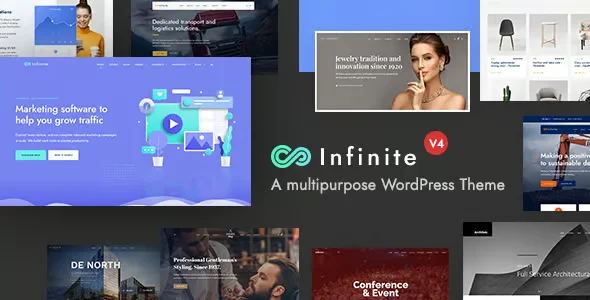
Infinite Multipurpose WordPress Theme

$67.00 Original price was: $67.00.$4.99Current price is: $4.99.
Multipurpose WordPress theme that unifies the design of WooCommerce stores, corporate sites, and portfolios from a single control panel, eliminating dependence on multiple templates and reducing visual errors in checkout and catalog.
Infinite Multipurpose WordPress Theme is a highly responsive web design solution that allows you to build corporate websites, WooCommerce stores, and portfolios from a single theme base, eliminating the need to purchase different templates for each project. It's ideal for agencies, developers, and multi-site managers seeking visual consistency, stable performance, and complete control over the structure of each page without relying on additional custom code.
Introduction to Infinite Multipurpose WordPress Theme
When a web team manages different projects under WordPress, template fragmentation generates visual inconsistencies, plugin conflicts, and time wasted on adaptations that should be automatic; Infinite Multipurpose WordPress Theme centralizes this dispersion in a single flexible design environment that responds to very different contexts without losing structural coherence or operational stability.
The technical nature of this theme lies in its modular architecture: each section of the site can be reconfigured without altering the core system, drastically reducing errors resulting from overriding styles or forcing compatibility between third-party blocks. This translates into fewer emergency interventions and more organized back offices.
Imagine an administrator managing four websites for different clients: a fashion store, a services portal, an events website, and a B2B catalog. With this plugin, they can apply a distinct base template to each, adjust the WooCommerce checkout structure from the theme options panel, and deliver each project with its own unique look and feel without duplicating development work.
Product overview
Infinite Multipurpose WordPress Theme acts on the presentation and structure layer of the site with a direct impact on the end user experience, back-office editing speed, and visual stability during traffic peaks, making it a critical piece for any operation that scales without wanting to multiply technical design debt.
Before incorporating this module, many teams worked with rigid templates that required a developer every time a client requested a layout change; customizations accumulated in external stylesheets that were difficult to maintain. By integrating the tool, the editing workflow now uses native visual options that any administrator with basic knowledge can manage.
- Without the add-on: The team relied on multiple loose templates with conflicting styles, resulting in mobile display errors and longer delivery times for each requested design adjustment.
- With the active add-on: The administrator accesses a centralized options panel from where they define color palette, fonts, header structure and checkout layout without touching code.
- Observable result: The sites present visual consistency across devices, layout editing time is significantly reduced, and the customer perceives a smoother shopping experience from the product page to order confirmation.
Requirements and compatibility
Before deploying this theme to production, it's advisable to check that the WordPress environment has the page builder plugins that the theme natively supports, that the installed payment gateways do not depend on checkout styles that may conflict with the theme's base stylesheets, and that any caching plugins are configured not to block the module's customization files.
- The main dependency is WordPress as the base CMS; for store functionalities, WooCommerce is required to be active and correctly configured before applying the product and checkout templates included in this theme.
- The tool features proven compatibility areas with popular visual builders, user role systems, zone tax configurations, conditional shipping modules, and standard payment gateways integrated into WooCommerce.
- In environments with many active customization plugins, it is advisable to test in a staging environment before applying structural changes to the checkout or category pages with active traffic.
Key benefits for your operation
- Reduction of technical design debt: Maintaining multiple fragmented templates per project increases maintenance time and multiplies points of failure. This extension centralizes design logic into a single configurable theme, allowing you to update the visual identity of multiple projects from one control point without touching each file individually.
- More controlled checkout experience: Shopping cart abandonment increases when the checkout process has visual inconsistencies with the rest of the site. This tool allows you to align the style of the checkout process with the store's identity, building visual trust at the most critical point in the conversion flow.
- Developer-free edition: Every time a client requests a header change or a color adjustment, the technical team interrupts higher-value tasks. With this module, the content administrator can manage these changes from the options panel without waiting for development turns.
- Visual stability in traffic scaling: When a campaign experiences an unusually high volume of visits, poorly optimized themes can lead to long loading times and a loss of structure on mobile devices. This plugin is built with a focus on structural performance, maintaining visual consistency even under load.
- Multi-project management with operational consistency: Agencies that manage multiple clients within the same environment often waste time reconciling styles across projects. By using a single thematic base with distinct configuration profiles, the team maintains an operational standard without sacrificing the individual identity of each site.
- Automating layouts by content type: Manually assigning templates to each product category or blog post is time-consuming and prone to errors. This extension lets you define layout rules by content type directly from your theme settings, ensuring that every section of your site automatically receives the correct structure.
Key features of the Infinite Multipurpose WordPress Theme
- Section-based layout builder: It allows you to divide any page into independently configurable blocks, eliminating the need to directly edit PHP templates. In a WooCommerce store, this means being able to redesign the category page without affecting the checkout structure or product pages.
- Centralized theme options panel: It consolidates typography, color, header, footer, and menu behavior settings into a single access point. Administrators can apply global or section-by-section changes without relying on additional CSS, reducing the risk of visual inconsistencies between pages.
- Pre-designed templates for WooCommerce: It includes specific layouts for product pages, shopping cart, and order confirmation that are already aligned with e-commerce usability conventions. This shortens the setup time for a new store and prevents the operator from having to redesign from scratch.
- Adaptive design with device control: Beyond being generically responsive, this tool allows you to adjust layout behaviors based on device type from the settings panel. In contexts where most traffic comes from mobile devices, this translates into a more precise shopping experience and less friction in the checkout process.
- Compatibility with popular content builders: The theme is designed to work alongside the most widespread page builders in the WordPress ecosystem, allowing teams already working with these tools to continue using their usual workflows without breaking the theme's basic structure.
- Multiple header and footer system: It allows you to assign different headers to specific sections of the site, such as a simplified header for checkout and a full one for the catalog. This differentiation reduces distractions during the purchase process, a real lever for improving order completion rates.
Who is this product for?
This module is designed for those managing WordPress projects who expect professional design but don't want to rely on a development team for every visual adjustment. It's especially well-suited for operations where speed of delivery and consistency across projects are critical business variables.
- Administrators and technicians who need full control over the visual structure of the site and traceability of design changes without code intervention.
- Agencies and teams that manage multiple stores or corporate sites and are looking for a unified thematic base that ensures operational consistency between projects.
- Marketing and UX managers who depend on being able to adjust layouts, highlight offers, or reorganize the checkout structure without waiting for development cycles.
Real-world use cases
- Agency with a diverse client portfolio: A team simultaneously manages a cosmetics store, a training portal, and a B2B corporate website. Using this theme as a base, they configure three distinct design profiles from the same environment, apply WooCommerce templates to the stores, and deliver each project with its own visual identity without duplicating development infrastructure. The result is reduced delivery time and a cleaner back office for each client.
- Fashion store with problematic checkout: A store noticed that users were abandoning their carts on the shipping information page because the design changed abruptly from the catalog. The administrator used the theme's checkout templates to align styles, visually simplify the form, and add trust elements to the order sidebar. Abandonment rates noticeably decreased in the following weeks.
- Event portal requiring temporary layouts: A content manager needs to create landing pages with a distinct structure for each event without disrupting the consistency of the main site. With this extension's section-based layout system, they can generate event-specific templates, assign them from the dashboard, and deactivate them at the end of the campaign—all without touching the base theme or affecting other pages.
- Multilingual website development with WooCommerce: An operator launches a store in three markets with different currencies and tax rates. They need a consistent visual experience, but the legal and shipping information blocks need to vary by region. This plugin allows you to define different page layouts for each section without duplicating the theme, maintaining central control over the visual identity while each market receives the appropriate information.
Frequently Asked Questions about the Infinite Multipurpose WordPress Theme
Does it work well with the plugins I already have installed?
Compatibility depends on how the active plugins in your environment are built, especially those that inject their own styles into the checkout or product pages. This theme is designed to coexist with the most widespread extensions in the WordPress and WooCommerce ecosystem, but in highly customized environments, it's advisable to check if any design or form plugins generate CSS conflicts before applying changes to production. Testing in a staging environment is always a recommended practice when changing the base theme.
How does this affect the end customer's purchasing process?
The most direct impact is visual and structural: the customer experiences a seamless transition from the catalog page to order confirmation, without abrupt style changes that might create distrust. The included checkout templates are designed to reduce visual friction, simplify form reading, and keep trustworthy elements visible throughout the process—factors that directly influence the decision to complete the purchase.
Can I configure design rules or conditions by page type?
This theme's layout system allows you to assign different structures depending on the content type, whether it's a product page, category page, blog post, or static page. This means you can define a simplified header for checkout, an active sidebar only in the catalog, and a reduced footer on conversion pages—all from the settings panel without writing conditional code.
What happens if a customer tries to pay and there is a technical issue related to the payment?
Well-designed themes shouldn't interfere with the payment processing logic, which is handled by WooCommerce and the active payment gateway. However, if there's a visual conflict blocking the display of the payment button or data form on certain devices, the customization panel allows you to correct these issues without editing server files. Actively monitoring the checkout process helps detect these types of problems quickly.
Does it affect how taxes, shipping costs, or coupons are displayed in the shopping cart?
The presentation of these elements in the shopping cart and checkout depends on the template your theme applies to those pages. This module includes specific layouts for WooCommerce where tax, shipping, and discount information appears in a structured and readable way. If you use zone-based tax or conditional shipping plugins, it's recommended to check that their visual outputs are compatible with your theme's style before deploying them to production.
Does it still work well when store traffic increases significantly?
Performance under load depends on multiple factors: server, active plugins, cache configuration, and image optimization, among others. What this theme brings to the equation is a clean, structural codebase that doesn't add unnecessary weight to load times. That said, no theme alone guarantees absolute stability under extreme volume; combining it with a good cache configuration and a suitable server is what truly makes the difference.
Can it be used in a WordPress installation with multiple sites?
In multisite environments, the theme can be applied network-wide or configured individually for each site, depending on the installation's structure. This makes it ideal for agencies managing multiple clients under a single WordPress instance, as it allows them to maintain a unified theme base with distinct visual configurations for each site. It's advisable to verify that any plugins that complement the theme are also compatible with the active multisite setup.
How do I know the theme is working correctly after applying it?
A handy checklist: verify that the homepage loads without console errors, that the checkout process completes a test order smoothly on both mobile and desktop, that the product and category templates correctly display WooCommerce elements, that the navigation menu is responsive across all devices, and that footer elements like policies and contact information are visible and in place. If all of these elements function consistently, the theme is ready.

Written and reviewed by the PrimeGPL Team
At PrimeGPL, we ensure that every piece of published content is verified and reviewed by our team. We analyze features, compatibility, and performance to provide you with clear, up-to-date, and truly useful information for each product listed in our store.
Get your questions answered here
We answer your questions so you can buy in an informed and confident manner.
Does my purchase include updates?
Yes. Every product purchase includes lifetime updates, so you won't have to pay extra under any circumstances.
Is there a daily download limit?
No, not at all. After your purchase, you can download it as many times as you need, without any problem.
On how many websites can I use the products?
You can use your purchases on as many domains (websites) as you want, without any problems.
Does it include technical support?
Yes. We offer technical support Monday through Friday, during business hours UTC -3. This support includes assistance with issues related to download problems, installation problems, or errors with the purchased product.
Furthermore, support does not include configurations, customizations, tutorials, or services associated with the author.
Does my purchase have a warranty?
Yes, of course. If you have any problem that we can't solve, or if there's an external issue that doesn't have a general solution related to our service, you'll receive support and, if necessary, a full refund.
How do I access support?
After your purchase, from your user account, you can access the support section, where you can open a ticket and our team will assist you with whatever you need.
Download Previous Versions
If you have purchased this product, or have an active membership, you can download previous versions without any limits or restrictions.
| Product Name | Version | Size | Date | Download |
|---|---|---|---|---|
| Infinite | 4.1.2 | 51.1 MB | 28/05/2026 | Join Now |
Related Products
Below we show you different products that share the same category.