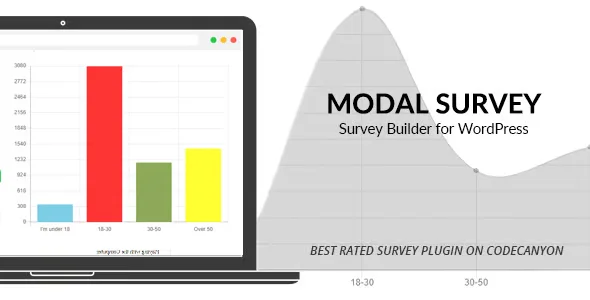
Modal Survey Poll Survey And Quiz

$89.00 Original price was: $89.00.$4.99Current price is: $4.99.
Create pop-up surveys, polls, and quizzes directly in WordPress and WooCommerce, with trigger conditions based on purchase behavior, without relying on external platforms or disrupting the conversion flow.
Modal Survey Poll Survey And Quiz is a WordPress and WooCommerce plugin that lets you create pop-up surveys, polls, and quizzes without interrupting the user's browsing experience. Ideal for retailers who need to collect customer data at strategic points in the sales funnel, the tool centralizes feedback capture directly within the store environment, without relying on external platforms or disrupting the purchase flow.
Introduction to Modal Survey Poll Survey and Quiz
Modal Survey Poll Survey And Quiz solves one of the most silent problems of e-commerce operations: the inability to ask the customer at the exact moment without taking them out of the context of purchase, which usually forces the use of external tools that fragment the data and multiply the points of failure in the WordPress/WooCommerce flow.
This extension integrates directly into the WordPress back office, meaning pop-up forms are managed from the same environment where products, orders, and users are managed. There are no external synchronizations to maintain or APIs that might fail at critical moments. Triggering logic, visual design, and response collection all coexist in a single control panel.
Imagine a technician setting up a post-charge survey modal to automatically appear on the order confirmation page: selecting the activation conditions, defining the questions, and associating the form with a specific product category, all from the internal editor, without touching a line of code or leaving the back office.
Product overview
As a WooCommerce store begins to scale, managing customer feedback becomes strategic: without an integrated survey and polling system, operators miss valuable signals about checkout friction, post-sales satisfaction, and product preferences just when they need them most to make informed decisions.
Before incorporating this module, gathering feedback involved exporting mailing lists, configuring forms in third-party tools, and manually cross-referencing data in spreadsheets. The response rate was low because the customer had already abandoned the purchase process. With the tool active, modals appear at the right time and place, within the same environment the customer is already browsing.
- Without the add-on: The operator relies on post-sales email campaigns to gather feedback, with long response times, low participation, and data disconnected from actual in-store behavior.
- With the active add-on: A modal survey is configured that is activated on the abandoned cart page or in the order confirmation step, capturing real-time responses with segmentation conditions by role, category or purchase history.
- Observable result: The marketing team has access to intent and satisfaction data directly from the WordPress dashboard, without exports or broken integrations, with full traceability by session and order.
Requirements and compatibility
Before deploying this plugin in a production environment, it is advisable to check that the active theme does not block the modal layer using aggressive CSS z-index rules, and that other popup or cookie plugins do not generate display priority conflicts, as these situations are the most common in installations with many active plugins.
- Primary dependency: Requires WordPress with WooCommerce active to take advantage of trigger conditions based on purchase behavior, cart, product categories, and user roles.
- Relevant compatibility areas: checkout page, order confirmation, product pages, cart, customer area and any static site page; it also supports renewal flows if subscription extensions are used.
- It is advisable to validate the behavior in a staging environment when the store uses a page builder that renders the DOM deferred, since triggers based on loading events may need a timing adjustment.
Key benefits for your operation
- Data capture at the moment of greatest intent: Many operators miss the opportunity to ask questions because feedback always arrives too late, when the customer has already forgotten the details. This module allows you to activate surveys right after a specific action, such as adding an item to the cart or completing an order, when the experience is still fresh and the response rate is significantly higher.
- Reduction of external dependencies and associated costs: Maintaining contracts with SaaS survey platforms involves recurring costs, regular exports, and privacy risks due to data being hosted off-site. With this extension, everything remains within WordPress's own infrastructure, eliminating a layer of dependency that creates operational friction and costs that are difficult to justify as the store grows.
- Precise segmentation without complex configuration: Sending the same survey to all users creates noise in the data and bothers segments that aren't relevant to the question. The tool allows segmentation by user role, product category purchased, or order status, ensuring that each survey reaches those who can truly provide useful information.
- Editorial control from the back office without code: Marketing teams often rely on the technical department to publish or modify forms, which slows down campaigns and creates bottlenecks. This plugin gives non-technical users complete control over the design, questions, and activation conditions, without the need to edit templates or write complex shortcodes.
- Traceability of responses linked to orders and users: Adding isolated responses without context hinders subsequent analysis. The extension records each response associated with the user and the time of the interaction, allowing data to be cross-referenced with purchase history and yielding actionable conclusions instead of generic averages.
- Scalability without performance degradation: When traffic increases, poorly implemented modals can significantly slow down page load times. This plugin uses lazy loading and efficient firing conditions to avoid adding weight to the initial page response time, maintaining stability even during traffic spikes.
Key Features of Modal Survey Poll Survey And Quiz
- Modal form builder with multiple question types: The tool supports multiple-choice, open-ended, rating scale, and checkbox questions within the same form. This allows for the design of mixed questionnaires that combine quantitative and qualitative data without requiring additional extensions, simplifying the site architecture.
- WooCommerce behavior-based trigger conditions: Modals can be configured to appear upon order completion, when visiting a specific category, upon reaching a certain cart value threshold, or after a predetermined number of visits. This granularity prevents user overload and ensures that each survey has the appropriate context to elicit relevant responses.
- Customizable visual design without external CSS: The built-in editor allows you to adjust colors, fonts, buttons, and modal close behavior directly from the settings panel. For stores with an established visual identity, this eliminates the need to override styles from the theme, reducing the risk of visual conflicts after updates.
- Results management and response export: All responses are stored in the WordPress database and can be viewed from the back office with filters by date, form, and user. The ability to export the data facilitates analysis in external BI tools without relying on API integrations that could break.
- Support for conditional logic between questions: Showing or hiding questions based on previous answers makes the questionnaire shorter and more relevant to each user. This directly improves the form completion rate, one of the main bottlenecks in customer data collection.
- Frequency and recurrence control of modals: An operator can define how often the same modal is shown to a user: once, every few days, or until they complete the form. This control prevents overexposure, which is one of the most common reasons why users block or ignore popups in stores without this management.
Who is this product for?
This plugin is designed for those who manage WooCommerce stores with sufficient traffic volume for customer behavior data to be a real decision lever, and who currently do not have a structured way to collect that information without leaving the WordPress environment.
- Store managers who need traceability on customer satisfaction at different stages of the funnel without relying on external tools that fragment the data.
- Teams that manage multiple projects or facilities and need to replicate survey configurations consistently across different environments without reconfiguring from scratch.
- Marketing and UX managers who design conversion optimization experiments and need qualitative feedback directly linked to purchasing behavior, without waiting for email reports with low open rates.
Real-world use cases
- Post-loading satisfaction survey upon order confirmation: An online fashion store notices that its Google reviews are low despite having satisfied customers. It sets up a survey modal with two short questions on the order confirmation page, targeting registered users with more than one purchase. The result is a systematic collection of internal NPS data, allowing it to identify areas for improvement before they become negative public reviews.
- Purchase intent survey on category page: An electronics store wants to understand why some visitors browse a category without adding products to their cart. It activates a modal poll that appears after a certain amount of time spent on the page, asking if the user found what they were looking for. The collected data directly informs the product team's catalog decisions.
- Campaign segmentation preference questionnaire: A cosmetics store operator wants to personalize its email campaigns but lacks preference data. It deploys a modal questionnaire in the customer area with conditional logic that adapts the questions based on the type of products previously purchased. The resulting segmentation improves the relevance of the mailings without requiring external data integrations.
- Checkout experience assessment poll: A B2B store detects a high abandonment rate at the checkout stage. They set up a modal window that appears when a user abandons the checkout process without completing the order, asking for the reason in a single multiple-choice question. Using data collected over two weeks, the team identifies the absence of a specific payment method as the primary cause and adds it, measurably reducing friction.
Frequently Asked Questions about Modal Survey Poll Survey and Quiz
Does it work with any WordPress theme or does it require a specific theme?
The plugin is designed to work with any WordPress-compliant theme, requiring no child theme or template modifications. The modal layer is injected at the document footer level, so conflicts are rare. That said, themes that apply `overflow:hidden` to the body or use custom scroll libraries may affect the modal's visibility, which is worth checking in a staging environment before deploying to production. Themes from popular page builders are generally compatible without additional adjustments.
Do manners affect the customer experience during the buying process?
The impact on UX depends directly on how the trigger conditions are configured. A modal that appears mid-checkout can lead to abandonment, but the tool allows you to restrict its appearance to specific pages, such as the order confirmation or the account area, where the transaction is already complete. Properly configuring the frequency of appearance and the excluded pages is the most important variable to ensure the customer experience isn't compromised at any critical point in the funnel.
Can I automatically activate surveys based on user behavior in the store?
Yes. The plugin allows you to define trigger conditions based on WooCommerce actions: order completed, category visited, cart value reached, number of visits, or user status logged in. This transforms modals into a reactive automation layer that doesn't require manual intervention for each activation. Rules are configured from the internal dashboard and can be combined to create compound triggers that respond to specific behaviors within the purchase cycle.
Is this plugin relevant if my store uses subscriptions or recurring payments?
In environments with active subscriptions, the tool can be used for satisfaction surveys at key moments in the subscriber lifecycle, such as renewals or plan changes. While the extension doesn't directly manage renewal flows or failed payments, it can be configured to appear on pages associated with these events, making it a useful feedback channel for detecting cancellation intentions before they occur.
Can I display surveys conditioned on applied coupons or selected shipping methods?
Native trigger conditions primarily focus on browsing behavior and order status. For highly specific conditions, such as applied coupons or selected shipping methods, it may be necessary to combine the tool with WooCommerce hooks or automation plugins that expose these variables as trigger conditions. This is an advanced scenario, but feasible for operators with technical knowledge or development teams.
How does having multiple modals configured simultaneously affect site performance?
The plugin loads modal resources lazily, meaning they don't impact the initial page load time. With multiple active forms, the impact is minimal as long as the trigger conditions are well-defined and all forms aren't forced to load on every page. In high-traffic stores, it's advisable to review the cache settings to ensure that the registered user or active cart conditions aren't trapped in cached versions of the pages.
Does this plugin work in multisite installations or for managing multiple stores from a single panel?
The plugin can be activated per site within a WordPress multisite network. Each installation manages its own forms, conditions, and responses independently, which is useful for agencies or groups with multiple stores under the same infrastructure. In the standard configuration, there is no centralized view that aggregates data from all stores into a single dashboard, so teams with many sites will need to manage reports individually for each installation.
How can I verify that the plugin is working correctly after setup?
The most direct indicator is to log in with a user session that meets the defined conditions and verify that the modal appears on the correct page and at the expected time. From the back office, the responses section should begin recording entries as soon as the first user interacts with the form. It's also advisable to check that the modal closes correctly and that its appearance frequency respects the established configuration by opening the same page on a second visit within the same browser.

Written and reviewed by the PrimeGPL Team
At PrimeGPL, we ensure that every piece of published content is verified and reviewed by our team. We analyze features, compatibility, and performance to provide you with clear, up-to-date, and truly useful information for each product listed in our store.
Get your questions answered here
We answer your questions so you can buy in an informed and confident manner.
Does my purchase include updates?
Yes. Every product purchase includes lifetime updates, so you won't have to pay extra under any circumstances.
Is there a daily download limit?
No, not at all. After your purchase, you can download it as many times as you need, without any problem.
On how many websites can I use the products?
You can use your purchases on as many domains (websites) as you want, without any problems.
Does it include technical support?
Yes. We offer technical support Monday through Friday, during business hours UTC -3. This support includes assistance with issues related to download problems, installation problems, or errors with the purchased product.
Furthermore, support does not include configurations, customizations, tutorials, or services associated with the author.
Does my purchase have a warranty?
Yes, of course. If you have any problem that we can't solve, or if there's an external issue that doesn't have a general solution related to our service, you'll receive support and, if necessary, a full refund.
How do I access support?
After your purchase, from your user account, you can access the support section, where you can open a ticket and our team will assist you with whatever you need.
Download Previous Versions
If you have purchased this product, or have an active membership, you can download previous versions without any limits or restrictions.
| Product Name | Version | Size | Date | Download |
|---|---|---|---|---|
| Modal Survey | 2.0.2.2.0 | 6.5 MB | 26/05/2026 | Join Now |
Related Products
Below we show you different products that share the same category.