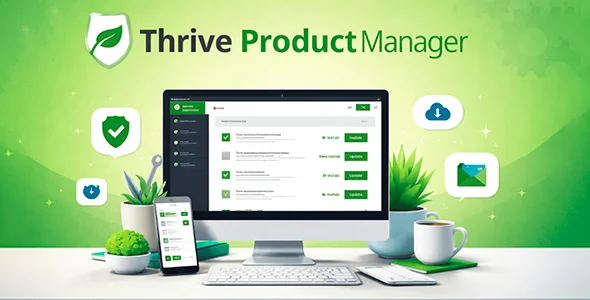
Thrive Product Manager
$0.00
Thrive Product Manager centralizes the management of digital products and access in WordPress, eliminating friction between content purchase and delivery. Ideal for platforms that require operational consistency without relying on configurations scattered across plugins.
Thrive Product Manager is a WordPress ecosystem module that centralizes the management of digital products, memberships, and access from a single dashboard. If you manage courses, subscriptions, or copyrighted content and waste time coordinating multiple plugins, this tool eliminates that friction and puts you back in control without relying on fragmented solutions.
Introduction to Thrive Product Manager
Thrive Product Manager is an extension designed for operators who need to organize, assign, and control access to digital products within WordPress without relying on scattered configurations across plugins, users, and content rules that create inconsistencies that are difficult to track in production.
Its technical nature is geared towards traceability: each product, access, or bundle is recorded under a centralized logic that reduces errors resulting from manually managing permissions. This directly impacts the back-office workload, especially as the catalog grows or when multiple operators are accessing the same settings.
Imagine an administrator who notices that several users aren't seeing the content they should after completing a purchase. With this tool, they can access the dashboard, review the product allocation, and correct the flow in minutes, without needing external support or reviewing custom code.
Product overview
This add-on works on the area of access and digital product management, a critical point in any store or platform that scales, because it is exactly where the volume of users begins to reveal the limitations of a manual or dispersed configuration across multiple solutions.
Without this module, an operator needs to coordinate access rules in one membership plugin, permissions in another, and purchase statuses in WooCommerce—all manually and without a unified view. The result is predictable: users unable to access their purchases, conflicting configurations, and uncontrolled support time.
- Without the add-on: The system manages access from multiple disconnected panels, which creates inconsistencies between the order status and the content the user can actually access.
- With the active add-on: Digital products, memberships, and access are defined and assigned from a single interface, with clear rules on what each product delivers and to whom.
- Observable result: Fewer support tickets due to incorrect access, greater consistency between what the customer buys and what they receive, and a back office that the team can audit without friction.
Requirements and compatibility
For Thrive Product Manager to function stably, the environment must have the Thrive ecosystem correctly configured, since this extension acts as a management layer over the other modules of the suite; integrating it into an environment without that foundation generates unpredictable behaviors that should be detected before production.
- Main dependency on the Thrive Themes ecosystem and its associated plugins, which act as a functional basis for product allocation and access.
- Compatible with WooCommerce checkout flows, user role management, conditional content rules, and access logic based on subscription or purchase status.
- It is advisable to validate the behavior in a staging environment when the catalog already has existing access rules, to avoid conflicts with previous configurations before activating in production.
Key benefits for your operation
- Centralized access control: Managing content permissions from multiple locations creates silent errors that are only detected when a customer complains. This module unifies that management in a single point, meaning that any changes to the catalog are consistently reflected in all related access, reducing the margin of operational error.
- Reduced support time: Each incorrect access ticket represents lost team time and friction for the customer. The tool allows for a quick audit of which product is assigned to which user and under what conditions, turning an investigation that could take hours into a review of minutes.
- Scalability without added complexity: As the catalog grows, manual access management becomes unsustainable. This extension maintains the same operational logic regardless of the volume of products or users, allowing for scalability without the need to redesign configuration workflows.
- Consistency between purchase and delivery: One of the most common pain points on digital content platforms is that the order status in WooCommerce doesn't always translate correctly into access to the content. This plugin acts as a bridge between the two systems, ensuring that delivery occurs according to the defined logic and not based on configuration coincidences.
- Visibility for the non-technical team: Not all operators who need to manage access have a technical background. This tool's interface allows marketing or content professionals to review and adjust assignments without needing access to the code or advanced training, thus distributing the operational workload sustainably.
- Traceability in the event of audits or disputes: When a customer disputes access or a renewal, having a clear record of which product was assigned and when makes all the difference. This module provides that layer of traceability that simply doesn't exist in manual configurations.
Key features of Thrive Product Manager
- Unified digital product dashboard: It allows you to define which content, courses, or access points are part of each product from a centralized interface. In a store with multiple bundles or membership plans, this avoids the confusion of having rules distributed across different plugins that can eventually lead to conflicts.
- Conditional access assignment: The add-on allows you to configure what the user receives based on the product they purchased, without requiring manual intervention for each sale. This is especially relevant in high-volume transactions, where one-to-one allocation is impractical.
- Integration with the purchase flow: The delivery of access is directly linked to the order status in WooCommerce, meaning the user gets what they bought immediately and without intermediate steps that generate friction or post-purchase abandonment.
- Bundle and grouped product management: When a product includes multiple access points or content modules, this extension allows them to be defined as a coherent set. The result is that the operator configures it once, and the system delivers everything correctly, without requiring additional rules for each component.
- User view and active assignments: From the back office, it is possible to check which products are assigned to a specific user, which simplifies the resolution of incidents without needing to cross-reference data between different plugins or database tables.
- Compatibility with membership and subscription logic: The module understands the status of an active or expired subscription and adjusts access accordingly, preventing users with expired payments from maintaining access to premium content without the team manually detecting it.
Who is this product for?
This add-on is designed for operators who already have a working digital product catalog but feel that access management is getting out of hand. Whether it's an individual or a team, the common symptom is time wasted resolving access issues that should be automated.
- Administrators and technicians who need traceability and control over which user accesses which content, especially on platforms with hundreds or thousands of active members.
- Teams that manage multiple projects or stores under the same ecosystem and need the access logic to be consistent and replicable without configuring from scratch each time.
- Marketing, UX, or automation managers who rely on frictionless post-purchase delivery to protect the customer experience and reduce churn resulting from technical issues.
Real-world use cases
- Course platform with multiple plans: A store sells three levels of access to its online academy. Without centralized management, users on the intermediate plan sometimes access content from the highest plan due to plugin configuration errors. With Thrive Product Manager, each plan has its access clearly defined, and the system automatically delivers it based on the purchased product. The result is zero incorrect access and zero support tickets for this reason.
- Bundle of digital tools with immediate delivery: An operator sells a bundle that includes five downloadable resources and access to a monthly membership. Previously, configuring this involved rules in three separate plugins. With this module, the bundle is defined only once, and delivery occurs automatically upon payment completion, without any team intervention. The customer receives everything instantly, and the operator doesn't need to do anything.
- Access management after a failed renewal: A user with an active subscription fails to complete their renewal payment. In a manual setup, this access can remain active for days without anyone noticing. The tool, integrated with WooCommerce logic, adjusts the access status based on the actual order status, preventing premium content from being exposed without oversight.
- Access incident review in support: A support agent receives a complaint from a user who says they can't access their purchased items. Instead of cross-referencing data between WooCommerce, the membership plugin, and user records, they access the Thrive Product Manager dashboard, check the active assignment, and identify the problem in under two minutes. The user is satisfied, and the team doesn't waste half an hour on what should be a trivial issue.
Frequently Asked Questions about Thrive Product Manager
Does this module work independently or does it require other plugins from the same provider?
Thrive Product Manager is part of an ecosystem and requires the other components of the Thrive suite to be present to function correctly. It is not a standalone plugin: it acts as a management layer over the associated modules. Before integrating it, it's advisable to verify that the environment already has the core ecosystem operational, because without this dependency, the tool has nothing to interact with, and some workflows will not complete as expected.
How does it affect the end customer during or after the purchase process?
The most visible impact for the customer is that access to their purchase is immediate and without any additional steps after completing checkout. They don't need to wait for manual confirmation or follow extra instructions to access their content. This reduces post-purchase friction, which is one of the moments when most users abandon their purchase or generate unnecessary support tickets.
Can I set up automatic rules so that different products provide different access levels?
Yes. The plugin allows you to define which content or access corresponds to each product independently, so delivery is automatic and consistent with the purchase. This is especially useful when the catalog includes bundles, tiered plans, or products with multiple components, because it eliminates the need to create manual rules for every possible combination.
What happens to access when a subscription expires or payment fails?
The tool is designed to read the actual status of an order or subscription and adjust access accordingly. If a renewal is not completed, access to that product can be automatically restricted according to the configured logic, preventing users with outstanding payments from maintaining active access without manual intervention from the operator.
Does it affect the logic of coupons, taxes, or shipping in WooCommerce?
This module is specifically designed for managing digital products and access, not for WooCommerce's pricing, tax, or shipping logic. Those areas continue to function independently. However, since it affects the purchase flow, it's advisable to verify that delivery triggers don't interfere with checkout plugins that modify the standard behavior of completed orders.
How does it perform with a high volume of users or simultaneous orders?
The module delegates delivery logic to the WooCommerce system and the Thrive ecosystem, so its performance is tied to the overall robustness of the environment. During peak traffic periods or when many orders are processed simultaneously, adequate hosting and an optimized environment are recommended. The tool itself doesn't introduce any known bottlenecks under normal operating conditions, although, as with any plugin, server context matters.
Is it possible to use it in a multisite installation or to manage multiple stores?
In multisite environments, compatibility depends on the network configuration and whether the Thrive ecosystem supports that architecture at the specific site. This isn't a limitation of the module itself, but it's a scenario that should be validated in a staging environment before assuming that the behavior will be identical to that of a standard installation. For teams managing multiple independent sites, the tool works consistently across all installations.
How do I know that the module is working correctly once it's configured?
A practical checklist: Verify that upon completing a trial order, access to the associated content appears immediately in the user's account. Check that a user without an active purchase cannot access that same content. Verify from the back office that the product assignment appears correctly in the trial user's profile. If these three points work, the basic configuration is solid.

Written and reviewed by the PrimeGPL Team
At PrimeGPL, we ensure that every piece of published content is verified and reviewed by our team. We analyze features, compatibility, and performance to provide you with clear, up-to-date, and truly useful information for each product listed in our store.
Get your questions answered here
We answer your questions so you can buy in an informed and confident manner.
Does my purchase include updates?
Yes. Every product purchase includes lifetime updates, so you won't have to pay extra under any circumstances.
Is there a daily download limit?
No, not at all. After your purchase, you can download it as many times as you need, without any problem.
On how many websites can I use the products?
You can use your purchases on as many domains (websites) as you want, without any problems.
Does it include technical support?
Yes. We offer technical support Monday through Friday, during business hours UTC -3. This support includes assistance with issues related to download problems, installation problems, or errors with the purchased product.
Furthermore, support does not include configurations, customizations, tutorials, or services associated with the author.
Does my purchase have a warranty?
Yes, of course. If you have any problem that we can't solve, or if there's an external issue that doesn't have a general solution related to our service, you'll receive support and, if necessary, a full refund.
How do I access support?
After your purchase, from your user account, you can access the support section, where you can open a ticket and our team will assist you with whatever you need.
Download Previous Versions
If you have purchased this product, or have an active membership, you can download previous versions without any limits or restrictions.
| Product Name | Version | Size | Date | Download |
|---|---|---|---|---|
| Thrive Product Manager | 10.9.3 | 7.3 MB | 27/05/2026 | Join Now |
Related Products
Below we show you different products that share the same category.