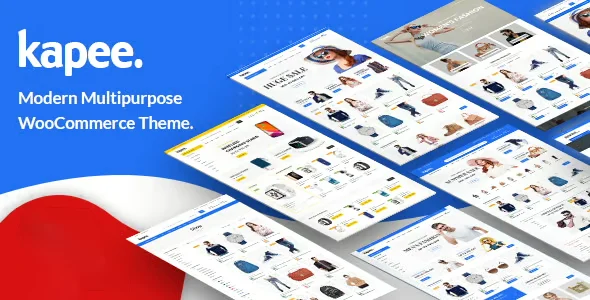
Kapee Fashion Store WooCommerce Theme

$39.00 Original price was: $39.00.$4.99Current price is: $4.99.
WooCommerce theme specializing in fashion that unifies editorial design and functional purchase flow, with integrated product filters, stylized checkout and optimized structure for catalogs that need to convert without visual compromises.
Kapee Fashion Store WooCommerce Theme is an e-commerce theme geared towards the fashion industry that transforms the visual presentation and shopping experience of WooCommerce stores. Designed for retailers who need speed, aesthetic consistency, and real conversion rates, it integrates optimized page structures, flexible product catalogs, and checkout flows designed to reduce abandonment. It requires an active WooCommerce installation as a core dependency.
Introduction to Kapee Fashion Store WooCommerce Theme
Kapee Fashion Store WooCommerce Theme solves one of the most common problems in online fashion stores: the disconnect between a strong visual identity and a functional purchase flow, allowing both aspects to coexist without technical friction or performance compromises within the WordPress and WooCommerce ecosystem.
The tool is built on a modular architecture that integrates directly with WooCommerce's catalog, cart, and checkout systems. This means the technical team doesn't need to manually intervene to maintain consistency between the design and the store's logic. Visual changes don't break automations, and styles don't override product rules.
Imagine an administrator who needs to launch a new collection before the weekend. With this plugin active, they can configure the category page, adjust product filters, and review the flow to checkout, all from the same visual environment, without touching code and without the back office losing track of product variations.
Product overview
A trendy theme for WooCommerce isn't just a visual layer: it's the structure that determines how the customer discovers products, how they compare them, and how quickly they reach checkout. And in a scaling store, each of those steps has a direct impact on the conversion rate and the operational workload of the team.
Before incorporating this module, many fashion stores operated with generic themes that forced constant compromises: either the aesthetics were good but performance suffered, or the purchase flow was functional but the design didn't communicate the brand. The content and technical teams worked in parallel, patching incompatibilities every time a plugin was updated.
- Without the add-on: The product pages were not adapted to the visual needs of the fashion sector, the size and color filters required external configurations, and the generic checkout generated abandonment due to a lack of visual trust.
- With the active add-on: The store features zoomable product galleries, built-in attribute filters, editorially designed category pages, and a stylized checkout that maintains brand identity until the very last step.
- Observable result: The navigation flow becomes consistent, the customer stays longer in the store, and the team spends fewer hours correcting visual inconsistencies between sections.
Requirements and compatibility
For Kapee Fashion Store WooCommerce Theme to function correctly, you need an active WooCommerce installation and a standard WordPress environment; before putting it into production, it's advisable to verify that plugins with critical functionality, such as payment gateways, shipping managers, or coupon systems, do not generate visual or rendering conflicts.
- Main dependency: WooCommerce must be active and properly configured with products, categories, and attributes defined so that the theme can express its full structural potential.
- Relevant compatibility in checkout areas, cart pages, product filters by attribute, standard payment gateways, shipping modules and coupon or discount managers.
- If the store uses page builders like Elementor or WPBakery for custom sections, it's advisable to test in a staging environment to confirm that the theme templates don't clash with the layouts already built.
Key benefits for your operation
- Reducing abandonment in the purchase process: Many stores lose customers because the checkout design feels disconnected from the previous browsing experience. This module maintains the visual identity until order confirmation, creating a seamless flow that reduces the customer's perception of risk and, consequently, interruptions before payment.
- Fashion catalog management without constant technical intervention: When the content team needs to update collections, change banners, or reorganize categories, it usually falls to the developer. This tool offers predefined structures for collection and product pages that the non-technical team can manage from the back office without risking breaking the design.
- Visual consistency at all points of contact: From the homepage to the 404 error page, this plugin applies a consistent design system. For operations managing promotions, campaign landing pages, and brand pages, this consistency eliminates hours of manual review and subsequent corrections.
- Product filters that improve the actual user experience: In fashion, customers filter by size, color, price range, and availability. Without a structure that visually and intuitively supports these filters, users abandon their search. This extension integrates these filters into the category design without requiring additional plugins that create extra dependencies.
- Mobile optimization without additional configuration: A significant portion of traffic to fashion retailers comes from mobile devices, and themes not designed for this context create friction that results in bounce rates. This theme is built with a mobile-first approach that requires no manual adjustments for each device.
- Visual stability in the face of ecosystem updates: When WooCommerce updates its page templates, generic themes often require patches. This tool is built with a compatibility layer that absorbs these changes without affecting the live design, reducing the workload for the technical team with each update cycle.
Key features of the Kapee Fashion Store WooCommerce Theme
- Multiple design demos specializing in fashion: The theme includes several demo templates designed for different industry segments, from casual fashion to luxury and streetwear. This allows operators to start with a pre-existing visual foundation and adapt it, rather than building from scratch, significantly reducing launch time.
- Mega menu system with support for images and categories: In stores with extensive catalogs, navigation is a frequent source of frustration. The integrated mega menu allows you to display categories with images, featured collections, and shortcuts, helping customers find their way around without getting lost and reducing the bounce rate on the homepage.
- Quick product view without leaving the category: The customer can view details, choose variations, and add items to their cart without leaving the listing page. Operationally, this shortens the purchase funnel, especially in sessions where the user is quickly comparing several products.
- Product gallery with zoom and video support: The purchase decision in fashion depends largely on the perceived quality of the product. A gallery with zoom functionality and support for video content allows the store to communicate materials, textures, and proportions more accurately, reducing hesitation before checkout.
- Visual page builder compatible with the theme: The tool includes compatibility with visual builders that allow you to design campaign pages, lookbooks, or editorial sections without leaving your existing workflow. The marketing team can create collection pages without relying on the technical team for each new action.
- Integrated wish list and product comparison tool: These features address real-world behavior of fashion shoppers: saving items for later and comparing options before making a decision. Integrated directly into the theme, they don't require external plugins that could cause conflicts or add extra load to the back office.
Who is this product for?
This theme is designed for retailers who manage fashion stores on WooCommerce and have reached a point where the generic design no longer accurately represents their brand or supports the complexity of their product catalog. Whether the team is small or has a full technical department, the defining need is the feeling that the store's visuals don't live up to the quality of the products it sells.
- Administrators and technicians who need a controllable environment where visual changes do not affect WooCommerce logic or require frequent code interventions.
- Teams that manage multiple fashion stores or brands under the same technology stack and need a consistent visual starting point that they can efficiently replicate and adapt.
- Marketing and UX managers who depend on being able to create campaign pages, lookbooks, or special collections without waiting for the technical team to be available.
Real-world use cases
- Seasonal collection launch with integrated lookbook: A women's clothing store needs to present its new seasonal collection with an editorial approach, not just a product list. With this module, the marketing team builds a lookbook page using the theme's visual builder, links products directly from the images, and activates the section without developer intervention. The result is a browsing experience that connects editorial content with direct conversion.
- Multi-brand store with a need for customization by section: An operator manages multiple brands within a single WooCommerce installation and needs each section to have a distinct visual identity without disrupting the checkout process. The theme's flexible templates allow for configuring category pages with different styles for each brand, while maintaining the same functional structure in the cart and checkout.
- Reduction of mobile abandonment during sales campaigns: During a discount campaign, the team noticed that the abandonment rate on mobile was significantly higher than on desktop. By reviewing the flow with the theme active, they found that the product pages, cart, and checkout were optimized for small screens without any additional configuration, allowing the team to focus on campaign strategy instead of urgent technical fixes.
- Extensive catalog management with attribute filters: A shoe store with hundreds of items needs customers to be able to filter by size, color, material, and price simultaneously without the page becoming slow or confusing. The filters built into the theme's category layout enable this experience without additional plugins, and the administrator can configure which attributes are displayed from the WooCommerce back office.
Frequently Asked Questions about the Kapee Fashion Store WooCommerce Theme
Does this theme work with the plugins I already have installed in my WooCommerce store?
Compatibility depends on which plugins are active in your environment. This plugin is designed to work with the standard WooCommerce ecosystem, including common payment gateways, shipping plugins, and coupon managers. However, if you use external page builders or plugins that modify WooCommerce templates, it's recommended to test in a staging environment before deploying it to production. The most frequent conflicts tend to occur with plugins that overwrite cart or checkout templates, so it's advisable to specifically review those areas.
How does this issue affect the end customer's experience during the purchasing process?
The most visible impact is the visual consistency from catalog navigation to order confirmation. The customer perceives a seamless flow where the design doesn't abruptly change upon reaching the shopping cart or checkout, reducing the feeling of abandonment and increasing confidence at the point of payment. Additionally, features like quick product view and integrated filters make the selection process more efficient, especially on mobile devices.
Does the theme include automations or rules that affect the store's behavior?
The theme itself doesn't handle business automations like automatic discounts or pricing rules; that functionality remains the responsibility of WooCommerce and any plugins you use. What the tool does offer are visual and presentation features: for example, displaying sale labels, low stock badges, or popularity indicators on product cards, which act as visual cues that influence buyer behavior without requiring additional technical configuration.
What happens if a customer has a failed payment or needs to retry a purchase?
The failed payment and retry flows are managed by WooCommerce and the active payment gateway, not the theme. This module ensures that error and retry pages maintain the same consistent design as the rest of the store, preventing customers from encountering a generic screen that could break trust. To configure retry logic or failed payment notifications, you will need the corresponding WooCommerce plugins.
Is the theme compatible with WooCommerce's tax, shipping, and coupon modules?
Yes, the theme respects WooCommerce's native architecture for taxes, shipping zones, and coupons. These elements are configured from the WooCommerce back office as usual, and the theme simply presents them visually in a consistent manner in the cart and at checkout. There are no known conflicts with managing taxes by geographic zone or applying discount codes in the standard checkout flow.
Does the theme maintain acceptable performance when the store has a large catalog or receives a lot of traffic?
Performance in high-volume situations depends on multiple factors: hosting, caching, image optimization, and server configuration. The theme is built with optimized code and doesn't add unnecessary heavy dependencies, which helps maintain reasonable load times. That said, for stores with very large catalogs or significant traffic spikes, it's advisable to combine the theme with a caching solution and a CDN, as no theme alone guarantees performance under any infrastructure conditions.
Can I use this theme in multiple stores or in a WordPress multisite installation?
The theme can be used as a foundation for different stores, and its modular structure makes it easy to adapt the design for each project. While technical compatibility exists in WordPress multisite environments, it's advisable to verify that the configuration of each subsite doesn't conflict with shared WooCommerce templates. For teams managing multiple fashion stores, the theme offers a real advantage: starting from the same visual base and differentiating each store through customization options without having to rebuild the structure from scratch.
How do I know if the theme is working correctly in my store?
There are clear signs that the theme is active and properly configured: category pages display built-in attribute filters, the quick product view works without reloading the page, the checkout features the theme's design and not a generic template, and product galleries respond to zoom on desktop and swipe on mobile. If any of these elements are not behaving as expected, the starting point is to check for conflicts with other plugins that modify WooCommerce templates or the theme's script queue system.

Written and reviewed by the PrimeGPL Team
At PrimeGPL, we ensure that every piece of published content is verified and reviewed by our team. We analyze features, compatibility, and performance to provide you with clear, up-to-date, and truly useful information for each product listed in our store.
Get your questions answered here
We answer your questions so you can buy in an informed and confident manner.
Does my purchase include updates?
Yes. Every product purchase includes lifetime updates, so you won't have to pay extra under any circumstances.
Is there a daily download limit?
No, not at all. After your purchase, you can download it as many times as you need, without any problem.
On how many websites can I use the products?
You can use your purchases on as many domains (websites) as you want, without any problems.
Does it include technical support?
Yes. We offer technical support Monday through Friday, during business hours UTC -3. This support includes assistance with issues related to download problems, installation problems, or errors with the purchased product.
Furthermore, support does not include configurations, customizations, tutorials, or services associated with the author.
Does my purchase have a warranty?
Yes, of course. If you have any problem that we can't solve, or if there's an external issue that doesn't have a general solution related to our service, you'll receive support and, if necessary, a full refund.
How do I access support?
After your purchase, from your user account, you can access the support section, where you can open a ticket and our team will assist you with whatever you need.
Download Previous Versions
If you have purchased this product, or have an active membership, you can download previous versions without any limits or restrictions.
| Product Name | Version | Size | Date | Download |
|---|---|---|---|---|
| Kapee | 1.7.1 | 39.1 MB | Join Now |
Related Products
Below we show you different products that share the same category.