GutenBricks Plugin

$59.00 Original price was: $59.00.$4.99Current price is: $4.99.
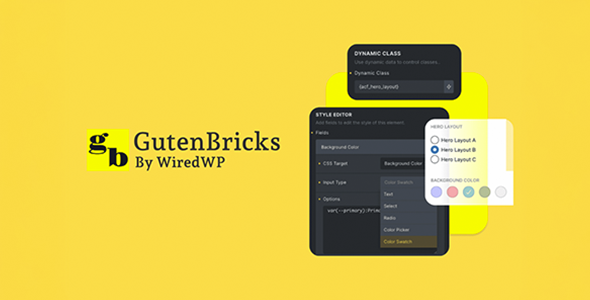
The GutenBricks Plugin connects Bricks Builder with the WordPress block system, allowing you to insert any Gutenberg block into advanced visual templates without losing functionality, styles, or consistency in WooCommerce flows.
GutenBricks Plugin is a WordPress add-on that combines the power of the Gutenberg editor with the flexibility of Bricks Builder, eliminating the friction that arises when a project needs both native blocks and advanced visual elements within the same structure. It's ideal for engineers and designers working on WooCommerce stores where visual consistency and editing speed make all the difference.
Introduction to GutenBricks Plugin
The GutenBricks Plugin solves one of the most recurring conflicts in modern WordPress projects: the inability to use Gutenberg blocks directly within Bricks Builder without losing styles, structure, or behavior, a problem that forces duplication of work and generates visual inconsistencies that affect the end user's experience.
The technical nature of this module lies in its ability to bridge the gap between two editing ecosystems that typically operate in silos. By integrating them, it reduces the time a developer spends maintaining consistency across templates and eliminates rendering errors that occur when both environments coexist without coordination.
Imagine a technician setting up a product page for a fashion store: they need a native WooCommerce review block in the visual header designed in Bricks. Without this plugin, the workflow breaks down. With it active, the block is inserted, inherits the visual context, and the technician completes the task in minutes, not hours.
Product overview
The functional area of GutenBricks Plugin covers the integration between visual editors and the native WordPress block system, a critical point for any store that scales and needs its team to edit content with agility without breaking the visual structure built in Bricks Builder.
Before incorporating this extension, the usual workflow was frustrating: the designer would build in Bricks, the writer or technician would try to add Gutenberg blocks, and the result was a visual or functional conflict that required manual intervention. The time lost reconciling both environments accumulated with each content update.
- Without the add-on: Inserting a Gutenberg block into a Bricks template causes style mismatches, loss of context, or simply fails to render, forcing workarounds that generate technical debt.
- With the active add-on: The tool enables a native element within Bricks that accepts and renders complete Gutenberg blocks, respecting styles and behaviors defined on both sides.
- Observable result: The team edits content without depending on the developer for each change, the store maintains visual consistency, and the back office becomes accessible to less technical profiles.
Requirements and compatibility
For GutenBricks Plugin to work correctly, you must verify that Bricks Builder is active as the main builder of the site, that the WordPress block editor is not disabled globally, and that the plugins that generate custom blocks are compatible with the rendering system used by the tool.
- Main dependency: Bricks Builder must be active and operational as a theme or builder; without it, this module has no workspace to operate on.
- Relevant compatibility: WooCommerce blocks such as cart, checkout, related products, and account forms work as direct use cases; also applies to blocks from shipping, coupons, and payment gateway plugins.
- Before deploying changes to production, it's advisable to test the integration in a staging environment, especially if the site uses third-party blocks with conditional logic or nested shortcodes.
Key benefits for your operation
- Editing without technical intermediaries: Many teams waste time waiting for a developer to step in every time content needs updating on pages built with Bricks. This plugin allows content or marketing professionals to edit Gutenberg blocks within those pages without touching the underlying design, reducing technical dependency and accelerating publishing cycles.
- Visual consistency throughout the store: When two editing systems coexist without a bridge, the result is often a store with visually inconsistent sections. The extension ensures that inserted blocks inherit the stylistic context of Bricks, maintaining visual identity even on pages that are frequently edited, such as offers or campaign landing pages.
- Reduction of technical debt: Manual workarounds for integrating Gutenberg and Bricks result in fragile code that breaks with every update. By centralizing integration in this module, the technical team works on a stable and predictable foundation, not on patches that require constant maintenance.
- Scalability in multi-page projects: A growing store frequently adds category pages, seasonal campaigns, and product pages. This plugin allows you to scale that content production without multiplying the technical effort for each new page, because the block insertion flow is standardized and reusable.
- Granular control over which block goes where: Not all Gutenberg blocks make sense in every template. The tool allows the developer to decide exactly which Bricks element and context each block is inserted into, preventing writers or content managers from breaking critical structures like checkout or account pages.
- Better UX for the end customer: When WooCommerce blocks render correctly within Bricks layouts, the customer navigates a consistent experience from the product page to the checkout process. This seamless flow reduces perceived friction and improves trust in the purchase process.
Featured Features of GutenBricks Plugin
- Native Gutenberg element in Bricks: This module adds a specific element to the Bricks Builder panel that acts as a container for any Gutenberg block. This means the designer doesn't need to leave the Bricks flow to insert dynamic, block-based content, maintaining consistency in the design process and avoiding costly context switches.
- Faithful rendering of complex blocks: Blocks containing WooCommerce logic, forms, or interactive components are rendered with their original behavior intact. For a store that relies on checkout blocks or filtered product lists, this means that functionality isn't degraded when embedded in a high-end visual template.
- Compatibility with third-party blocks: The extension isn't limited to native WordPress or WooCommerce blocks; it also supports blocks generated by marketing plugins, forms, subscriptions, and personalization tools. This significantly expands the ecosystem of content that can be seamlessly integrated into Bricks designs.
- Theme style heritage: The blocks inserted through this plugin respect the global styles defined in Bricks, including typography, colors, and spacing. As a result, dynamic content doesn't disrupt the store's visual identity, which is especially valuable on campaign pages where design and content must function as a single unit.
- Seamless integration with the native editor: This module is designed not to interfere with the standard WordPress block editor when used outside the Bricks context. Content editors working on posts or simple pages will not experience any disruption to their usual workflow, making it easier to adopt in mixed teams where not everyone uses the visual builder.
- Dynamic update of embedded content: When a Gutenberg block inserted into Bricks is part of a reusable pattern or a synchronized block, changes made at the source are automatically propagated. For teams managing promotions or recurring content, this eliminates the need to manually edit each instance.
Who is this product for?
This add-on is designed for those already using Bricks Builder as their primary design system who find that some of their store's content or functionality depends on the block ecosystem. It's not a tool for starting from scratch, but rather for resolving a specific friction point that arises as the project matures and requirements become more complex.
- Administrators or technicians who need to maintain control over which blocks are inserted into critical templates such as checkout, product sheets, or account pages, without opening the design to unsupervised edits.
- Agencies or freelancers managing multiple WooCommerce projects with Bricks are looking to standardize the dynamic content integration workflow to reduce delivery time and errors between projects.
- Marketing or UX managers who rely on specific blocks for campaigns, forms, or customizations and need those elements to work within the existing visual design without requiring intervention from the development team in each iteration.
Real-world use cases
- Food store with seasonal landing page: The marketing team needs to update a campaign page built with Bricks, including a WooCommerce featured products block. Without this module, the technical team has to redesign the section every time. With the extension active, the block is inserted into the corresponding Bricks element, the marketing team updates it from the back office, and the page reflects the changes without any development intervention. The result: shorter publishing cycles and less reliance on the technical team during peak periods.
- Agency managing five stores simultaneously: Each project uses Bricks with custom blocks from different plugins. The agency needs a standardized workflow that works the same across all projects without ad hoc configurations. This plugin consistently provides that bridge, reducing onboarding time for each new project and the errors that arise from different workarounds in each store.
- Online training store with personalized checkout: The checkout process includes a custom WooCommerce Checkout block with additional fields managed by a third-party plugin. The checkout template is designed using Bricks. Without proper integration, the checkout block loses styles or fails to render fields correctly. This tool resolves this by allowing the block to be embedded with complete fidelity, resulting in fewer abandoned checkouts due to visual confusion.
- Content Manager at a Fashion Store: The product page has an editorial content section built with Bricks, but the reviews block is native to WooCommerce. Every content update broke the reviews section or required a technician to review the template. With this module, the reviews block lives stably within the Bricks element, the content manager can edit the editorial content without affecting functionality, and the reviews display correctly on all devices.
Frequently Asked Questions about the GutenBricks Plugin
Does it work with any plugin that generates Gutenberg blocks or only with native WordPress blocks?
This plugin is designed to work with the WordPress block system as a whole, including native blocks, WooCommerce blocks, and blocks generated by third-party plugins. Actual compatibility depends on how each plugin registers its blocks, but in most cases—forms, sliders, product comparison tools, review systems—the integration works without additional configuration. For blocks with very specific script dependencies, it's advisable to test in a staging environment before deploying to production, not because it's unstable, but because some third-party plugins have non-standard rendering logic that may require adjustment.
How does inserting blocks into a Bricks template affect the checkout process?
The checkout process is one of the most sensitive aspects of any online store, and the concern that an integration might break it is entirely legitimate. This module renders checkout blocks while respecting their complete functional logic: fields, validations, gateways, and error states behave exactly as if the block were on a standard block-based page. The end customer perceives no difference in the shopping experience, and the technical team gains visual control over how the process is presented without sacrificing functionality.
Can I define rules or conditions to display specific blocks based on the page context?
Bricks Builder allows you to apply visibility conditions to any element, including the container where the Gutenberg block inserted through this module resides. This means you can show a sale block only to logged-in users, or a related products block only on specific category pages. Bricks handles the conditional logic, and the tool simply renders the correct block when that condition is met, without adding extra layers of complexity.
Does it affect auto-renewal or recurring payment flows in WooCommerce?
Renewal and recurring payment flows occur at the backend level and are independent of the visual rendering of a Bricks template. This plugin operates at the presentation layer, so it doesn't interfere with subscription logic, payment retries, or push notifications. Where it can be relevant is on customer account or subscription management pages: if these pages use Bricks as a template and need to display subscription status blocks, the extension allows them to be integrated seamlessly with the design.
How does it interact with WooCommerce's coupon, shipping, or tax blocks?
WooCommerce blocks that manage coupons, shipping calculators, or tax summaries function through this module just as they would on any other block page. Tax calculation, coupon validation, and shipping rules are still handled by WooCommerce in the backend; the extension simply ensures that these blocks render correctly within the Bricks layout. For stores with complex tax rules or multiple shipping zones, staging before publishing is a recommended practice.
Can it cause performance problems in stores with high traffic volume or many simultaneous blocks?
The performance impact depends primarily on the complexity of the blocks being inserted, not the module itself. Lightweight blocks like product lists or reviews have minimal impact. Blocks with heavy database queries or complex scripts may require additional optimization, but that would be the same with or without this plugin. For high-volume stores, combining this module with a suitable caching system and a CDN is standard practice for maintaining stable load times.
Is it viable to use this plugin in a multisite environment or in agencies that manage multiple stores?
Multisite use is possible and especially useful for agencies that need a standardized integration workflow between Bricks and blocks across multiple projects. Each subsite can have its own configuration of blocks and Bricks templates, and the tool operates independently on each one. For agencies, the real benefit lies in consistency: the same workflow works the same way across all projects, reducing the team's learning curve and errors resulting from different approaches in each store.
How can I verify that the plugin is working correctly after setting it up?
A practical way to validate the integration is to open a Bricks-built page containing an element with an embedded Gutenberg block and verify that the block renders visually with its correct styles, that its functionality—buttons, forms, filters—is responsive, and that no errors appear in the browser console. In the back office, checking that the element saves and loads without warning messages is another sign of stability. For checkout or account blocks, a full test purchase is the most reliable checklist.

Written and reviewed by the PrimeGPL Team
At PrimeGPL, we ensure that every piece of published content is verified and reviewed by our team. We analyze features, compatibility, and performance to provide you with clear, up-to-date, and truly useful information for each product listed in our store.
Get your questions answered here
We answer your questions so you can buy in an informed and confident manner.
Does my purchase include updates?
Yes. Every product purchase includes lifetime updates, so you won't have to pay extra under any circumstances.
Is there a daily download limit?
No, not at all. After your purchase, you can download it as many times as you need, without any problem.
On how many websites can I use the products?
You can use your purchases on as many domains (websites) as you want, without any problems.
Does it include technical support?
Yes. We offer technical support Monday through Friday, during business hours UTC -3. This support includes assistance with issues related to download problems, installation problems, or errors with the purchased product.
Furthermore, support does not include configurations, customizations, tutorials, or services associated with the author.
Does my purchase have a warranty?
Yes, of course. If you have any problem that we can't solve, or if there's an external issue that doesn't have a general solution related to our service, you'll receive support and, if necessary, a full refund.
How do I access support?
After your purchase, from your user account, you can access the support section, where you can open a ticket and our team will assist you with whatever you need.
Download Previous Versions
If you have purchased this product, or have an active membership, you can download previous versions without any limits or restrictions.
| Product Name | Version | Size | Date | Download |
|---|---|---|---|---|
| GutenBricks Plugin | 1.1.26 | 1 MB | 04/08/2025 | Join Now |
Related Products
Below we show you different products that share the same category.