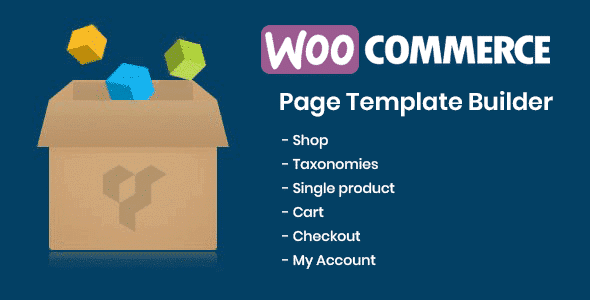
DHWCPage WooCommerce Page Builder

$29.00 Original price was: $29.00.$4.99Current price is: $4.99.
A specialized visual builder for WooCommerce that allows you to design product and category pages with native business logic, without touching code and without compromising the stability of the purchase flow.
DHWCPage WooCommerce Page Builder is a specialized visual builder for WooCommerce stores that allows you to design product pages, categories, and checkout elements without writing code. It's ideal for teams that need complete control over the visual experience without compromising the business logic. WooCommerce must be installed as a structural dependency.
Introduction to DHWCPage WooCommerce Page Builder
As a WooCommerce store grows, the separation between visual design and business logic becomes a real bottleneck: editing the product page involves modifying templates, risking breaking the checkout process, or waiting for an available developer. DHWCPage WooCommerce Page Builder eliminates this friction by offering a visual building environment directly integrated with WooCommerce data and workflows.
This plugin doesn't act as a generic builder where you simply add store widgets. Its architecture is designed from the WooCommerce perspective outwards, meaning that the price, variations, stock, buy button, and upsell areas all adhere to the internal logic of the commerce engine. This reduces presentation errors, data inconsistencies, and the need for subsequent debugging.
An administrator who needs to launch a new category page for a seasonal campaign can build it, preview it with real catalog data, and publish it without opening the code editor. The operation that previously required coordination between design and development becomes a back-office task.
Product overview
The visual management of a scaling WooCommerce store requires more than just dragging and dropping generic blocks: it needs an environment where design and business logic coexist seamlessly, and where changes in presentation do not affect the stability of payment, stock, or tax flows.
Before implementing this tool, many teams worked with rigid templates that required code modifications to adjust the order of elements, product galleries, or cross-selling sections. Each change involved risk, time, and technical dependency. With the extension active, these elements are managed from a visual interface where the WooCommerce context is always present.
- Without the add-on: Modifying the layout of a product page requires editing template files, with the risk of conflicts when updating the theme or WooCommerce.
- With the active add-on: The designer or administrator reorganizes sections, adds conditional content areas, and adjusts the presentation of variants using native WooCommerce blocks within the builder.
- Observable result: The team publishes visual changes in less time, with less dependence on the developer, and without affecting pricing logic, stock, or cart behavior.
Requirements and compatibility
Before deploying this module in a production environment, it is advisable to verify that WooCommerce is active and correctly configured, that the theme does not impose severe restrictions on product templates, and that any additional page builders present do not generate rendering conflicts with the visual layer of the extension.
- It relies on WooCommerce as its data engine: without it, the business blocks lack functional context and the tool loses its primary utility.
- Compatible with standard checkout flows, category pages, individual product pages, upsell and cross-sell zones, and conditional elements based on product attributes.
- In stores with deep template customizations or multiple active builders, it is recommended to validate in a staging environment before publishing changes to production.
Key benefits for your operation
- Reduction of technical dependence in design: Marketing and content teams waste valuable time waiting for developers to make minor visual adjustments. This module allows those adjustments to be made directly from the back office, using blocks that respect WooCommerce logic. The result is a faster publishing cycle and fewer operational bottlenecks.
- Risk-free visual control over trade flows: Modifying the design of a product page in a live store is risky if it involves modifying templates. This extension separates the presentation layer from the internal logic, allowing visual changes without affecting the behavior of the shopping cart, taxes, or shipping rules.
- Visual consistency across campaigns: Maintaining design consistency across different category or product pages during seasonal campaigns is difficult without a centralized system. This tool allows you to reuse layouts, apply global structures, and make controlled bulk presentation changes.
- Better shopping experience for the end customer: A poorly structured product page leads to abandonment before the shopping cart. With this plugin, operators can optimize the order of information, highlight key elements such as warranties or variations, and reduce visual friction that hinders conversion.
- Scalability without multiplying the effort: As the catalog grows, maintaining individual pages manually becomes impractical. This module allows you to establish reusable page structures that can be applied to new products or categories, reducing the setup time for each new item.
- Change traceability and visual version management: Knowing what changed, when, and with what effect is crucial in operations with multiple publishers. The tool maintains control over published states and drafts, reducing errors caused by unintentional changes to live pages.
Key features of DHWCPage WooCommerce Page Builder
- Native WooCommerce blocks integrated into the builder: Unlike generic builders that add external shortcodes, this module exposes real WooCommerce data—dynamic pricing, stock levels, variants, and the buy button—as editable blocks within the design flow. This means that what you see in the editor exactly reflects what the shopper will see.
- Conditional design based on product attributes: The tool allows you to show or hide sections based on product conditions, such as type, category, stock, or custom attributes. An operator can thus create different layouts for products on sale, out-of-stock products, or products with multiple variations without duplicating pages.
- Real-time preview with catalog data: Every change in the builder is reflected with real data from the selected product, not with fictitious demo data. This reduces the gap between design and final result, preventing surprises when publishing.
- Reuse of layouts across products and categories: Creating a page structure, saving it as a template, and applying it to new products is a feature that drastically reduces management time in catalogs with hundreds of references. Visual consistency scales proportionally without additional effort.
- Integration with upsell and cross-sell areas: The related and recommended product sections are visually configured, with control over position, format, and display conditions. This allows you to align the presentation of sales suggestions with the strategy of each campaign or category.
- Compatible with role logic and conditional visibility: Certain design elements can be shown only to registered users, customers with a purchase history, or specific roles. This capability is relevant for B2B stores or loyalty programs where the experience varies depending on the buyer's profile.
Who is this product for?
This plugin is designed for operators who already have a functioning WooCommerce store and have reached the point where the design of their business pages is hindering their ability to iterate. It's not a tool for those starting from scratch, but rather for those who already know what they want to display and need to display it without having to write code every time.
- Administrators or technicians who need to control the visual presentation of products, categories, and key pages without modifying theme templates or WooCommerce core files.
- Teams that manage multiple projects or stores and need to replicate visual structures consistently, reducing setup time per project.
- Marketing or UX managers who design conversion-oriented shopping experiences and need to iterate quickly on the layout without opening tickets to the development team.
Real-world use cases
- Seasonal campaign with custom category pages: A fashion retailer needs to launch a distinct visual section for its seasonal campaign, featuring banners, featured filters, and curated products. Without this module, that would require custom development. With this tool, the marketing team designs the layout directly, applies visibility conditions based on dates, and publishes without any technical intervention. The result: campaigns launched on time, with a design aligned with the overall strategy.
- B2B catalog with differentiated experience by role: An industrial materials store displays different prices and technical data sheet download sections only to customers registered as distributors. This plugin allows you to visually configure these conditional blocks by role, without any additional logic in the theme. The end customer sees exactly what corresponds to their profile, without information leaks or broken experiences.
- Product page optimization to reduce abandonment: An operator notices that their product pages have a high exit rate before the shopping cart. With this module, they can visually reorganize the order of the elements—gallery, short description, benefits, buy button—in minutes, test staging variations, and publish the optimized version. The team can iterate on the design without waiting for development cycles.
- Standardizing templates in an agency with multiple clients: An agency manages several WooCommerce stores with similar product structures. Using the tool, they build a base layout, export it, and apply it as a starting point for each new project. This reduces initial setup time and ensures that good UX practices are consistently replicated for every client.
Frequently Asked Questions about DHWCPage WooCommerce Page Builder
Does it work with any WordPress theme or does it have compatibility restrictions?
The tool works with most well-structured themes that adhere to WordPress and WooCommerce standards, but themes with highly customized product templates or those that aggressively override engine hooks may cause visual conflicts. Before using it in production with a heavily modified theme, it's advisable to validate it in a test environment to identify overlaps between the builder and existing templates. Block-based WordPress themes may also require additional attention depending on their internal architecture.
How does custom design affect the customer experience in the buying process?
The builder operates on the presentation layer, not on the WooCommerce transaction engine. This means that visual changes to the product page—item order, content areas, upsell sections—do not alter the behavior of the shopping cart, checkout, or order confirmation. The end customer experiences a clearer purchase flow, aligned with the operator's intent, without compromising transactional stability.
Does it allow you to create conditional content rules based on product type or user profile?
Yes. This extension includes conditional visibility logic that allows you to show or hide blocks based on product attributes, category, stock level, product type, or the registered user's role. An operator can show a datasheet download section only to users with the distributor role, or an urgent item label only to products with stock below a defined threshold. This flexibility reduces the need to create duplicate pages for different segments.
What happens to the designed pages if the module is temporarily deactivated?
If the module is deactivated, pages that relied on its builder may display incomplete or unformatted content, as the tool's specific blocks will no longer render correctly. In most cases, there is no permanent data loss, but the visual experience will be degraded until the extension is reactivated. This is standard behavior for builders of this type and underscores the importance of not deactivating it in production without a migration plan.
How does it interact with coupons, dynamic pricing, or shipping rules configured in WooCommerce?
The module respects the pricing rules configured in WooCommerce: the prices it displays are those calculated by WooCommerce based on the active rules, including applied coupons, role-based pricing, and discounts from pricing plugins. It doesn't replace this logic, but rather presents it visually. If a product has a special volume price, the price block in the builder will display it correctly, provided the pricing logic is properly configured in the commerce engine.
Does the builder affect page load speed in stores with large catalogs?
Like any additional rendering layer, this module can increase load if layouts include many dynamic blocks with database queries. In stores with extensive catalogs and high traffic, it's advisable to use page caching and review the number of dynamic widgets per page. Observable performance also depends on server and theme configurations, so there are no absolute figures, but the tool is designed to operate efficiently within well-configured, standard WooCommerce environments.
Is it viable to use it in multisite installations or in agencies that manage several stores?
The module can be used in WordPress multisite environments, although managing templates and layouts across sites in the network requires verifying that each subsite's configuration is compatible with the extension. For agencies, the ability to export and import layouts is especially useful: it allows them to build a design base in a controlled environment and replicate it across client projects, reducing setup time and maintaining visual consistency between stores with similar product structures.
How do I know if the builder is working correctly in my store?
A practical way to verify this is to check that the product or category pages designed with the module render correctly on the frontend, that the dynamic blocks—price, stock, variants, buy button—display accurate catalog data, and that the conditional elements appear or hide according to the defined rules. Additionally, navigating the complete purchase flow from these pages—add to cart, checkout, confirmation—confirms that the design does not interfere with WooCommerce's transactional logic.

Written and reviewed by the PrimeGPL Team
At PrimeGPL, we ensure that every piece of published content is verified and reviewed by our team. We analyze features, compatibility, and performance to provide you with clear, up-to-date, and truly useful information for each product listed in our store.
Get your questions answered here
We answer your questions so you can buy in an informed and confident manner.
Does my purchase include updates?
Yes. Every product purchase includes lifetime updates, so you won't have to pay extra under any circumstances.
Is there a daily download limit?
No, not at all. After your purchase, you can download it as many times as you need, without any problem.
On how many websites can I use the products?
You can use your purchases on as many domains (websites) as you want, without any problems.
Does it include technical support?
Yes. We offer technical support Monday through Friday, during business hours UTC -3. This support includes assistance with issues related to download problems, installation problems, or errors with the purchased product.
Furthermore, support does not include configurations, customizations, tutorials, or services associated with the author.
Does my purchase have a warranty?
Yes, of course. If you have any problem that we can't solve, or if there's an external issue that doesn't have a general solution related to our service, you'll receive support and, if necessary, a full refund.
How do I access support?
After your purchase, from your user account, you can access the support section, where you can open a ticket and our team will assist you with whatever you need.
Download Previous Versions
If you have purchased this product, or have an active membership, you can download previous versions without any limits or restrictions.
| Product Name | Version | Size | Date | Download |
|---|---|---|---|---|
| DHWCPage WooCommerce Page Builder | 5.3.5 | 0.2 MB | 26/09/2023 | Join Now |
Related Products
Below we show you different products that share the same category.