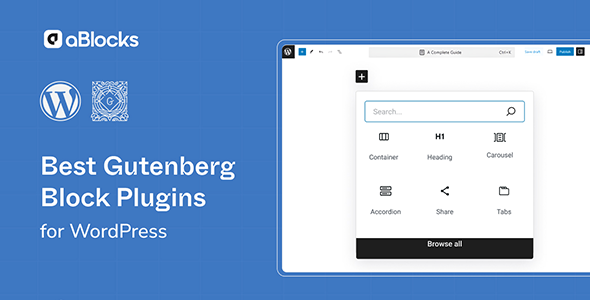
aBlocks Pro Plugin

$49.00 Original price was: $49.00.$4.99Current price is: $4.99.
A professional extension for Gutenberg that incorporates advanced blocks, conditional logic, and dynamic WooCommerce components directly into the editor, eliminating dependency on multiple design plugins and returning editorial control to the operations team.
aBlocks Pro Plugin is an advanced Gutenberg extension that expands the block editor with professional components designed for WordPress and WooCommerce operations that demand greater visual and functional control. It's ideal for developers and administrators building product pages, checkout landing pages, or dynamic content sections without relying on fragmented external solutions.
Introduction to aBlocks Pro Plugin
aBlocks Pro Plugin is a visual building tool that expands the native WordPress editor with advanced blocks geared towards real store flows, eliminating the friction of working with limited editors that force you to combine multiple solutions to achieve basic design and functionality results.
The modular nature of this plugin allows it to be integrated into editorial and commercial processes without reconfiguring the entire site architecture. Each component operates autonomously but consistently, reducing errors due to conflicts and simplifying ongoing maintenance for the technical team.
An administrator managing a store with variable products can, for example, compose a product detail page with specification blocks, FAQ accordions, and conditional calls to action, all from the editor, without touching code and without adding extra layers to the publishing flow.
Product overview
This module acts directly on the content editing and presentation layer, with a measurable impact on the visual management of catalogs, checkout pages and key sections of the store, especially when the volume of products or campaigns demands speed of publication without sacrificing UX consistency.
Before incorporating an extension like this, many teams build pages by combining insufficient native blocks with legacy shortcodes and overlapping secondary plugins. The result is editorial instability, visual inconsistency, and time wasted on manual adjustments for each new post.
- Without the add-on: The editorial team uses combinations of plugins to achieve basic layouts, generating cross-dependencies and a greater risk of conflicts in environment updates.
- With the active add-on: Complete sections are built with specialized blocks that include conditional logic, advanced styles, and connection to WooCommerce data from within the editor itself.
- Observable result: Product pages and landing pages published faster, with less technical intervention, and a more consistent visual experience for the end customer at every point in the funnel.
Requirements and compatibility
For this extension to work correctly, it is necessary to check that the environment has the active block editor as the main editing system, with WordPress configured without legacy compatibility modes that may interfere with the rendering of advanced components or communication with WooCommerce.
- Requires WordPress with the Gutenberg block editor enabled as the default editor; environments operating with classic editors as the primary mode may experience functional limitations.
- Compatible with WooCommerce checkout flows, product pages, category archives, user role management, and dynamic blocks linked to store data such as prices, stock, and shipping conditions.
- In stores with extensive theme customizations or multiple active design plugins, it's advisable to validate behavior in a staging environment before applying changes to production, especially on high-traffic pages.
Key benefits for your operation
- Reduction of editorial dependencies: Many developers waste hours resolving conflicts between overlapping design plugins. This module centralizes visual design in a single system, reducing the number of active extensions and thus the potential for conflicts in each update cycle.
- Faster campaign launch speed: When there's an urgent promotion, the time it takes to go live matters. The tool allows you to create landing pages and offer sections directly from the editor without coding iterations, shortening the cycle between business decision and actual publication.
- Visual control without developmental intervention: Marketing and content teams often rely on the technical department for design changes that should be manageable independently. With this plugin, editing advanced blocks is handled by the operations team without risking breaking the site's structure.
- UX consistency throughout the entire funnel: Visual inconsistencies between category, product, and checkout pages lead to friction and abandonment. This extension provides unified stylistic components that maintain a consistent user experience from the first click to order confirmation.
- Scalability without reconfiguration: A growing online store needs to add pages and sections without having to redo its editorial architecture. This plugin allows you to scale your content catalog by reusing block patterns without duplicating technical work or adding new external dependencies.
- Traceability in the content structure: Knowing which blocks are used on which pages is key for audits and migrations. The tool maintains a standard and traceable block structure, facilitating regular technical reviews and reducing the time it takes to diagnose issues.
Key features of aBlocks Pro Plugin
- Advanced dynamic content blocks: They allow you to display real-time WooCommerce data such as prices, stock availability, or shipping conditions directly in the body of any page, without shortcodes or custom queries, eliminating a common layer of error in stores with changing catalogs.
- Layout builder with granular responsive control: Each block includes per-device layout options, allowing a section designed for desktop to adapt correctly on mobile without additional CSS adjustments, reducing UX issues reported by users on small devices.
- Conditional blocks by role or context: They show or hide content according to the profile of the browsing user, useful for differentiating the experience between registered customers and visitors, or between wholesalers and end consumers, without needing to duplicate pages or manage multiple versions of the same content.
- Reusable pattern library: Teams can save block combinations as internal templates and reuse them on new pages, standardizing store design and significantly reducing new content production time in operations with frequent publishing.
- Integration with form data and automations: Some blocks of the plugin allow you to connect with site automation flows, such as lead capture, checkout conditions, or post-purchase messages, giving the marketing team personalization tools directly from the editor.
- Extended typographic and design controls: Beyond Gutenberg's native settings, this extension exposes design parameters such as advanced spacing, shadows, gradients, and basic block animations, allowing you to build visually impactful pages without leaving the standard editing environment.
Who is this product for?
This plugin is designed for those who operate WordPress stores or sites where the gap between what the native editor offers and what the operation needs creates real bottlenecks, whether in publishing time, visual consistency, or dependence on the technical area for tasks that should be autonomous.
- Technical administrators who need to reduce the number of active plugins and maintain traceability over the blocks used on critical pages of the sales funnel.
- Agencies or freelancers who manage multiple WooCommerce projects and need a base of reusable components that ensures consistency between sites without reconfiguring from scratch each time.
- Content, marketing, or UX managers who work on conversion flows and need editorial autonomy to modify key sections without depending on a development cycle for each change.
Real-world use cases
- Seasonal campaign with dedicated landing page: A store with seasonal demand spikes needs to publish a sale landing page in less than 24 hours. Without this module, the team waits its turn for development. With it, the marketing manager builds the page with countdown timers, a product gallery, and conditional CTAs based on stock availability, and publishes it automatically. The result: more agile campaigns without technical bottlenecks during peak sales periods.
- Content differentiation by customer type: A B2B and B2C store on the same platform needs to display different prices and terms depending on the user's profile. The plugin's conditional blocks allow you to manage this logic from the editor, without duplicating pages or adding custom logic to the theme. The team maintains a single content tree with role-controlled variations, reducing editorial consistency errors.
- Content audit and migration: When reviewing a legacy store with multiple active design plugins, technicians often encounter non-standard blocks that are difficult to track. Migrating to this extension ensures a documented and consistent block structure, facilitating future audits, improving troubleshooting, and reducing intervention time during each periodic technical review.
- Optimizing the checkout process with contextual content: During the checkout process, displaying guarantees, trust seals, or urgency messages can reduce abandonment. With the advanced blocks in this module, the team can insert these elements directly into the WooCommerce checkout page with complete visual control, without modifying theme templates or writing additional code. The result is a more persuasive sales page managed directly from the editor.
Frequently Asked Questions about aBlocks Pro Plugin
Does it work with any WordPress theme or does it have compatibility restrictions?
The extension works with the native WordPress block editor and is compatible with most Gutenberg-compliant themes. Themes with proprietary visual builders or those that disable the block editor may have functional limitations. Before deploying to production, it's advisable to test its behavior in a staging environment, especially if the theme uses highly customized global styles that could interfere with the rendering of advanced blocks. Block-based themes offer the best compatibility experience.
How does this affect the purchasing process and the end customer's experience?
The impact on the end customer's experience depends directly on how the blocks are used on the pages of the sales funnel. Well-implemented contextual content blocks on product or checkout pages can increase buyer confidence, reduce hesitation before payment, and improve the perceived quality of the site. The tool doesn't modify WooCommerce's payment logic, but rather the presentation and content layer surrounding that process, making it a conversion ally without compromising transactional functionality.
Does it allow you to create rules or conditions to automatically display content?
Yes. This module includes blocks with conditional logic that allow you to show or hide sections based on the user's status, their role on the site, or the browsing context. These conditions are configured directly within the editor without code, opening up possibilities for dynamic content personalization for different audience segments. For more complex automations involving system actions or external triggers, integration with complementary automation tools may be required.
Does it have any effect on recurring payments or the management of failed orders?
This plugin works on the site's content and design layer, not on payment processing logic or the management of subscriptions or failed orders. Those functionalities depend on the corresponding WooCommerce extensions. What it can do is improve pages related to those workflows, such as post-payment messages, order status pages, or follow-up communications, making them clearer and more visually consistent for the customer.
Does it affect tax calculations, shipping methods, or coupon applications?
It does not interfere with WooCommerce's calculation logic for taxes, shipping costs, or coupon validation. These operations are handled by the WooCommerce core and its specific extensions. However, the plugin can be used to create informative sections about shipping conditions, free shipping thresholds, or contextual messages about active discounts, improving customer communication without altering the underlying calculation processes.
Can it cause performance problems in stores with high traffic or large catalogs?
As with any extension that adds dynamic blocks and queries, the performance impact depends on how many blocks with real-time data are used and the overall quality of the hosting environment. Using static blocks has a minimal impact. WooCommerce's dynamic data blocks can generate additional queries, which should be monitored for very large catalogs. Implementing page-level caching and reviewing load metrics before and after integration is a best practice for maintaining stability under high traffic.
Is it suitable for managing multiple stores from the same installation or in a multisite configuration?
The plugin can operate on WordPress multisite setups, although the management of blocks and reusable patterns is handled independently for each site in the network. For teams managing multiple stores, this means some initial setup work for each installation, but it also allows them to tailor blocks to the specific needs of each store without changes in one affecting the others. This is a relevant consideration for agencies that maintain networks of sites with diverse client profiles.
How can I tell if the plugin is working correctly on my site?
A practical way to verify this is to check that advanced blocks appear in the block editor after activation, that conditional blocks respond correctly to the user's role in preview, and that pages with applied dynamic blocks display the expected WooCommerce data without any visible errors. Checking the browser console for JavaScript errors, verifying the load time of affected pages, and validating mobile behavior are basic steps in a post-implementation checklist.

Written and reviewed by the PrimeGPL Team
At PrimeGPL, we ensure that every piece of published content is verified and reviewed by our team. We analyze features, compatibility, and performance to provide you with clear, up-to-date, and truly useful information for each product listed in our store.
Get your questions answered here
We answer your questions so you can buy in an informed and confident manner.
Does my purchase include updates?
Yes. Every product purchase includes lifetime updates, so you won't have to pay extra under any circumstances.
Is there a daily download limit?
No, not at all. After your purchase, you can download it as many times as you need, without any problem.
On how many websites can I use the products?
You can use your purchases on as many domains (websites) as you want, without any problems.
Does it include technical support?
Yes. We offer technical support Monday through Friday, during business hours UTC -3. This support includes assistance with issues related to download problems, installation problems, or errors with the purchased product.
Furthermore, support does not include configurations, customizations, tutorials, or services associated with the author.
Does my purchase have a warranty?
Yes, of course. If you have any problem that we can't solve, or if there's an external issue that doesn't have a general solution related to our service, you'll receive support and, if necessary, a full refund.
How do I access support?
After your purchase, from your user account, you can access the support section, where you can open a ticket and our team will assist you with whatever you need.
Download Previous Versions
If you have purchased this product, or have an active membership, you can download previous versions without any limits or restrictions.
| Product Name | Version | Size | Date | Download |
|---|---|---|---|---|
| aBlocks Pro | 2.8.0 | 2.1 MB | 08/04/2026 | Join Now |
Related Products
Below we show you different products that share the same category.