
Newspaper Blog and Magazine Theme
$59.00 Original price was: $59.00.$4.99Current price is: $4.99.
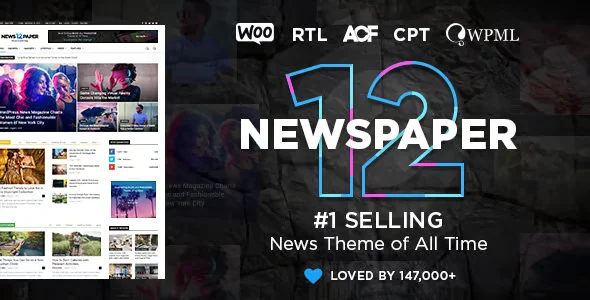
He Newspaper Blog and Magazine Theme It's a visual and structural solution for WordPress designed for publishers who publish editorial content at scale: news sites, digital magazines, or high-traffic blogs. It offers flexible layouts, editorial typography, and complete control over content arrangement, eliminating reliance on heavyweight page builders that slow down the back office.
Introduction to Newspaper Blog and Magazine Theme
When an editorial team needs to publish dozens of articles with different visual hierarchies without touching code, operational friction grows quickly: rigid templates, blocks that don't respond well on mobile, and layouts that require constant technical intervention are the bottlenecks that this theme solves from day one.
The tool integrates a visual construction system geared towards journalistic content, with homepage modules, category sections, and featured article widgets that are configured from the back office without leaving the WordPress environment. This reduces the operational workload for the technical team and gives editors greater autonomy.
Imagine an editor managing three sections with different publication frequencies: with this plugin, she can rearrange the homepage, highlight breaking news, and adjust the visual weight of each section in minutes, without waiting for a developer to intervene in production.
Product overview
The core functional area of this theme is scalable editorial presentation: controlling how the end reader perceives, navigates, and consumes content in an environment that can grow from 10 to 10,000 articles without the experience degrading, and without the team wasting hours on manual design adjustments every time the content strategy changes.
Before implementing a solution like this, many editorial sites relied on generic themes patched with layout plugins: the result was slow, visually inconsistent, and difficult to maintain as the team grew. With this active theme, each section has its own presentation logic configured from dedicated panels.
- Without the add-on: The editorial team manually modifies the CSS every time they want to change the visual hierarchy of the homepage, generating inconsistencies and constant technical dependence.
- With the active add-on: Editors drag, reorder, and assign visual weights to articles from an editorial widgets panel without any code intervention.
- Observable result: The cover reflects the day's editorial strategy in real time, the technical team does not intervene in routine design changes, and the end reader's experience is consistent on desktop and mobile.
Requirements and compatibility
Before deploying this tool in a production environment, it is advisable to verify that the base WordPress environment is up to date, that the caching plugins are compatible with complex structure themes, and that there are no conflicts with other active themes or page builders that manage the same area of the front-end.
- Main dependency: WordPress as the base CMS with administrator permissions to activate and configure the editorial layout panels.
- Functional compatibility with SEO plugins, comment systems, display advertising networks, and integrated content analysis tools via widget or shortcode.
- It is recommended to validate the behavior in a staging environment when the site already has active performance optimization plugins, especially those that manipulate the DOM or asset loading.
Key benefits for your operation
- Editorial autonomy without technical dependence: Editorial teams waste hours waiting for design changes that should be editorial decisions. This extension puts visual control in the hands of the content team, who can rearrange homepages, feature articles, and adjust sections without touching a line of code. The result is a more streamlined operation and a technical team that can focus on real improvements.
- Consistent reading experience across all devices: A reader arriving from a mobile device and encountering a broken layout will likely abandon the site without becoming a subscriber or returning visitor. This tool applies responsive structures by default to each content module, ensuring that the visual hierarchy is maintained regardless of the access device.
- Scalability without redesign: Editorial sites grow: new sections, new contributors, new formats. The plugin is built to absorb that growth from the base structure, without needing to migrate to another theme or redesign every time the content strategy evolves.
- Optimized loading speed for dense content: Homepages with many images and articles tend to be slow if the theme doesn't manage assets well. This tool includes optimized loading logic that reduces the visual impact of images without sacrificing perceived quality, which is critical for sites with high organic traffic.
- Typographic and brand control without additional plugins: Maintaining brand consistency across a site with multiple contributors is a real challenge. This module lets you define typographic hierarchies, color palettes, and heading styles from a centralized panel, eliminating the need for conflicting, additional typography plugins.
- Seamless integration with monetization tools: Operators who rely on display advertising or sponsorships need predictable and non-intrusive ad placements. The tool includes dedicated widget areas for banners that respect the reader experience and facilitate ad inventory management without modifying templates.
Featured Features of Newspaper Blog and Magazine Theme
- Interchangeable cover layout system: It allows you to switch between different cover structures without losing the configured content, which is crucial when the team wants to test different visual hierarchies depending on traffic or the editorial season.
- Editorial widgets by category: Each section of the site can have its own presentation module with independent sorting logic — latest news, most read, editor's highlights — without duplicating configurations or relying on complex shortcodes.
- Editorial typography configurable from the panel: Centralized typographic control allows for maintaining brand consistency across headlines, summaries, and body text without the need to manually edit CSS files, reducing visual inconsistencies between sections.
- Native support for extended input formats: Articles with galleries, embedded video, audio, or long quote format have a dedicated presentation that the theme recognizes and renders correctly, preventing the editor from having to force styles through code in each post.
- Unified theme options panel: All design, behavior, and presentation settings are centralized in a single administration panel, reducing onboarding time for new administrators and minimizing the risk of conflicting settings between sections.
- Advertising areas integrated into the structure: Banner placements are designed as part of the layout, not as external additions, ensuring that ads do not break the visual structure at any breakpoint and making management easier for monetization teams.
Who is this product for?
This theme is designed for operators who manage frequently updated websites and need a design that keeps pace with editorial speed without incurring technical debt. It's not for those who publish occasionally, but for those who need their site structure to be as agile as their content team.
- Administrators or technicians who manage editorial sites with multiple sections and need granular control over the presentation without relying on constant manual updates.
- Teams that operate multiple publishing projects and need a consistent visual foundation that can be adapted to each brand without redoing the work from scratch.
- Content managers, SEO specialists, or user experience managers who depend on the visual structure accurately reflecting the content hierarchy to improve engagement and ranking metrics.
Real-world use cases
- High-traffic news writing: A digital publication publishes between 20 and 50 articles daily and needs its homepage to reflect the changing editorial priorities throughout the day. Without the right tool, every change requires technical intervention. With this theme, the editor-in-chief can rearrange the homepage from the back office in minutes, readers always see the most relevant content at the top, and the technical team doesn't have to interrupt their workflow with design requests.
- Digital magazine with distinct thematic sections: A publication with technology, culture, and economics sections needs each area to have its own visual identity without breaking overall brand consistency. This plugin allows you to assign different layouts and color palettes to each section, improving reader navigation and reinforcing the perception of editorial specialization.
- Corporate blog with SEO content strategy: A company that uses its blog as its primary organic lead generation channel needs to control the hierarchy of headings, featured images, and calls to action without the design interfering with search engine relevance signals. The tool maintains a clean semantic structure that the SEO team can validate without touching any code.
- Content platform with multiple contributors: A site with multiple authors and editors needs each contributor to be able to publish in their preferred format without breaking the overall design. Extended post formats and category widgets ensure that every post renders correctly regardless of who created it, eliminating the need for post-publication design revisions.
Frequently Asked Questions about Newspaper Blog and Magazine Theme
Which plugins and tools is this theme compatible with?
The theme is compatible with most major SEO plugins, commenting systems, analytics tools, and display advertising networks that operate in standard WordPress environments. Before using it in production, it's advisable to verify that there are no conflicts with page builders that also manage the front end, as both systems can interfere with layout rendering. A test in a staging environment with the plugins active will resolve any doubts before the final deployment.
How does this issue affect the reader experience on mobile and desktop?
The included layouts are designed with built-in responsive logic, meaning the visual hierarchy automatically adapts to screen size without requiring additional configuration. Mobile users experience the same content priority as desktop users, reducing abandonment rates on smaller devices and improving time spent on the site.
Does it allow you to configure rules or conditions to display different content depending on the section?
Yes. The category widget system allows you to assign different presentation logic to each section of the site—latest news, most read, editor's picks—independently. This requires no custom code: it's managed from the back-office widgets panel, giving editors real control over what content appears, where, and according to what editorial criteria.
Does this issue have any impact on payment or subscription processes if the site uses WooCommerce?
The theme primarily operates in the front-end editorial area and doesn't directly interfere with the WooCommerce checkout flow. However, if the site combines editorial content with a live store, it's advisable to verify that the theme styles don't override the checkout styles, especially on cart and order confirmation pages. A visual review in a staging environment can confirm this without risk.
How does this issue interact with coupon systems or subscription access?
The theme doesn't handle login logic, coupons, or memberships itself; those functionalities depend on specific plugins. What it does do is maintain a clean template structure that facilitates the integration of paywall or subscription-based access plugins without design conflicts, provided those plugins use standard WordPress hooks to inject their elements into the front end.
How does the theme perform on sites with high content volume and high traffic?
Performance on high-traffic sites depends on factors such as hosting, caching configuration, and the number of active plugins, not just the theme. That said, the tool is built with optimized asset loading logic that avoids unnecessary render blocking. In environments with active page caching, the impact is minimal. For very high volumes, combining the theme with a CDN and a robust caching plugin is the recommended setup.
Is it possible to use this theme in a WordPress Multisite installation or manage multiple posts from the same environment?
The theme can work in multisite environments, although managing site-specific settings requires prior verification, as some theme options panels don't always replicate correctly across subsites. For teams managing multiple publications, it's recommended to test the configuration on a staging subsite before replicating it to production. The theme's core structure is compatible with WordPress network logic.
How do I know that the theme is working correctly after the initial setup?
A practical checklist: verify that the homepage loads with the visual hierarchy configured in the widgets panel; check that each section displays the correct articles according to the assigned logic; review the mobile view on at least two different screen sizes; validate that the advertising areas render without breaking the layout; confirm that the extended input formats — gallery, video, quote — are displayed with the correct style; and check in the browser inspector that there are no console errors related to theme assets.
Short description
WordPress theme for editorial sites with flexible layouts, visual control from the back office, and a native responsive structure. Ideal for teams that publish at scale and need design autonomy without relying on constant technical development.

Written and reviewed by the PrimeGPL Team
At PrimeGPL, we ensure that every piece of published content is verified and reviewed by our team. We analyze features, compatibility, and performance to provide you with clear, up-to-date, and truly useful information for each product listed in our store.
Get your questions answered here
We answer your questions so you can buy in an informed and confident manner.
Does my purchase include updates?
Yes. Every product purchase includes lifetime updates, so you won't have to pay extra under any circumstances.
Is there a daily download limit?
No, not at all. After your purchase, you can download it as many times as you need, without any problem.
On how many websites can I use the products?
You can use your purchases on as many domains (websites) as you want, without any problems.
Does it include technical support?
Yes. We offer technical support Monday through Friday, during business hours UTC -3. This support includes assistance with issues related to download problems, installation problems, or errors with the purchased product.
Furthermore, support does not include configurations, customizations, tutorials, or services associated with the author.
Does my purchase have a warranty?
Yes, of course. If you have any problem that we can't solve, or if there's an external issue that doesn't have a general solution related to our service, you'll receive support and, if necessary, a full refund.
How do I access support?
After your purchase, from your user account, you can access the support section, where you can open a ticket and our team will assist you with whatever you need.
Download Previous Versions
If you have purchased this product, or have an active membership, you can download previous versions without any limits or restrictions.
| Product Name | Version | Size | Date | Download |
|---|---|---|---|---|
| No hay versiones anteriores registradas. | ||||
Related Products
Below we show you different products that share the same category.




