WordPress Real Media Library

$39.00 Original price was: $39.00.$4.99Current price is: $4.99.
Organize your WordPress media library into true hierarchical folders without altering URLs or breaking existing mappings. A must-have for WooCommerce stores with large catalogs that need control, speed, and zero errors in image management.
WordPress Real Media Library is the plugin that transforms the native WordPress media library into a real, hierarchical, and navigable folder system. It's ideal for WooCommerce stores with extensive catalogs, agencies managing multiple projects, or content teams that waste time locating files. Its main technical contribution is structural organization without altering URLs or breaking existing references.
Introduction to WordPress Real Media Library
When a store accumulates hundreds of product images, campaign banners, and downloadable documents, the default WordPress media library becomes a bottleneck: WordPress Real Media Library introduces a folder hierarchy that eliminates that friction directly from the back office, without the need for additional plugins or server reconfiguration.
The tool operates directly on the WordPress data structure, organizing files through a categorization layer that coexists with the native system. This means that bulk upload workflows, image assignment to product variants, and post attachment management continue to function exactly the same, but with significantly enhanced navigation and filtering capabilities. The result is a noticeable reduction in assignment errors and a lower workload for the team.
Imagine a back-office technician managing a store with over three thousand SKUs: before implementing this plugin, locating the correct image for a discontinued variant could take several minutes of endless scrolling. With the extension active, they open the folder corresponding to the season or product line, select the file, and reassign it in seconds. This kind of micro-gain, repeated dozens of times a day, transforms the team's actual productivity.
Product overview
Media management is one of the most underestimated areas in terms of its impact on operational stability and internal UX: a messy system generates allocation errors, duplicates, and silently accumulating wasted time, especially in WooCommerce stores that frequently publish new collections or maintain multiple languages with different images.
Before this module was implemented, the process was characterized by manual searches, uninformative file names, and the inability to know which images were in use and which weren't. With the tool activated, the team can organize media into thematic folders, by campaign, product category, or format, and navigate between them as easily as in any professional file system.
- Without the add-on: The content team navigates through hundreds of unstructured thumbnails, repeats searches by file name, and assigns incorrect images to products, resulting in visible inconsistencies in the store's showcase.
- With the active add-on: Images are organized into hierarchical folders configured by the administrator; when new files are uploaded, they are assigned directly to the corresponding folder, and filters allow you to locate any media in a few seconds.
- Observable result: Fewer product assignment errors, faster publication of new collections, and a more organized back office that facilitates collaboration between different team roles.
Requirements and compatibility
For this extension to work correctly, it's advisable to check its compatibility with the active theme and other plugins that manipulate the media library, since any tool that alters the uploader or file selection modals can generate conflicts that affect the display of folders or selection from the Gutenberg block editor.
- It requires an active WordPress installation as the base platform; it does not depend on WooCommerce to function, although it offers clear integration with product management flows in stores that use it.
- Compatible with the classic editor, Gutenberg, and most page builders like Elementor or Divi, as long as they use the standard WordPress media selector without aggressive modifications.
- In installations with a large volume of existing media, it is advisable to perform a test in a staging environment before proceeding with the massive migration and reorganization, to validate that the import of the structure does not generate high loading times or conflicts with other active extensions.
Key benefits for your operation
- Time savings in content management: Locating a specific image in an unstructured library is time-consuming and repeated with each post. This module allows you to instantly navigate through thematic or hierarchical folders, reducing search time to seconds and freeing up your team for higher-value tasks.
- Reduction of errors in media allocation: When files are disorganized, it's common to assign incorrect images to products or posts, especially under deadline pressure. This tool provides clear visual context thanks to its folder structure, making it virtually impossible to confuse files from different campaigns or product lines.
- Greater control over the file lifecycle: Without traceability, media accumulates without knowing which files are active and which are obsolete. This add-on allows you to identify which files belong to each functional area and make informed cleanup or reassignment decisions, positively impacting server performance.
- Smoother collaboration between roles: In teams where multiple users upload and manage media, a lack of structure leads to overlaps and confusion. This extension allows you to define a shared folder taxonomy that all roles respect, improving operational consistency without requiring additional instructions.
- Real scalability in large catalogs: As a store grows, its media library grows with it. Hierarchical folder organization scales naturally with volume, allowing new categories to be added without reorganizing existing ones—something a flat library can never sustainably offer.
- Better experience for the team in the back office: An organized back office is not just an aesthetic issue; it reduces cognitive fatigue for the team, speeds up the onboarding of new employees, and decreases dependence on internal documentation about the location of each type of file.
Key features of WordPress Real Media Library
- Hierarchical and nested folder system: It allows you to create folder structures with multiple levels of depth, similar to a conventional file explorer. In a WooCommerce store, this translates to being able to separate images by season, product line, language, or format without them interfering with each other, facilitating searches even when the catalog exceeds thousands of items.
- Drag and drop to move media: Files can be reorganized between folders using drag and drop directly from the media manager. This eliminates the need to download, rename, and re-upload files when the organizational structure changes—an operation that, on teams without this tool, consumes hours with each campaign restructuring.
- Filtering and searching by folder: Media searches can be narrowed down to a specific folder, which greatly speeds up the process of locating files in large libraries. For a product manager working within a specific category, this means not having to manually filter through hundreds of irrelevant results.
- Folder permission management: In the version that includes this feature, it's possible to restrict access to specific folders based on the user's role. This is especially useful in agencies or stores with teams separated by brand or client, where each employee should only see and manage the media within their area of responsibility.
- Importing and organizing existing resources: The plugin allows you to reassign files already uploaded to the library within the new folder structure without having to re-upload them. This is key for stores that have been operating for years: there's no need to start from scratch, but rather to reorganize existing files using the new folder logic.
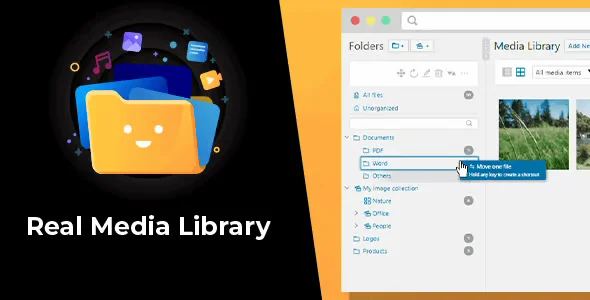
- Integration with the WordPress media selector: Folders are available directly in the media selection modal that appears when editing products, posts, or pages. The workflow doesn't change; it simply adds a layer of folder navigation, meaning the team can adopt the tool without needing specific training or significant changes in habits.
Who is this product for?
This plugin is designed for any user who feels that the WordPress media library no longer provides the control they need: from WooCommerce stores with extensive catalogs to agencies managing multiple projects from a single installation. The need isn't defined by job title, but rather by the volume and frequency with which media files are handled.
- WordPress administrators and technicians who need to keep track of which images are in use, which are obsolete, and how they are distributed by functional area or campaign.
- Teams that manage multiple stores or projects and need a consistent media structure that any contributor can understand and respect without prior instructions.
- Marketing and content managers who rely on the media library to publish campaigns, update banners, or manage product images quickly and without allocation errors.
Real-world use cases
- Fashion store with seasonal collections: A store publishes new collections every season and accumulates hundreds of product images per campaign. Without a structured system, each launch creates confusion about which photos belong to which season. With this module, the team creates a folder for each collection and season, uploads files directly to their correct location, and assigns images to products without the risk of mixing up references. The result is a faster publishing process and no visual errors in the storefront.
- Agency that manages multiple stores from a multisite installation: The content team needs to keep each client's media separate to prevent images from different brands from being mixed up. The tool allows them to create a folder structure for each client or project, assign roles with restricted access to each section, and ensure that no collaborator accidentally modifies files from another project. The agency gains operational control without needing separate instances for each client.
- Electronics store with complex product descriptions: Each product listing includes product images, PDF manuals, specification sheets, and demonstration videos. In a traditional library, locating the manual for a specific product listing can take several minutes. With folders organized by brand and model, any team member can find the correct file in seconds and assign it to the product record without duplicate uploads or version confusion.
- Corporate blog with a distributed editorial team: Multiple editors upload images independently without any naming convention or structure. Over time, the library accumulates duplicates, unused files, and unintelligible names. By implementing this extension, the team defines a folder structure for each editorial section and content format, and new files are automatically placed in their correct location upon upload. The publisher regains control over its digital assets and reduces review time before publication.
Frequently Asked Questions about WordPress Real Media Library
Does it work with any theme or page builder?
The extension is compatible with the vast majority of themes and builders that use the native WordPress media picker, including Elementor, Divi, and Beaver Builder. It's advisable to verify that the theme or builder doesn't completely replace the WordPress media modal with its own, as this could cause the folder integration to malfunction. A quick test in a staging environment before deploying to production is usually sufficient to confirm compatibility.
Does it affect the end customer's experience in the store in any way?
It has no direct impact on the frontend customer experience. Its action is entirely internal, focused on the back office and content management workflows. The file URLs don't change, so images already assigned to products or pages continue to load normally. What it improves is the speed and accuracy with which the team manages those files, which can indirectly reduce visual errors on the storefront.
Does it allow for the automation of organizing media that is uploaded in bulk?
The plugin simplifies folder allocation during the upload process, ensuring each file is placed in its correct destination from the start without subsequent reorganization. For bulk import workflows using external tools or product import plugins, compatibility depends on how that tool interacts with the WordPress media library, so it's advisable to verify compatibility in each specific case.
Does it have any relation to recurring charges or subscription renewals?
This tool does not interfere with payment flows, renewals, or subscriptions. Its scope is exclusively the management of media files in the WordPress back office. If the store uses WooCommerce Subscriptions or another recurring payment plugin, this module does not interact with or modify those processes in any way.
Does it affect the management of taxes, shipping, or coupons within WooCommerce?
There is no interaction between this plugin and WooCommerce's tax, shipping, or coupon modules. The tool operates on a completely different level: digital asset management. Its use does not alter any business rules configured in the store or interfere with checkout processes.
How does it behave with a library that already has thousands of files?
The plugin is designed to handle libraries with large media volumes, although performance during the initial reorganization may vary depending on server capacity and the number of existing files. No noticeable degradation in frontend performance is observed. For very large libraries, it is advisable to perform the initial reorganization during off-peak hours and in stages, rather than moving thousands of files at once.
Is it useful in multisite installations or in agencies that manage several stores?
In multisite installations, the plugin operates at the subsite level, meaning each store or project maintains its own independent folder structure. This makes it especially valuable for agencies managing multiple clients from the same WordPress network, as it allows them to keep each project's media perfectly separate without requiring separate installations. Centralized management of roles and permissions per folder further strengthens this use case.
How can I verify that it is working correctly after setup?
There are clear signs that confirm the tool is working: the media selector displays the folder panel on the left side; uploaded files appear in the assigned folder instead of the root directory; and when editing a product in WooCommerce, folders are navigable from the image selection modal. If any of these checks don't work as expected, it's advisable to look for potential conflicts with other plugins that control the uploader or the media modal.

Written and reviewed by the PrimeGPL Team
At PrimeGPL, we ensure that every piece of published content is verified and reviewed by our team. We analyze features, compatibility, and performance to provide you with clear, up-to-date, and truly useful information for each product listed in our store.
Get your questions answered here
We answer your questions so you can buy in an informed and confident manner.
Does my purchase include updates?
Yes. Every product purchase includes lifetime updates, so you won't have to pay extra under any circumstances.
Is there a daily download limit?
No, not at all. After your purchase, you can download it as many times as you need, without any problem.
On how many websites can I use the products?
You can use your purchases on as many domains (websites) as you want, without any problems.
Does it include technical support?
Yes. We offer technical support Monday through Friday, during business hours UTC -3. This support includes assistance with issues related to download problems, installation problems, or errors with the purchased product.
Furthermore, support does not include configurations, customizations, tutorials, or services associated with the author.
Does my purchase have a warranty?
Yes, of course. If you have any problem that we can't solve, or if there's an external issue that doesn't have a general solution related to our service, you'll receive support and, if necessary, a full refund.
How do I access support?
After your purchase, from your user account, you can access the support section, where you can open a ticket and our team will assist you with whatever you need.
Download Previous Versions
If you have purchased this product, or have an active membership, you can download previous versions without any limits or restrictions.
| Product Name | Version | Size | Date | Download |
|---|---|---|---|---|
| WordPress Real Media Library | 4.22.76 | 1.3 MB | 11/05/2026 | Join Now |
Related Products
Below we show you different products that share the same category.